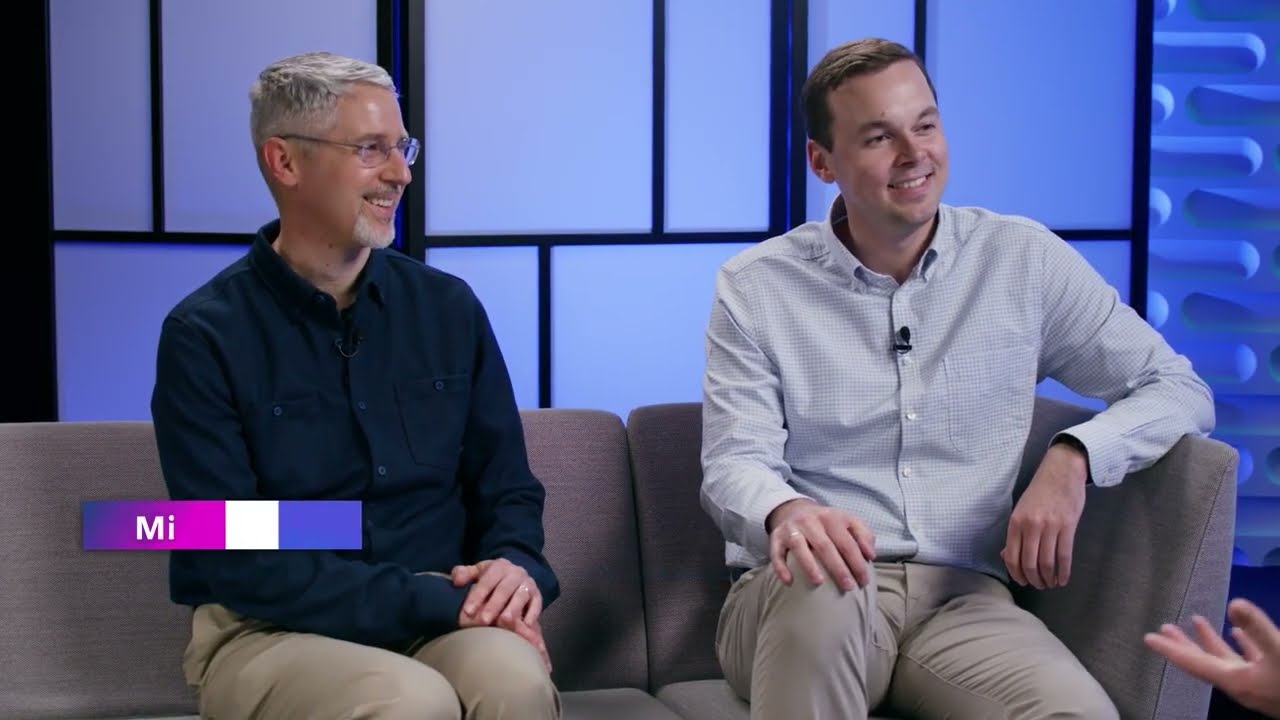
Video summary
The Windows Server Summit 2026 serves as a pivotal event to showcase the evolution and future of Microsoft's server infrastructure, with a primary focus on Windows Server 2025. Rick Claus opens by highlighting that this release has already achieved rapid adoption within just one year, driven by an industry-wide need for modernization amidst accelerating change rates. Neil Hinnett, leading the product team, emphasizes that Windows Server 2025 is designed to be a rock-solid foundation capable of keeping pace with these shifts without disrupting business operations. The core philosophy presented is that customers must utilize today's technology rather than legacy systems from years past to maintain efficiency and security in an increasingly dynamic environment.
Key technical advancements addressed include significant improvements in patching, GPU virtualization, and Active Directory performance. A major highlight is the introduction of hot-patching capabilities for Windows Server 2025, which allows administrators to apply critical updates with zero downtime, thereby reducing backup resource needs and minimizing business risk. Additionally, the platform has been optimized for modern hardware trends, particularly regarding GPUs, enabling flexible virtualization that allows organizations to slice GPU resources dynamically rather than being locked into dedicated boxes. Active Directory in this version sees substantial upgrades in security through post-quantum cryptography support and performance enhancements tailored for large-scale deployments, ensuring it remains a reliable backbone for global enterprises.
The discussion also delves deeply into the strategy of continuous innovation versus disruptive releases, introducing a model where new features are shipped disabled by default to prevent unexpected disruptions while offering customers a menu of value-adds they can enable at their own pace. This approach is complemented by Azure Arc, which facilitates a gradual modernization journey for organizations transitioning from on-premises environments to the cloud without forcing an immediate "lift and shift." The engineering team stresses that trust is built through predictable updates and high reliability rather than novelty features, ensuring that server workloads remain stable while gradually adopting new capabilities like Windows Admin Center's virtualization mode overview.
Looking toward the future, Microsoft reaffirms its commitment to investing billions of core hours into maintaining Windows Server as a critical platform for both internal operations and external customers. The roadmap involves bringing more coherence to management tools through initiatives like ReFS support on OS drives and advanced web-based administration interfaces via Windows Admin Center. Ultimately, the message is one of partnership with IT leaders who are encouraged to start their upgrade journeys immediately by testing features in non-production environments, leveraging live sessions for direct feedback, and adopting a piece-by-piece modernization strategy that aligns technical capabilities with long-term business goals over the next decade.
Read the full video transcript
Hey folks, welcome to the 2026 edition
of the Windows Server Summit. I'm Rick
Claus and I thought I'd kick you off and
give you a bit of an overview about
what's going to be going on today and
the next couple of days actually.
This is an event that takes place on May
11th, 12th, and 13th. Now, we're going
to be starting at 7:00 a.m. as far as
content is concerned. Uh we've got over
16 sessions that have been created and
delivered by the engineering team who
make Windows Server and all of its
accompanying pieces of software. Uh and
you are going to have the ability to go
through watch these sessions, interact
and have live chats, and also ask your
questions to the different members of
the engineering team.
If you want to see the full agenda,
please go to aka.ms/wsagenda
and register for Tech Community to make
sure that you will have full access
throughout the entire event. But, you
know what? Let's actually kick things
off. I've got here with me today
Neil Hinnett who is the I was going to
say the team lead for Windows Server,
but you're basically the gentleman
that's in charge of the Windows Server
product team. Is that right?
>> Exactly. I spend a lot of time thinking
about the Windows Server product, how to
build a awesome server product that
customers love, and we'll hear a little
later today from my partner in crime
Michael Bernstein who leads Windows
Server engineering.
>> Excellent. Now, why don't you give us a
little bit of a background about
yourself? How did you get started at
Microsoft? How did you end up in this
particular role and then we'll go on
from there?
>> So, great question. I am a Windows
native. I joined Microsoft in 2014 to
work in Windows client on the driver
platform. Did that for a few years and
then moved into the cloud working on the
Azure Virtual Desktop service and
Windows 365 service where we bring
Windows client into Azure for our
customers.
Um I was part of the small group who
designed the operating system
composition for the Windows 365 link
product.
>> Oh, is it the little hardware device?
>> That little puck that people all around
the world are using to connect to
Windows 365 from where they are. I spent
some time on PC gaming. And then I had
the opportunity to come into this role
and complete the, you know, with the the
whole Windows portfolio and lead the
Windows Server product team. And I'm
just super excited to be here today.
>> Nice. Now,
Windows Server 2025 has been around now
for we're clocking in at about 2 years
for how long it's been around. I'm like,
what are you most proud of for what the
team has done and accomplished with the
release of Windows Server 2025?
>> You know, the thing that I'm the most
proud of is we're in a period of
extraordinary change in the industry.
The rate of change has never been higher
in my career.
And this is something that both my team
and our customers have to deal with. On
the server team, we are
we're acutely aware that we provide an
operating system that is the foundation
for customer businesses all around the
world.
>> Right.
>> And so if we can't keep up with the
change, there's a ripple effect that
prevents them from keeping up with that
rate of change in all of their
businesses. I'm really proud of our
team's ability to handle that rate of
change, keep Windows Server 2025 secure,
keep Windows Server 2025 really high
quality despite all of that.
>> Mhm. Now, we've heard it's been
basically a fast start for adoption, one
year adoption rates here with Windows
Server 2025. What do you think's driving
that particular momentum?
>> You know, I think the big driving force
between the awesome start we've had for
the 2025 product is is really it comes
back to that rate of change. I think our
our customers are really smart. They
understand that when you're in an
environment that's changing rapidly, you
have to handle that with today's
technology, not the technology of 5, 10,
15 years ago.
>> Right, right.
>> And so when they think about how do they
keep their businesses efficient, how do
they keep them secure, how do they keep
them moving forward, they know that they
need to come on to Windows Server 2025.
>> Mhm. Now, if you had to summarize
Windows Server 2025 in like just one
phrase, like what would you tell IT
leaders about Windows Server 2025?
>> Windows Server 2025 is ready for you.
That's what I would say. We're 2 years
in, the product is rock solid. We've got
customers all around the world using it.
They're super happy with what they've
got. Try it out if you haven't already.
>> Nice. Now, before we dive into some
features that you're interested in and
what the team's been working on and some
details in the sessions, like what would
you say directly to customers and also
to partners who helped shape the release
of Windows Server 2025?
>> I I would say a huge thank you to our
customer base all around the world and
the partners that we build the Windows
Server operating system and server
hardware with. Uh it really is a global
team effort. The diversity of uh of use
cases, of businesses that the server
product supports requires input from
customers in every industry vertical at
every scale. We listen a ton to what our
customers have to say. We appreciate all
the feedback that we get at Ignite,
informally, formally, conferences,
everywhere. So, thank you. Keep it
coming.
>> Nice. Now, I was a PM in a previous
role. I know we have dev uh different
pain points that we talk about that uh
are being solved by the types of
solutions that we're bringing out. So,
I'm going to put you on the spot here.
What would you say would be your top two
or three customer pain points that when
you set out with the team to create
Windows Server 2025, set out to solve?
Got an example?
>> You know, um when I think about some of
the big rocks for Server 25, um patch
velocity was a big one. We released hot
patching for Windows Server 2025 to help
customers um through in Azure and
through Azure Arc get uh patches applied
quicker and with zero downtime.
Um we were as well responding to the
rise of the GPU server. We wanted to
make sure the customers who were buying
hardware with powerful GPUs were able to
use
um best-in-class GPU virtualization
technologies to get the most out of that
hardware.
>> Mhm.
>> And then, you know, every our release
cycle is long, and so every cycle we
think about how do we help keep the
server operating system modern for our
customers. That led to a focus on
overall operating system performance,
reliability, and with Server 2025, we
modernized the server desktop experience
to look and feel more like Windows 11.
>> Okay. Now, I want to dive into the hot
patching piece cuz obviously I'm really
excited about it. It's really, really
big as far as what it can actually do,
but what have you seen change for
customers and different IT organizations
that are using hot patching now where
they don't have to really address this
downtime piece?
>> So, the big deal for customers who who
have deployed hot patching is they
have to retain fewer, you know, backup
resources
for their hot patch applied fixes
because they can do everything without
bringing the server down. They can
repurpose some of their IT resources to
do other things during that period
where they're able to deploy
much more quickly. And then finally,
they carry less business risk as they're
able to apply patches faster without
having to worry about bringing workloads
online and offline, up and down, and
managing that complexity.
>> Mhm. Now, do you have like a particular
scenario for types of customers that the
hot patching really kind of pays off?
Like critical infrastructures or
regulated industries? Or is it really
something that's for everyone?
>> So,
the only customer for whom I'd say hot
patching isn't relevant is the customer
who doesn't want to keep their systems
current. And to that customer, I would
say, you need to keep your system
current.
>> Absolutely.
>> And so, we really look at hot patching
as something that, of course, it's
incredibly valuable for
security-conscious customers. Anyone who
cares about security should have already
deployed hot patching.
>> Right.
>> But, it's relevant for every customer
everywhere, and we really want to help
people be successful with this
technology.
>> Nice. Good point. And you know what? We
actually have a really good hot patching
session coming up right after this
keynote. So, stay tuned for more details
later there. I want to pivot a little
bit and now talk about the next thing
you talked about, which was GPUs.
They're all the rage. Everyone's talking
about GPUs.
What's the shift that you're expecting
to see in the way that modern workloads
are happening
using GPUs virtualization on Windows
Server?
>> We're seeing more and more hardware ship
with GPUs out of the factory and
customers are doing greater and greater
diversity of things with uh GPU.
With SQL Server 2025, the SQL team
released rag search for large SQL
databases. This is a critical
um AI accelerated database capability.
We also see customers do a wide range of
things uh that require different size
VMs, being able to take different size
slices of the GPU hardware on the
underlying server. And so, that's why we
care so much about GPU virtualization is
enabling that really wide diversity of
customer usage.
>> Nice. Now, what's the simplest way that
you can explain why GPU virtualization
matters in this world as opposed to
dedicated GPUs inside dedicated boxes?
>> GPU virtualization enables me as a
customer to buy a pool of hardware and
after the fact use it for many different
types of things and make decisions about
slicing that resource in different ways
over time. I'm not limited by what I
chose to buy a year ago. I can make
changes as I go.
>> Nice. And so again, we've got some
really good sessions talking about GPU
virtualization coming up in this in the
Server Summit. So, stay tuned for more
information. The last one I want to ping
you about right now is something that's
near and dear to my heart. I got started
with Active Directory early in my career
back back last century, if you want to
know where that comes in. But Active
Directory is still very much mission
critical. What improvements do we have
in store for Windows Server 2025
customers?
>> We love Active Directory and we know
it's the backbone for organizations all
around the world. Right. The story for
AD in 2025
was performance and security. Two
investments I'm was super excited about
in Windows Server 2025 for AD are the
work that we did to support post quantum
crypto algorithms for AD certificate
services.
And some significant improvements to
performance for large AD deployments
that help those big customers spend less
time managing AD and more time on their
core business.
>> Nice. Now, again, I keep on calling this
I sound like a broken record. We've got
more sessions coming on AD after this
particular keynote and throughout the
rest of the week. But putting you on the
spot, do you have one or two sessions
that really kind of stand out for you
that you're really interested in
following?
>> You know, Rick, two really popped to
mind for every customer everywhere and
that's the security session we'll have
later this week and
Hyper-V. Virtualization is a core
competency today.
>> Absolutely.
>> And then I'd encourage all of our
customers to view the rest of the
sessions as a menu. You know best what
drives your business forward. Whether
it's storage, networking, or fundamental
improvements in the operating system,
choose what works for you.
>> Nice. Now, this is kind of an awkward
question, but it's come up to me an
awful lot in the past talking to
customers online and in person at
events. And some customers think that
really that they're not convinced that
there is innovation taking place in the
Windows Server environment. And what can
you say around that and how does this
complement this concept that I've heard
of before with continuous investment?
How does that
come to fruition?
>> You know, I I get this question a lot
too, Rick. And I always like to answer
it two ways. The first is I want to
reassure you and everyone listening the
server business is a massive growing
business around the world serving all of
Microsoft's strategic customers. It is
foundational in our product portfolio.
And the second is
Microsoft's largest customer of Windows
Server is actually Microsoft.
We prove out technologies and new
products like Azure Virtual Desktop in
Azure. And then we look hard constantly
at how do we bring that goodness to
customers all around the world. That's
part of by the way I'm so by I'm so
excited about Hybrid AVD, which is in
preview right now.
>> Mhm. Now,
can you give me an example of what
Hybrid AVD means? What does it solve?
What customer scenario is is this really
aimed at?
>> So, Azure Virtual Desktop is a service
that we offer to help customers
virtualize Windows 11 desktops. Think a
call center, think a mobile worker who
needs to be able to connect from
anywhere in the world to a desktop with
their data on it.
AVD is a service that was born in Azure,
has grown in Azure, and we're now
bringing that greatness outside to our
customers everywhere in the world
through Azure Arc.
>> Okay. Now, the next one that comes into
play with regards to adoption and with
regards to deployment of Windows Server
2025 comes around
a word that sometimes infrastructure
people are hesitant to use. And that
word is upgrades.
Sometimes is also where plans fail or
stall and don't actually get to move
forward. So, I know that there are some
updates with regards to updates on
Windows Server.
Give me a little bit of background
information and why is this important?
Why was there such a big focus on this?
>> Making the upgrade path as smooth as
possible for our customers is a huge
priority for us because we understand
that what customers care about is their
business operations, not executing
server updates. So, with Windows Server
2025, recognizing that we have customers
who use our product for a decade or
more, we extended our support for
down-level upgrades to the modern OS all
the way back to N minus 4. Historically,
we've only supported the past two
versions of the server OS. Now, we go
four levels down, so any customer on any
supported Windows Server version can get
to 2025 today.
>> Okay, so what would you say would be
your one-stop-shop advice for someone
with regards to why they should upgrade
to Windows Server 2025?
>> In the past, our customers have often
had to make a trade-off between being on
a modern version of the operating system
and continuity of their business.
We've made it easier than ever for you
to get secure with the least possible
downtime with these n minus four
updates. The two hop upgrade is a thing
of the past.
>> I love that. Now, what about SQL
customers? Why should they go ahead and
do the upgrade to latest version?
>> SQL customers should be some of the most
motivated people to upgrade to Server
2025.
We work hand in glove with the SQL team
every release to tune the performance of
SQL Server on Windows Server. And the
SQL Server team has introduced in SQL
Server 2025 new AI capabilities that
allow you to use generative AI with your
databases, all powered by the GPU
capabilities in Windows Server 2025. You
need both to succeed. Upgrade now.
>> Nice. Now, if you're going to give the
first step that you recommend for
everyone watching this right now,
what is your first step to be able to
start an upgrade journey this quarter?
>> You know, my advice to everyone is to
turn to your IT director, turn to your
IT department, and ask them to get your
test servers upgraded to Server 2025. We
really think you're going to love it.
>> Nice. So, let's let's shift a little bit
here because we've been talking mostly
about Windows Server from what I would
consider to be like an on-premises
exclusive kind of place. We both work
for Microsoft. I've been working in
Azure for a number of years.
Uh there's this thing that's known as
Azure Arc.
And I'm curious, like what is your view
about the unique advantage of what Azure
Arc brings to the table for our
customers?
>> You know, Arc is really
a reflection of Microsoft's recognition
that modernization is a journey. Mhm.
Azure is the best place for Windows
workloads, but it takes customers some
time to get there. Arc enables you to
take that journey at your speed and
manage your entire estate across
on-premises and in Azure through a
single pane of glass as you transition
that business into the cloud.
>> Okay. Now, you can connect up Arc to
other services, right? To get even more
insight and more information?
>> This is one of my favorite benefits of
Arc beyond that core manage your whole
fleet in one place capability. You can
buy Defender, Sentinel, Monitor for our
customers who care about observability
and security, which should be everyone.
This is a huge huge win.
>> Nice.
So, we've talked a lot about upgrading
and the experience with that's like, but
then there's also that next path that
we're talking about, which is talking
about migration and modernization. And
so, I'm curious, what are you seeing
from common paths with regards to
rehosting, re-platforming, and even
refactoring with regards to how Windows
Server 2025 and Arc fit into this?
>> You know, our our customers today have
more choice for compute services than
they've ever had before.
>> Right.
>> And so, the modernization journey has
become something
um more complex, but more valuable than
the old lift and shift model. And so, I
see customers who are making the the
evolution from on-prem operations to
IaaS. Windows Server runs great in
Azure.
>> Right.
>> Um I see customers who are modernizing
to PaaS services like Azure SQL, and I
see tons of customers who are making
that leap uh to truly refactor their
workload into uh the constellation of
SaaS services that Microsoft provides.
>> Mhm.
>> The great thing about Arc and Server
2025 is that allows you to move workload
by workload at your own pace and get all
of the core parts of your business to
the places that they need to go in
Azure.
>> Nice.
It's been great you could spend time
with me answering these questions, which
is awesome, but I think we have someone
waiting in the wings that we should
probably bring out. What do you think?
>> Yes, I think it'd be awesome to bring
the man responsible for all the amazing
engineering in Server 2025 out, my
counterpart Michael.
>> You know what? That's awesome. Let's
actually bring Michael in and let's have
a chat.
>> Hello.
>> How you doing, Michael?
>> Good. It's good to be here.
>> Now, I'm curious, can you give us a bit
of background?
Neil here calls you the the master of
engineering when it comes to Windows
Server 2025. But give us a bit of
background on what you do for a job and
how you got situated at Microsoft and
using and working with Windows Server.
>> Yeah. Well, thank you. It's been gosh, I
started in 1999 as an intern. I was
working on the clip art gallery back
when we had clip art.
And since then I've been an OS
generalist. I've gotten the chance to
work on several different layers of the
OS. I worked on handwriting recognition.
I worked on accessibility for the blind
and the deaf. I had a chance to go over
and work on Xbox One for a while, which
was fantastic, and then came back
uh and contributed to different layers
of the Windows architecture, and I've
been working on server since about 2021.
>> 2021, that's cool. And you both
haphazardly kind of connected with your
different roles over the years, or was
there some kind of connection in your
backstory? I just didn't didn't know
that there was kind of a backstory at
all.
>> Well, you know, we've worked in the same
division for quite a few years now.
>> Yeah.
>> I had a I had a chance to work on that
Windows 365 link device that Neil was
mentioning earlier.
>> Very cool.
>> probably our first actual program
together.
>> I think that's right.
>> Nice. Now, here we are in Windows Server
2025 world, and I'm going to ask you the
first question that's coming out here is
really is
you've you've talked about the different
roles you've had, the stuff you built
and you worked together on and that
you've have built as well, but I'm
curious, are you getting questions and
and are you uh seen where customers are
thinking or or considering should they
be continuing to build on top of Windows
Server for the long term? Is it is it
worth their time to be able to go off
and do this?
>> Yeah, I am getting questions like that,
and I think one thing I would really
want them to understand is how much
Microsoft itself really bets on Windows
Server. We clock
billions of core hours of usage on
Windows Server every single day. All of
our major services run on Windows
Server. It's hugely important, and so
honestly, a big part of my job is making
sure that Windows Server is a great
platform for our 1P internal customers
and that they are very satisfied and
they're demanding, I will tell you.
Uh and so, I'm able to bring the the
fruit of the work that we uh get stable,
that we make them happy and bring that
back to all of our customers.
>> Nice. So, how about what would you say
would be the biggest opportunity over
the next few years for people?
>> Yeah, and it's a it's a crazy time. I
mean, gosh, the every week is different.
It's kind of a frothy time in in the
landscape and so,
um
we're we're trying to be dynamic and
keep up with all the changes, but
yeah, I think in the midst of all these
changes, security and reliability just
continue to be so important and so,
we we're looking hard at the innovation
that's coming up. We're trying to keep
pace with silicon and storage and
networking and make sure that we
are bringing all this innovation to the
platform, but really making sure that we
sync those security and reliability
expectations that our customers have for
us.
>> Now, Neil, where are you hearing from
customers for
where their most conviction should be
about where Windows Server should go
next?
>> You know,
the number one thing that I hear from
our customers is that
Windows Server customers love Windows.
They've built a business on it over the
last 20 years and they're looking for us
to make sure that they have an awesome
awesome platform for the next decade and
the decade after that. And
that's where the consistency ends
because every business runs on different
workloads with different needs and
that's where Michael and I spend a lot
of time trying to see to to understand
the signal in the noise and figure out
how we make the right investments that
accrue to the most possible customers
for that next decade.
>> Right. Now, Michael as the engineering
person, what are your clearest signals
that you can pass along to customers
that will see them through to the next
decade.
>> Yeah. I think number one, we really want
to be building trust with every update.
And I wish more of this were visible,
but is this is something I get quite
excited about is we work hard every
single month to raise the bar for the
quality of our code, whether it's static
analyzers that run, newest compiler tool
chains, uh taking the latest techniques
for blocking security exploits and
rolling them into the product. So, a lot
of this is invisible because it should
be invisible, but I do want to make sure
our customers know how much effort we
put into keeping those security promises
and and keeping the bar high as the
threat landscape evolves.
Uh I think beyond that, uh working hard
on reliability, making sure that we keep
those five nines expectations that
customers have for us.
Um and then, gosh, after that, I think
you'll see a lot of investments in
management. I'm super proud of Windows
Admin Center. It's one of my team's
particular projects, and so
you know, look at our investments in
Windows Admin Center and the ways that
we're trying to evolve the management of
Windows Server uh as a as a clear
indication of the way that we are
betting.
>> Yeah. And so, when you say, you know,
Windows Admin Center is one of them, uh
is that one of your top priorities that
you're looking for driving for next
release?
>> Yeah, absolutely. So, I think I put a
lot of energy into Windows Admin Center
and making sure that it's it's great.
It's very exciting. I think it it allows
us to bring a lot of the newer
expectations around web management and a
more modern UI surface to our customers
to manage their existing server
workloads. So, I I love Windows Admin
Center. I think it's great. Think you
can
>> And another one to follow up on that
one?
>> Absolutely. I think um ReFS, the
reliable file system work, uh our we are
bringing ReFS to the um OS drive itself,
and so I'm spending a lot of my personal
time working across teams at Microsoft
to make sure that all the server roles
play nice on ReFS and that it is a
fantastic experience when people are
ready to move to it.
>> Nice. Now, Neil, building on what
Michael was just saying,
what are you hearing from customers that
are indicators for you that this is
something that you should be focusing on
as a way of shaping your set of
priorities for what's coming out for
Windows and next version of Windows
Server.
>> You know, management is a big theme that
I hear from customers.
Windows Server is a successful product
with a long history and that's a
fantastic thing that we're really proud
of. It also comes with a large tool set
both inside the company and outside of
the company and so bringing
um
more coherence to our management tool
suite is really important to me.
Um helping our customers navigate some
of the macro trends in the global market
that we compete in is really important
to me. Customers are dealing with price
increases for hardware. They're dealing
with, like Michael was mentioning,
motivated um attackers around the world
attempting to disrupt their business
operations. And so for us it's really
about, you know, putting aside the
features of the moment. There are always
those specific things that we do in
every release. It's how do we move this
entire platform forward in a way that
keeps customer businesses healthy and
moving forward at the maximum possible
velocity for them.
>> Yeah, interesting. Uh Michael, I want to
draw into something that you said a
little bit earlier when you were giving
your answers, which was specifically
earning trust with every update. You
talked about updating systems, that sort
of stuff in the migration piece of
things. Um what does that specifically
translate when you say earning trust
with every update as far as our
customers are concerned?
>> Yeah, you know, trust is so personal but
I I think I'd begin with
uh I know how important those monthly
Patch Tuesday updates are. We put a lot
of work into those and so I sure want to
make sure that that every Patch Tuesday
update raises the bar that when people
go to get those monthly updates and
deploy them, they can trust that that
update is going to make their product
better and that it's going to be a good
experience for the customers. And then
on top of that, I think the
um the reliability piece, I think making
sure that these workloads run
flawlessly, that that we don't have
surprises. You know, I think in
uh sometimes our
uh our client customers like novelty.
Novelty's fun, new features are great.
Server customers, not so much. It's It's
less about the novelty,
>> Yeah.
>> more about the predictability.
>> Predictability, reliability, and all the
rest of the stuff that just keeps the
keeps everything moving.
>> That's right.
>> Yeah. Neil, uh what are some practical
ways that you see right now with Windows
Server 2025 that are moving customers
towards this trust model that we've got?
>> You know, Michael talked about some of
the futures that we do to help build
that trust. I also want to highlight
that we have an extraordinary group of
people within Microsoft whose full-time
job is to make servicing seamless.
>> Okay.
>> They work really hard, are super
passionate about this.
I also want to talk about how Michael
and I think structurally about building
this trust because, you know, I was
talking about we have a large diverse
customer base with
very different needs all around the
world. Every customer has that magic
feature that they want really bad, and
they want it today.
And they don't want anybody else's magic
feature, because that's disruption.
>> Right.
>> And so, we've shifted with Windows
Server 2025 to a model over time where
we're shipping code into the product
when it's ready, but disabled by
default. So, customers have a menu of
new value that they can pick from, but
they're guaranteed not to be disrupted
by somebody else's magic feature.
>> So, we don't have to wait for the big
huge massive milestone releases. Things
are coming out at different times, but
they're off.
>> In a safe way.
>> And then people can choose to evaluate
them, turn them on as they need to, and
then put them into production.
>> Excellent. Now, uh Michael, how about
shifting a bit, because we talked about
this before you arrived, about the
building blocks of using Windows Server
2025, but then also benefiting from
Azure capabilities and Azure innovations
as well. What are your What's your
thoughts on this in the on-premises
world?
>> Yeah. I think
we we love Azure so much. I think the
the Azure the cloud technology, the
powers that it unlocks, the ability to
move workloads fluidly through cloud and
hybrid to on-premises environments is
just fantastic. So,
I'm always going to lead with cloud and
we certainly do internally. So much of
my own team's engineering systems run in
the cloud and yet
we know that on-premises is super
important and that so many of our
customers have really strong reasons to
stay there. So,
for my team, we make sure that every
feature gets heavily tested in a large
on-premises lab. We have
physical machines for cluster testing,
reliability testing, performance
testing, networking testing.
And so, maintaining that lab is is a big
job by itself, but it's worth it because
we want to make sure that
when our on-premises customers get those
new features, they can feel confident
that those features are going to behave
well.
>> Yeah. Now, potentially building off of
that, but also maybe even separate if
you both have some thoughts on this one.
I'd be curious if you could find out
You've both said at some point in time
that Windows Server runs best on Azure.
How would you tell a customer what you
actually mean by that?
>> I mean, just to pick up on the
engineering side, I think
>> Yeah.
>> people may not realize, but it's it's
Windows Server all the way down. So, the
the Azure host blades that are powering
the data centers are running Windows
Server. We've got guest VMs on Windows
Server. There's Windows services running
on top of that. It gives us an ability
to optimize up and down the stack in
ways that are unique and that are really
powerful. So, part of Windows Server
best on Azure is just that we are able
to optimize the whole stack top to
bottom.
>> Right. And to build on that one,
>> And so, you
the power of modern software and compute
technology today is incredible. It
allows our customers to do amazing
things. And managing all of that
complexity yourself is really difficult.
And so, one of the huge benefits running
Windows Server in Azure is that we're
going to take so much of that complexity
away for you. And that's both in the
management of the server OS itself, and
it's also in the services that are
co-located with you when you're in Azure
that are just super easy to connect into
your VMs to attach, um and get,
you know, focus more and more of your
time as a customer on the things that
drive your business forward rather than
managing your own infrastructure.
>> Nice. Now, kind of to close this one
section down, I don't know who's going
to answer this one here. I'll let you
fight this one out. But, uh what would
you say would be like a decision tree or
a framework you could use as an
infrastructure person, an IT
administrator, an executive about where
to deploy your next Windows Server
workload. Would it be on premises or
would it be in Azure?
>> You want me to take this one?
>> Please do.
>> You know, uh my my advice
to any executive would be first you need
to have a really strong inventory of
what your workloads are.
Without that, you can't get to the next
step, which is to look at that list and
think about what is your road map for
each one of those classes of compute. Is
this something that's going to be a
durable part of your business for the
next 10, 20 years? Is it something that
you need to modernize into Azure PaaS or
Azure SaaS? Is it something that for
unique physical world or regulatory
reasons needs to remain on prem?
And you should
develop that road map and then begin
executing on it piece by piece. Don't
view your modernization as this massive
one-shot effort. That's how I see
customers get bogged down and
modernizations fail. Take it piece by
piece. The cloud is going to be the
right place for almost everything. For
those things that it isn't, we've got a
great solution for you as well.
>> Nice. Okay, well, how about this one? Um
Neil had alluded to this earlier where
we ship functionality, but it's off by
default, stuff like that. Part of that
cycle process is even letting people try
things out beforehand, and that's known
as like preview functionality or preview
features. If you could think of one
preview feature that you would like
people to go off and try, what would it
be?
>> I am super excited about Windows Admin
Center virtualization mode, overview
mode. You know, I think V mode is a is a
major update that we're bringing to
public preview two right now and I think
the
ability to manage your virtualization
fabric, to really extend WAC from one
machine or a single cluster off to large
numbers of clusters uniformly. Uh super
powerful. We worked so hard on this.
Engineers not getting a lot of sleep,
but very excited about the product and
we are excited to have our customers try
it and send us their feedback.
>> Nice. And Neil, as an as a as a question
to you, how about
how do you determine different success
criteria for these different previews?
If they proceed, if they get changed,
stuff like that. How do you how do you
fix figure that out and stuff out?
>> You know, we we take an iterative
approach to this and we go through
multiple different previews. We often
have a private preview and then a public
preview. In some cases, like with
Windows Admin Center virtualization
mode, we're even doing two public
previews.
>> Oh, okay.
>> At each stage of the process, the
criteria by which we evaluate product
market fit, by which we evaluate quality
and performance, the security of the
feature change and the bar becomes
higher each step we refine and make sure
that we're
building a new capability to the product
that customers are going to love.
>> Mhm.
>> Um and so that way, by the time we get
to the end and we're ready to GA, we
really feel comfortable signing both of
our names to this is what customers
want.
It's going to be secure. It's going to
be super performant.
>> Nice.
Now, I'm curious. Um
either one uh maybe maybe my Michael,
you could get this one here. Where
should people go uh this week over the
course of the event where they can go
off and get started to provide feedback
uh about the next versions of Windows
Server and also a preview functionality.
>> Yeah.
Uh I think I think if you just search
for our Windows Admin Center entry page,
we'll have the link to the preview
there. And that would be a great place
to get started. Windows Admin Center is
a separate download from Windows Server,
so that makes it easy to try on any
server that you have available.
>> Nice. And to to build on that for a
second, I'm curious. Like
we had this discussion off camera
earlier talking about different types of
management tools and where the
investments are and stuff like that. Um
what specifically issue does or sorry,
what specific issue does Windows Admin
Center, the the V-mode tool, actually
solve? What problem is the thing that it
solves the most?
>> Yeah, when we when we started the
journey with Windows Admin Center, we
really thought about single machines or
single clusters as the as the center of
gravity. And part of the feedback from
our customers was that's great, but they
would like the ability to manage an
entire virtualization fabric, whole sets
of clusters spanning out to hundreds or
thousands of VMs in a single pane of
glass. And so
if you're doing that in Azure, Azure is
your pane of glass. But if you're doing
that on premises,
we had a gap. And I think that's where
V-mode comes in. That's the problem that
we're trying to solve.
>> Nice. And then zooming out,
how do previews and how does customer
feedback shape what actually makes it
into the next release?
>> Um we have a ton of different ways that
we engage with our customer base. We
have public engagement like this Windows
Server Summit. We have Microsoft's major
forums like Microsoft Ignite. We run
um
smaller communities throughout the year
where we gather feedback from customers.
We pay attention to feedback in the
Windows Feedback Hub. Um all of those
things spark ideas that become previews
that become parts of the product. Uh I
want to highlight for you a challenge of
this model that we talked about earlier
where we're shipping new features
disabled by default to get them out
faster to customers.
This also means it can be harder for
customers to discover the new value in
the product that's in preview. And so I
want to encourage all of our customers,
go look at the Windows Insider build
change logs. That will have everything
that you need to understand what's new
in the product and how to try it out.
The benefit of our model is that you'll
never be disrupted by any of that
change. The downside is sometimes you
have to look for
where you can get more value out of the
product.
>> Nice. And I would just add the the same
Windows Server Insider community forums
we monitor very closely and we really
appreciate hearing from our customers
there and we do our best to to answer
back and and be there to to be present.
>> Nice.
Again, thank you so much both of you for
taking the time to sit down and have a
chat. Really appreciate it. Any closing
thoughts before we kind of wrap up and
get ready for the rest of the Windows
Server Summit?
Closing thoughts?
>> You know, we've got an amazing few days
ahead. We have a ton of really excited
and passionate people ready to talk to
all of our Windows Server Summit
customers. I hope that you love the
sessions. We're thrilled to be able to
do them for you.
And we're really looking forward to to
hearing your feedback and making the
next version of the product great.
>> Nice.
I would just add it's a privilege to be
able to work on Windows Server. I think
the engineers who work on the product
are proud of their contributions,
work hard to bring great engineering to
you. We
are excited to have you try out the
fruits of our labors.
>> Nice.
>> You know, I um
I think that we have two of the coolest
jobs in the industry.
>> Absolutely.
>> Because we both get to build features
within our teams and we get to look
across Microsoft and figure out how to
best integrate Windows Server in all of
the other products that Microsoft
offers. As you said, um I'm just so
proud to have that opportunity. Really
excited to bring the work of all of our
teams and and the company here to all of
you.
>> Nice. Again, thanks guys. It was great
chatting with you. Thank you so much for
taking the time.
I just want to let you folks know that
you absolutely are going to want to
stick around for the rest of this
particular event, all three days. Stay
with the feed. The videos are going to
change automatically for you
either on the hour or the half hour
based on the length of what each session
happens to be. And don't forget, while
those sessions are live, you will have
the ability to ask questions directly to
the engineering teams that work on that
product, that functionality, that
feature. They're there in the live Q&A
to answer your questions. And so take
advantage of that. And I want to call
out one extra thing. There is a special
session. I think you two are going to be
involved with this one. I'm not sure.
That's going to be taking place on the
last day at 7:00 a.m. It's the first
session. And you got to have the entire
extended leadership team of the Windows
Server environment. That's going to be
there to answer your questions, take
your feedback, and make the product
better.
So again, thank you. And thank you for
watching this. Really appreciate you
taking the time. I hope you enjoy
Windows Server Summit 2026.