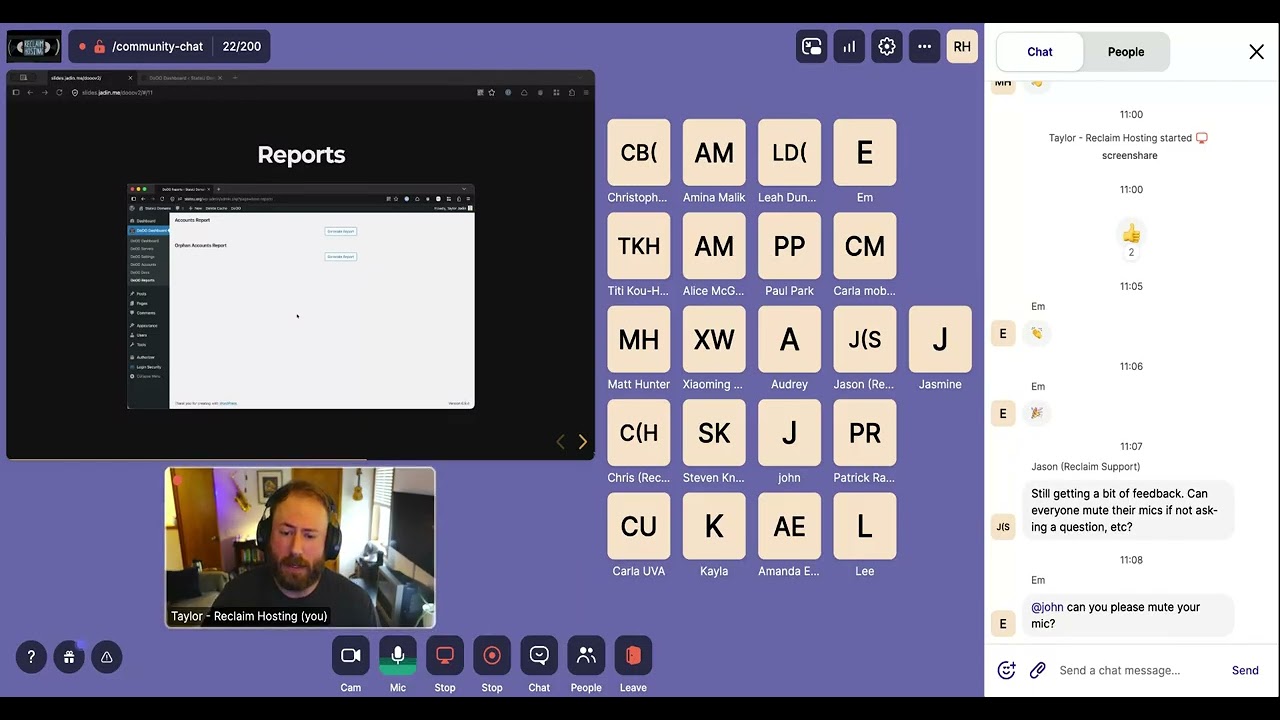
Video summary
The upcoming release of Domain of One's Own Version 2 represents a significant technical and functional upgrade designed to address long-standing user requests from the Reclaim Hosting team. The most immediate change involves migrating the core functionality from a custom WordPress theme into a dedicated single-purpose plugin, which eliminates previous restrictions on using different themes for school sites while maintaining seamless Single Sign-On (SSO) integration. This architectural shift also removes WHMCS as a required middle layer, simplifying administration by consolidating account management, provisioning, and server access directly within the WordPress admin dashboard. Consequently, actions such as suspending accounts or terminating services can now be performed entirely from one unified interface without needing to navigate between disparate platforms like cPanel or external reseller panels.
For end users, including students, faculty, and staff, Version 2 introduces a streamlined registration process that replaces complex forms with simple domain-based creation workflows within the WordPress environment. The new system supports multiple accounts per user through an intuitive dashboard layout rather than relying on third-party switchers, while also improving accessibility standards to ensure compatibility with screen readers and adjustable font sizes. Administrators gain enhanced control over reporting capabilities, allowing them to view detailed metrics such as disk usage, account creation dates, last login timestamps, and IP addresses directly inside WordPress without needing external tools or custom requests. Additionally, the platform now includes built-in features for sharing accounts between users and managing permissions via clearly defined roles like "admin," "user," and "requester."
The migration process is planned to occur in phases over the coming weeks, prioritizing schools with subdomain setups before addressing root domain configurations which are still undergoing bug testing. During scheduled upgrade windows lasting approximately one to two hours, new account registrations and direct cPanel logins will be temporarily unavailable, though existing websites remain accessible for content editing. The update also includes performance improvements through the adoption of PHP FPM and OpCache extensions alongside a shift from PHP 7.3 to version 8.2 as the default setting. While some schools may need assistance migrating custom plugins or adjusting email notification strategies previously handled by WHMCS, Reclaim Hosting offers support for implementing alternative WordPress solutions like Better Notifications or integrating SMTP services to maintain reliable communication channels post-migration.
Read the full video transcript
All right, I've got recording started
and we can kind of kick things off. So,
uh, thanks for showing up today uh to
our uh domain one zone uh you know
what's coming next workshop here. We're
chatting about um what is coming to uh
domain one zone this summer and this
year um and kind of what that's going to
look like, what to expect, things like
that. Um, we're really excited about
some of these things at Reclaim um
because in a lot of ways this is us
being able to um add features to domain
in one zone that people have been asking
us for for a long time. Um, and so um
we're really excited to show you what
we've been working on. Um this is most
uh what I'm showing here is is um a
result of of work um primarily from um
our uh infrastructure
uh and main system administrator here at
reclaim uh Chris Blankenship. Um but the
whole team's been involved in various
aspects. Um so yeah uh hopefully uh um
you enjoy what we've been working on as
much as we've enjoyed working on it. So,
um, this is what's coming soon. So, um,
the, uh, what we're calling this domain
one's own version two. Um, it's a, it's
a, a big upgrade in a lot of ways,
taking domain one's own version one,
taking the fundamentals there of, you
know, a way to manage C panel accounts,
let folks sign up for them themselves or
allow a request workflow and enhancing
it in a lot of different ways. So um the
main thing to know uh from a technical
change is that we've moved the
functionality of domain one from a theme
where it lives right now as a custom
WordPress theme into a single WordPress
plugin. Um [clears throat] and it's in
it'll be installed on the same website
that you you know folks log into for
your domain zone uh right now. Um and so
we'll be migrating folks into this this
plugin. We've taken all the logic that's
attached to the custom theme and moved
it over there. Um, it's also expanded uh
uh I should before I move on I suppose
uh it also means that because uh it all
that logic is in a custom plugin um we
no longer need to use the custom theme
which means you can change your theme on
your domain zone uh site. right now
you're kind of locked into a specific
theme. Um, and if uh we've had a couple
schools who've needed or wanted to
change that WordPress theme and we
actually have to port the code over for
them, which is fine. We we can do that.
But, um, it's uh is a it's a big process
and it means it puts a lot of uh of
planning on the the schools that need to
do that so that we can kind of
coordinate that switch with them. So,
it's not a custom theme anymore. uh once
we uh migrate folks onto this new
version um and so allows a lot of
flexibility
um we've also expanded the functionality
that uh means that WHMCS as sort of the
middle layer that powers domain one's
own is no longer a required part of the
system. Um the reasoning here is
we we've been observing you know what do
admins need to know to to to use and
administer domain one's own and
WHMCS right now is used as sort of this
middle platform to kind of provision
accounts on the server make sure we know
who they belong to um and match them up
with accounts on the WordPress side
which is of attached to your school's
single sign on system. Um,
we've been able to uh add functionality
to main zone to make that uh redundant
and we can lose whmcs from that which
makes things a lot simpler to
administer. It means that there's not
multiple places to do actions like
suspension and termination things like
that. So makes things a lot simpler. So
that's the high level this is what's
changing. um the uh the all of this
happens inside of WordPress. So um
instead of having a place to go for you
know WHMCS account management uh a
different page uh for other types of you
know getting into um the server
administration with WHM. Um, all of this
happens in WP admin as part of the
custom plugin and also account signup
and other actions like that also happen
in WP admin which I'll show in a second
what that actually means but it has a
bunch number of security benefits too
that we're really excited about.
Um all right so kind of starting with
the demo here this is what end users so
students staff faculty what they will
see uh when they're using the new
version here once we have you on it. So
um first thing is simplified account
registration. So um instead of the the
page that exists right now in domain one
zone um you'll get a um you'll get this
this page here in WP admin where they
simply can fill out what their domain is
that they want hit create and it creates
the account.
Um it's a pretty simple one question
kind of form and it's a we think it's a
big improvement on what you see right
now in WHMCS
uh where it has this whole like
countdown where it has to kind of you
know check for the domain. It has a
whole uh cart where people owe zero
dollars. uh we're able to kind of
streamline all of that into just a
simple
um and then uh as part of that this is
what logging in looks like. Um so
logging in is it basically folks end up
on a simple page that shows their their
account. They hit a login button and it
can open in a new tab basically.
[snorts] Um it's it's a pretty simple
process. Um you'll note that it is
opening not um as a embedded iframe
which is kind of how domain zone version
one works and we've moved away from that
for a number of reasons. Um but the main
one is there's a number of services in
cPanel now that require uh external
authentication essentially
your server talks to a central cPanel
service and gets a like API token thing
happening and uh the iframe interferes
with that essentially. So uh this means
things like site jet builder uh work out
of the box on zone version two.
Um, another thing we're really proud of
in domain zone version two is the level
accessibility we're able to achieve
because we control more of these pages I
just showed. So, um, we already have all
of this on our website. You can go there
right now,
www.relaimhosting.comacessibility.
We have, uh, ACRs for version one,
version two, our main site, as well as,
um, the shared hosting client area. uh
not really relevant for demand zone, but
I'll mention that we have all of those
there. Um so you can check that out. Um
and we're really proud of the work there
to get that um to really high standard.
Um another thing that's uh much easier
to use in domain zone version two is
multi- accounts. So multi-account
support in domain zone version two um is
uh more of a first class citizen. If you
if you have any situations right now in
domain own zone version one um where you
have someone has multiple cPanel
accounts that they should have access to
you know that there's like a little
switcher um that we've added because
cPanel itself doesn't really have a way
to do this. Um domain zone version two
lays all the accounts out on the page.
Um so you can have multiple accounts if
you want uh end users to be able to have
that. Um there's also uh a really easy
way to share accounts that we'll talk
about in a little bit.
Um moving on to kind of admin
improvements. So this is improvements
that you can expect to see as an
administrator. Um the account uh
management is much simpler. So there's
an actual page right in WordPress called
domain one's own accounts that will list
every account on the server, let you
search through them. Um you can suspend
the accounts right from there. you can
terminate or you know delete them off
the server right from there. You can
also use this form to quickly create an
account on behalf of someone else. Um so
that's really easy to do and fast to do.
Um as well as do things like manage um
shared accounts which I kind of
mentioned earlier. You can do things
like change the account owner right from
here. Share an account with another
user. Um all that's pretty simple. uh
WHM access is also built in. So, WHM
right now we have a sort of reseller uh
credential that we create and we give to
you and um but that that is completely
not necessary in Domin's own version 2
because we can actually get you a login
session right into WHM. Um so that only
works if you have the administrator role
of course but uh makes things much
simpler. you can just click a login
button um right from the servers page um
in the new domain zone version two
um collaboration I've brought this up a
couple times but this is built in so we
have a little form you can fill out and
say you know in this case I've got an
account called new newstatew.org or and
it needs to be shared with the account
uh the taylor reclaimhosting.com account
that I was logged into here. So, I typed
in that email address, hit share, and it
shows up on my accounts dashboard as a
account I now have access to.
Um
and reporting. So uh right now uh we
have some reports available on domain
one's zone but they're the kind of thing
that typically you have to ask us to
pull for you and we can send you a copy
of this report um that I'll talk about
in a second. Um and obviously that's not
an ideal thing. Um so we we have been
working over the years on various other
ways to provide access to that. We had a
uh plugin that we made available um and
some schools have installed um upon
request that makes that easier to get
to. And now this that same um report is
available right in domain zone version
two on its own reporting page. Uh in
this case you're seeing um the uh
accounts report is what we call it but
it essentially lists every account on
the server as well as its current
status, the disk usage of the account.
Um the start date and last login date
are included. So the the date the
account was created as well as the last
time it has been logged into uh into
cPanel. All of that is available here
right inside of WordPress. Uh, and in
fact, you can export it right as a CSV
or copy and paste it into a different
spreadsheet program. You can search and
filter the report, sort it, all that
kind of stuff is right inside of here.
Uh, we also have another report uh,
called the orphan accounts report, which
is essentially a way for um, you to see
what accounts in the server have been
created not using domain zone. So the
the main thing here is we'll we'll have
a situation usually this happens with
teams of admins where someone uh is uh
creating accounts directly in WHM
which is fine that works but then you
know there's no way that's connected to
single signon basically the account
doesn't own isn't owned by anyone in
domain zone version two or version one
for that matter won't know how to deal
with that. This will give you a report
of what those accounts are um which can
let you act on them. Um these are just
two reports that we're starting with,
but we're excited that we have kind of a
platform to build more things in as we
go along here with the minimum zone
version two and a like way that you can
actually access them easily. that has
been a frequent uh blocker for us is you
know we have more information we'd like
to provide folks but getting access to
that information can be tricky uh
especially for folks who aren't
comfortable with like the terminal or
SFTP or things like that. Um so we're
excited to be able to improve that. Um
and there's a lot of things that frankly
I don't have a bunch of time to talk
about. I want to offer as much time as
we need here for questions. So, um,
here's my little, uh, junk drawer slide
of other things that are added here. So,
we're moving, um, uh, to PHP FPM and
using the opcache extension, which is a
way of saying PHP performance is much
better on domain zone version 2. This is
a change we've been um, implementing
actually on our shared hosting service
for about seven months and it's been a
really great improvement. And because we
don't have to depend on WHMCS, we're
able to roll that out to domain one zone
version two as well. Um permissions. So
you'll if you're familiar with how
domain one zone really works uh right
now, you'll know that there's like the
author role and there's like a
subscriber role that are used to
determine who can make an account and
not. These are now all handled by custom
roles that have more helpful names.
Domain one's own admin, user, and
requester. Um, as I mentioned before,
all of the logic here is built into a
WordPress plug-in, so you can use any
theme with it. Um we would uh recommend
um you know
don't don't don't go changing your theme
before the migration you know because
right now um we're going to be we'll
talk about what the migration process
will look like but um we've made this
change on our side but we have to make
sure that we roll this uh domain zone
version two out to schools uh in a way
that everyone uh is comfortable with and
works with your timeline. So um uh maybe
start looking at what other themes you
can use um and we can help you implement
that when the time is right after the
migration. Um I already mentioned that
uh login and things that can happen in
multiple tabs. Um sitejet builder works
because of that. Um we also have um a
documentation system built into domain
zone version two. So, there's actually a
place in the plug-in to show
documentation right inside of WordPress,
which can be nice. It's not something
you have to use, but it we wanted to
have a way where we can put that uh
information for administrators there,
but also you can use this to put
information in front of end users right
inside of that same interface if you
choose to. Um, and then finally, we have
a uh pretty robust command line
interface for domain one zone version
two, which is um nice for anyone that
wants to do more advanced scripting or
automation around domain one zone,
things that um aren't really easy to do
right now on domain one zone version
one. Um so yeah, um we have all of this
documented. I should mention I didn't
add to my slides but um on our um
knowledge base um we have a whole
section called domain zone version two
that I recommend you check out. I'll put
it in the um chat as well um and you can
browse that. Um all of the things I've
talked about today are going into more
detail there. So how does this upgrade
process work? um ahead of time, we will
reach out to admins via email to
schedule an upgrade. So you you'll
you'll hear from us. We're doing this
several schools at a time, making sure
that um folks understand what's what's
happening as as this rolls out um during
the actual upgrade window. So when you
know we'll reach out and say, "Hey,
you're scheduled for this day. Let us
know if you have questions." When it
comes to that day, uh this is what
actually happens. So um during the
upgrade window um new account
registration and c panel login will be
unavailable. So during while we do that
people won't be able to log directly
into c panel or make new accounts um
using domain zone. Um their actual
websites will be fine. So those will
stay stay up um but you know editing
them essentially would be what I what I
would tell people during that window
won't be available. Um, we'll also, as
part of this process, I mentioned PHP
changes. We will be removing PHP 7.3
from your server if it's not already
removed. And we'll be setting 8.2 as the
the default version if that again if
that's not already the case. Um, and uh,
these we don't expect these upgrade
windows to be super super long. It
usually should be an hour or two. Um,
but there may be some instances where um
we have more work to do in terms of PHP
stuff, but that's something we would let
you know if there was something out of
the ordinary or to expect a longer
upgrade window. All this would be
provided to you via email. Um, after the
upgrade is complete. So, this is what
you end up with. Your actual WordPress
site, so the homepage of your domain
own, it's going to look exactly the
same. We're not going to be changing any
um themes or anything like that as part
of the upgrade. Um the only difference
on the front end essentially is we may
point different links. So if you have a
dashboard or login link on your website,
we'll make sure that works with domain
zone version two, but otherwise the site
will look the same. The SSO
configuration that doesn't change at all
either. So if you are worried about oh
do we need to get our IT involved to you
know integrate with a new single signon?
Nope. All of that stays exactly the
same. Um, so you don't have to worry
about that. Um, and another thing that
changes as part of this upgrade is we do
have tighter security controls around
plug-in in theme uh management um in the
WordPress domains portal. Um, so we um
we do a an audit of plugins when we do
this migration and if there's anything
that we're concerned about remaining
active on your site, we would let you
know and say, "Hey, this is a site
plugin that may have to go away or be
deactivated." And um we do ask that we
install new plugins on the WordPress
site for you. So that is a change. Um, I
will say we haven't yet found any um on
on upgrades we've already done. We
haven't yet found any need to disable
plugins and we don't expect a lot of
this, but essentially because we're
controlling more of the experience here,
we want to make sure that there is not
any, you know, compatibility issues. So,
um, you still have the ability and to
ask us to install a plugin. Um, and we
can absolutely do that for you. you can
manage themes and switch themes and
things like that, but we do want to be
um you you will need to contact support
to have us to install those things. Now,
keeping in mind this is just for your
WordPress homepage, right? So, on our
any other WordPress site on your um
server works exactly as it does today.
Um but it's a change we wanted to point
out. Um so, what's next? Um you'll start
uh we we've been we've actually started
um I I did these slides for the last
workshop which was a month ago but we'll
start rolling these improvements out
over the next few weeks a few schools at
a time. Like I said you'll be contacted
when we're ready to schedule your uh
domain and one zone version two upgrade.
Um and uh we will be hitting all schools
that have subdomain setups first. So
that's for instance uh you know myac
account.stateu.org
um most uh domain zone version two um
instances are like this and we'll be uh
tackling those migrations first. If
you're a school that offers a root
domain or apex domain um that is
functionality that we are still bug
testing and things like that. So that
will come later in the year. um we want
to make sure that that's really solid uh
before we do any um migrations of those.
So you'll um there's also plenty of
schools that have custom kind of setups
and custom functionality in their domain
zone. Um so this will be a process
throughout the throughout the year. If
you're concerned um just let us know and
we're happy to talk to you um
individually about you know your
particular uh setup. you can uh email us
at supportreclaimhosting.com and we can
answer any questions you might have.
So that's my little spiel and I wanted
to allow as much time as possible for
questions. So I got through my little
slide deck here in about 24 minutes. So
we have uh basically till the top of the
hour, but um yeah, I'll I'll kind of
open it up if anyone has questions. uh
you can feel free to put them in the
chat or unmute your mic and and talk uh
using your mic. That's fine too. Um to
start here, we had a question on using a
bulk user import uh plugin is something
we'll be able to continue using. Um
you'll be able to continue using that.
So the
>> [snorts]
>> um the bulk user import plugin uh would
be for importing in bulk users into
WordPress and that will work the same as
it does right now. Um
no no need to to adjust uh that.
I see Kayla uh has you have your hand
up?
>> Yes. Hello. Um like um I'm Kayla. I'm
with UNF and I am the overall admin for
all of our domains. And so I have a
couple questions. So my questions relate
more to the W uh W uh HMCS part um for
the admin. So, um, for like are we still
going to be able to at least from this
platform, will we be able to set up
notifications when we, um, when there's
a new account that's created? Um,
because we right now we have an email
that's sent to new users, you know,
giving them a little bit brief
information on how to set up their
account. Um, accessibility, keep in
mind, things like that. And then the
second part of that is just like are we
also able to create alerts where if a
new user creates an account um our email
would be alerted that okay this is a new
our new account that's been created. We
need to make sure to check um
accessibility and things like that.
>> I'm just taking some notes here because
this is something I have to follow up
on. But uh essentially um if you're
using those in WHMCS right now they that
will be affected because WHMCS won't
will be going away. However, there are
different ways we can help you implement
that if that's something you want to do.
There are plugins in WordPress that we
would suggest using here like there's a
better notifications for WordPress
plug-in that could be used to replicate
this functionality. There's also some
things to consider depending on your
setup and at this point I'm not talking
directly to you Kayla but also the room
because some people have the request
form where you have to fill out like a
form that doesn't change by at all by
the way if if you're a school that uses
that that remains exactly the same.
>> Um but um a lot of people handle email
notifications via that method
essentially. Um so that um uh will still
work the way it does right now.
Essentially um the the new user uh email
notifications is actually something and
customizing those is actually something
I'll have to uh look into and um how we
can do that. Uh right now that is not
functionality we have in domain own
version two but I'm pretty sure that
that could be accomplished via a
WordPress plugin. So, I'll I'm writing
that down to to follow up.
>> Yeah.
>> Okay. Thank you.
>> Um, so M asked, um,
all right, actually I should I'm
skipping some things here. Will the new
WordPress admin dashboard allow for
quota management in the same way AWM
did? Yeah. So, uh, Matt, um, and Chris
kind of answered here already, but I'll
just repeat it for everyone. Um, too,
uh, the admin dashboard does not allow
for quota management. However, you still
have access to WHM and can manage quotas
there. Uh, so as well as packages and
things like that. Um, the quota usage
stats are on the report, um, on the
reports page, but it's not modifiable
from that interface. Um, client groups.
Uh so M asked about client groups in
WHMCS for account management and email
notifications.
Um yeah so client groups uh will not be
part of the account management um uh
because that is a WHMCS feature. Um
there's a couple different ways um to do
this and it it people use client groups
for different things right now. Most of
the time folks are using client groups
for email notifications as URM. And so
for that we would recommend using and in
fact we we recommend already using a
different email system frankly because
WHMCS sending email on its own isn't
super reliable. It's getting um usually
schools block the email because it's
coming from like a web server IP instead
of like an email domain. Um so that's
one thing. Um but what we would so we
typically recommend folks use the
reporting tool to get a list of emails
out and then use a a bulk emailing tool
that's separate. Um but there also are
opportunities to do these emails from
WordPress itself. So if we integrate
your WordPress site with SMTP with
through your school so it can send email
reliably. Um then that you can use um
email plugins in in WordPress like the
better notifications plugin or uh or
even like newsletter plugins could be
usable there. Um we'll
have to kind of address that um for
individual use cases. So if this is
something that um you use regularly, we
can absolutely talk about that in
migration time of how to make that work
for you. Yeah.
If anyone else has questions, feel free
to u put them in the chat or unmute. Um,
yeah, appreciate the questions here.
>> Okay, I have another one. I apologize.
Kayla again. Um,
so my question is with the multiple um
users you can add to an account. So if
um I add multiple users as the admin for
these accounts when they log in are they
logging in and seeing the cPanel portion
or when they log in are they just seeing
the dashboard of WordPress for that
website? So they would be you would be
giving them access to C panel. Um if you
want them to just have access to the
dashboard of WordPress, you could just
add them directly in as a user into that
particular WordPress site
>> just like you can today basically.
>> And there isn't a limit, right, with how
many people for those websites that you
can give C panel access to?
>> Nope. Yeah. So um and that's a good
question um because it gets to like how
account um limits go with domain one
zone and this doesn't change with domain
zone version two by the way but what we
have limits for so if you have a uh 500
account domain one zone setup or a
thousand account um that is counting c
panel accounts so
>> you could have you if you had five c
panel accounts but a 100 people using
them that's technically just five c
panel accounts
Now, that would be kind of a mess. You'd
probably have people [laughter] stepping
on on each other's toes, deleting
things, etc. But, um, but that that does
not change. Um, we're we're we're we're
counting web hosting accounts, uh, C
panel accounts.
>> Okay. Thank you.
Um, we still be able to use another
question was still be able to use Ninja
Forms for account sign up. Yep,
absolutely. So, I will mention that um,
uh, Amina, we have some schools out
there have the Ninja Forms plugin. Some
schools out there have the Gravity Forms
plugin that we have a license for. We do
have Gravity Forms is kind of our
preferred plugin for this now. Um, but
you can use technically any form plugin
and if you like you have Ninja Forms,
you like it, you can continue using it.
That does not change at all with
Dominion's own version two. Um, that
being said, if you want to uh move over
to Gravity Forms because we have a
license for that we can we can set up on
your site. Let us know. Um, we can help
you move over to that. You don't have to
wait for domain own version two. um that
that's unrelated but just wanted to
mention that out there is that we have
multiple form solutions. Uh and probably
also worth mentioning that um some
schools prefer to provide their own
Google form or like Microsoft form. Uh
we can use that too. So it's another
option still.
Um m we we are typically notifying folks
in advance two to three weeks before
migration but that's not you know if
there's a if the the timeline we propose
in the email doesn't work you can let us
know. So if you say oh that that day
doesn't work or or whatever this is a
flexible process. So,
we are trying to as best we can get a
lot of um folks upgraded over the
summer. Obviously, we don't um
that this is dependent on what works for
everyone's schedules and stuff like
that, but we also know that most schools
aren't using their domain and one's own
zone as heavily during the summer
months. So, we're trying to provide that
that window of opportunity during that
time as best we can. Um, but you know,
the actual upgrade process um is is not
uh very uh you know, it's not a long
upgrade window, things like that. Um, so
it's we think it's more important to let
folks know what to expect. Um, so if
they need to communicate anything to
their users ahead of time, they can.
Uh, could I talk a little bit more about
what's included in the new admin
reports? Are there any thoughts of
things like domain dormcancy? Um, not
right now. Um, I I'm happy to show the
report here, Matt. Um, this is on
statew.org, which is our demo
multi-sight. I can show this right now.
Obviously, there's not a lot on this
particular demo instance, but um,
there's a few accounts in here. Um, and
what's included in the report other than
basic information about like what's the
primary domain and the email, the basic
status, um, is disk usage, the start
date, last login date, and last login IP
address. So, there's a couple things to
note in here. Um, the, uh, start date
will show based on WHM when was the last
time the C panel account was uh, sorry,
when was it created? Um, so that can be
a useful metric in combination with the
disk usage. So, one thing we we see
folks look at a lot is like, hey, this
this account's been around for years and
it's only got one megabyte or like 10
megabytes of files in it. It's probably
not really being used. Um, so that that
can be an indicator. Uh, we also have
the last login date and last login IP.
These are a little bit trickier. Um it
looks like we actually have uh something
to adjust here in our report because
it's not tracking these on stateu. I
would say sometimes stateu is not the
best place for demo because it's also
our our de development environment. So
things like reports get cleared out a
lot like that. Um but um this would be
last login to c panel and what's
important to note there is a lot of
people um will
a lot of admins like to use that to look
at oh how often are people logging in
and using it using their particular
account but this can depend on how folks
at your school tend to use cPanel right
so a it's very common we um to see like
students go create an account install
like WordPress press or Omecha or
something like that and then from then
on only log in to WordPress or Omecha
and they're not really accessing C panel
that much. So in some cases that lost
that last login time can be useful in
others it's not and I say all of this
Matt to say dormcancy is one of those
things where it really depends on a lot
of factors and and we haven't found a
universal way to answer that question
essentially. We do want to keep looking
at other metrics we can add here to help
folks make decisions. Um, that's kind of
what we're focused on. So, if you have
suggestions, too, we're we're all ears
and we can look at adding that to our
report repertoire. [snorts]
>> Yeah.
>> Thanks, Taylor. Yeah. Yeah. There's
there's it's just like tracking down
data sources from like five or six
different locations just to kind of see
if someone's actually using things
anymore.
>> Yeah. and and it might be, you know, we
can we can keep adding to this, like I
said, but now that this is easier to get
to, um, we're we're hoping that we can
continue improving this and make this
more useful for folks.
Uh, Alice asks, "When we notify users,
should we tell them to avoid making
changes to their CMS dashboards during
the migration window?" Alice, you really
don't you shouldn't have to worry about
that. So if they're like say writing a
blog post or making changes to their
their WordPress site or a Mecca site,
they will probably not even notice uh
anything happening. We do uh when we
make PHP uh changes that will sometimes
restart Apache as part of that process,
but we're we're talking about seconds of
of unavailability in most cases. So I
guess it probably to be on the safe side
and this is this is one of those things
that will like when we email you we'll
communicate it might be might be good to
say you know expect um intermittent uh
outages of the platform during this
upgrade window but I guess between me
you and all the friends in this call it
should be barely noticeable.
um
couple folks talking about um cleanup uh
of accounts and things like that. I will
say I I'd love um to hear folks
strategies. is you know we we we at our
other workshops often talk about um you
know a few ways that we recommend doing
account cleanup on domain zone. So
saying like oh you know maybe you have a
strategy of students get you know x
amount of years um by default or you get
a list from your registar of folks
who've graduated and use that to inform
cleanup um and things like that and then
you do something similar with staff and
faculty who have left um but I um I do
know there are a lot of schools that
that don't do that that basically keep
accounts al around a little bit longer
and go more more based on you last login
times, things like that. There's a lot
of strategies out there and we're always
kind of curious about them. So, if you
have anything to share, um would love to
hear about that. You can put that in our
forums uh at the um forums.
Discord uh which you'll find a link to
um on our website. Um but if there's
interest too um we'd love to organize
another session like this. Maybe folks
can share strategies because that's
that's one of those things I feel like
it's great to just hear what other
people are doing so you can kind of get
your own ideas that fit your school and
what what things you have access to. I
should mention too right now the account
cleanup process doesn't really change um
other than you know if you're doing
individual accounts like we showed you
can you can do that right from here. But
um when you're doing bulk account
cleanup right now, we ask you to send us
a file of email addresses or domain
names or whatever and we run that for
you. That's still how that works in
domain zone version two. We're still
happy to do that. Um I did mention that
there's like CLI to do this yourself,
but you don't have to. We're we're still
happy to run those for you. Um so
um
awesome.
Uh, sorry it's my signal getting a
little choppy. I'll say um we have some
pretty s significant severe weather here
in Wisconsin right now. So, um hopefully
I don't lose my internet connection,
[laughter] but uh if if I do, I'll be
back. And there's other folks in here
from Reclaim who can probably answer uh
questions in the chat as well.
Uh it's back now. We didn't hear where
we can talk about cleanup. Oh, I said if
you want to share things uh about uh
account cleanup strategies, I would
recommend our Discord or our forums. Um
so, uh that would be a great place to do
that. Um if there's interest, I'd love
to organize like another community chat
session like this um where we can also
have folks, you know, just kind of come
to the table and talk about what they're
doing, too. Um we're always excited to
kind of organize that type of thing
around admins. Um, so yeah, happy to
hear from folks.
Well, um, uh, okay, I see another
question. curious about the
accessibility portions. There's demos of
that to be shown possibly in the
reporting side. Um, so
I don't know if I understand Kayla what
you mean by demos of it um of the
accessibility.
>> Okay. Um because I know you mentioned
you guys have been working with
accessibility. So um like uh here at UNF
we work uh our department works
primarily with faculty and there's been
issues when it comes to because I've had
to manually check but there's been
issues of maybe like checking to see
okay these websites maybe have these
certain plugins um
>> or something along the lines of that to
check okay they're at least you know
trying to be more accessible versus a
website that doesn't have anything
installed. Sure. Sure. So when I
mentioned that on the accessibility
slide, I was primarily talking about the
interface we have here is really
accessible and can be used really easily
at different font sizes um with screen
reading technology, things like that. As
far as um ways you can help your folks
make accessible sites, um domain one
version two doesn't really change
anything there, but um there are some
things we can point you to. We actually
have some um blog posts that we've done
recently um and some we actually just
did a community chat um which
unfortunately this is totally on me. I
bungled the recording of so we don't
have a recording of it which is a bummer
but we have um other video and text
resources we can send you about
accessibility um that I would highly
recommend you check out. So, um, our
last community chat on this was focused
around the, um, editorial plugin where,
um, you can actually roll that as a
WordPress plugin that can give folks,
um, accessibility like advice right in
the WordPress editor, which is really
nice. And the cool thing about that is
you could set that up as a template. So,
you could you could set up on your
domain in one zone. This is something
you can do right now. This is not
version two dependent or anything like
that. Um, you could make a template so
that when folks install WordPress, they
get that plugin already activated. Or
what I see most folks do is just
recommend to people, hey, we really
recommend you use this plugin or check
out this tool or service like that. Um,
so that might be something that worth
considering. Um and um I believe uh yeah
link um Chris also linked the actual
accessibility report for domain one
version two like this interface itself.
So
>> okay
>> I'm also going to grab a link to those
blog posts that I have because I believe
we have a tag on that if you want to
check it out.
>> Yes. Um, thank you. Because I know that
we we've created like themes, but we've
used um WordPress um theme um um the
accessibility one and then uh
editorially or editorial ally, however
you
>> I think it's Ally, but I always stumble
over that when I try to say it.
[laughter]
>> Um we have that, but it's mostly for the
websites that are using um that are
using Elementor
>> because it works a little bit easier
with that. Um, but yeah, I'm here for
anything that can help on an overall
basis because we've had a lot of
websites that have been established
prior to creating the theme. Um, so
we're just trying to see if there's
anything possible or that you guys have
thought of that would be a little bit
easier when it comes to kind of pushing
someone heavily to be more accessible.
>> Sure. Yeah. Um, you know, we're always
down to brainstorm, you know, too, like
depending on your specific needs and
what you're what you're looking to do.
So, um, I can off the top of my head, I
can think of a couple things, but like,
you know, it might make sense to use
some of the reports that kind of talked
about here. Some versions of these exist
for domains on version one. So, we could
we could send that to you. And I know
there are some schools that run uh some
of their sites through an accessibility
checker, like they have a scanner that
they're So, that is an option. And if
you're trying to do that and running
into issues, let us know. Um we can work
with your um scanners vendor to make
sure that like their their
>> thing is not being blocked by by
anything on our side.
>> Um so that's something that we can
absolutely do. Um we also can do things
like pull lists of plugins. So, if you
want, we can we can get you a list of
like here's all of the WordPress sites
and that have this particular plugin.
Like, if you're concerned about
Elementor sites maybe or or concerned
about a different thing, um we can do
that type of thing. Some of those things
depending on um what you're asking for
may take us some time to like, okay, how
can we get that information for you?
Like, and some of them will be really
easy and we can kind of just do, you
know, in an afternoon and get you that
information. But, um yeah, I mean, let
us know. We're we're I hope um folks um
you know feel our our if you have a
question like that, you know, I'd
encourage you to put in a email to
support recrelaimhosting.com. I think
our support folks are are really good.
Um but also really uh game to not just
fix broken stuff, but also kind of think
through a problem with you and think
through a couple different solutions. So
we're always happy to do that.
>> Okay. Thank you.
Okay. Well, I you know, I'm going to
stick around here probably till the top
of the hour um if anyone else has
questions. Um so, but I think that's
kind of I think that's kind of the end
of our uh the workshop today and seems
like most of the questions people had.
So, thanks for um tuning in. We will
have a recording uh available in the
next couple days. Um and uh if you if
you want to check that out. Um uh make
sure to check out our documentation like
I said that we have on domain own zone
version two if you want to learn more.
Um and uh of course feel free to ask any
questions uh to uh support
reclaimhosting.com. We can help you out.
Um yeah, thanks everyone for for
uh stopping by.