Video summary
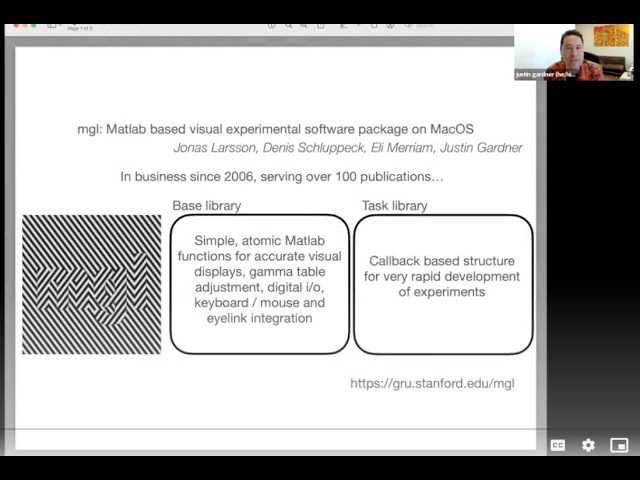
MGL is an open-source, MATLAB-based visual experimental software package originally developed for Mac OS by researchers in David Hecker's lab at NYU. For over 15 years, the library has provided a stable platform used in more than 100 publications, relying on atomic MATLAB functions to interface directly with video frame buffers via OpenGL and digital/analog I/O through National Instruments cards. It supports integration with iLinc eye trackers and automates gamma calibration using devices like Minolta colorimeters and PR-650 spectroradiometers. The software enables rapid development of trial-based experiments in MATLAB and is closely integrated with other tools used for analyzing fMRI data, including support for P300 and event-related designs.
Due to Apple deprecating OpenGL on macOS, the development team spent the Christmas holidays of 2019 creating an alpha version of MGL based on Apple's Metal API, which serves as the modern replacement for OpenGL. After years of dormancy, this project was revitalized with support from MathWorks and Ben Hess, leading to a transition toward a release version. The shift to Metal offers significant advantages, such as a robust method to access graphics card capabilities for high-speed displays needed in white noise stimuli or frame-by-frame accuracy in EEG experiments. Additionally, the new version supports high dynamic range and deep color formats, allowing for smooth luminance variations essential for psychophysical experiments where contrast thresholds can be below one percent, overcoming the eight-bit limitations of previous pixel formats.
The design of MGL has evolved to reflect these technical changes, ensuring that users see familiar function names while the underlying architecture now communicates via sockets with a standalone process called MGL Metal rather than making direct OpenGL calls. This standalone application is a simple macOS app dedicated to listening for commands and performing rendering using the Metal API, which allows developers to leverage Xcode's advanced tooling for debugging shader programs and inspecting running graphics code. As the team achieves feature parity with previous versions, they are also exploring deeper parts of the Metal API to enhance performance and usability, marking a significant step forward in maintaining MGL as a cutting-edge tool for visual experiments on Mac systems.
Looking ahead, the development team has identified three key areas for future expansion: improved eye tracker integration, such as rendering live eye images directly within the MGL drawing window; enhanced stimulus scheduling and synchronization between multiple displays; and support for playing movies while drawing graphics on top of them. These features address specific use cases where dynamic visual content is required alongside experimental stimuli. By continuing to build upon the Metal API and utilizing Apple's development ecosystem, the team aims to further refine the software's capabilities, ensuring it remains a powerful resource for researchers conducting high-precision visual experiments in neuroscience and psychology.
Read the full video transcript
uh yeah Ben and try and slide so mgl is
an open software about web-based visual
experimental software package for Mac OS
that a few of us wrote while we were
postdocs and David hecker's Lab at NYU
um it's been stable for over 15 years
and we and others have used it in over
100 Publications the library is
essentially related to two parts one
part with atomic Matlab Max functions a
lab we're displayed to the video frame
buffer using opengl digital and analog i
o using natural instruments cards
interfacing with ilink eye trackers and
automated gamma table calibration using
pedometers and colorimeters like Minolta
and the pr 650. the task Library allows
for Rapid development of trial-based
experiments in Matlab and is closely
integrated into another matlab-based
library that we wrote and our tools that
we use for analyzing fmri experiments
that has implemented analyzes for things
like PR App and event related designs
next slide then a few years ago
Cupertino began uttering my least
favorite word in the hackerel Lexicon
about opengl deprecated and so in
December 2019 I spent the better half of
the Christmas holidays coding and Alpha
version of mgl based on Apple's metal
Library which is their replacement for
opengl this Alpha version by dormant for
few years until BJ and MathWorks came to
the rescue with a community project and
supported Ben he's lead we'll talk next
to flesh out this Alpha to a release
version and um I now will be
transitioning my lab over this summer to
use this metal based mgl Apple's middle
Library does have many benefits I think
for a community for example it provides
a well-defined and robust way to dig
down into the graphics card on Mac OS to
implement things like very high speed
displays needed for say White Noise
stimuli or frame by frame accuracy for
EEG experiments one other Advantage is
access to high dynamic range or deep
color something that we were never able
to convince opengl to do on Mac OS
meaning that if you increment the value
of gray that you set the screen to in
small steps of 1 over 1024 and measure
the monitor output with the photometer
you get step like changes in luminance
as in the graph on the left because the
pixel format is limited to eight bits
but with the new mgl metal version using
a High bed depth pixel format I was able
to measure just last week uh smooth
variation of luminance output showing
the true tempered luminance resolution
which is necessary for psychophysical
experiments in which luminants or
contrast vegetables can be below one
percent now on to u-band
hi thank you I'm Ben he's like I'm an
independent developer working as triple
dip LLC I've been working with Justin
who you just heard and BJ our host and
Eli Miriam at NIH on this new version of
NGO
um so yeah on Mac OS opengl is no longer
the way forward for graphics we looked
at a couple other apis that are
available
one is opengl es so like the mobile or
web version of opengl that is available
via a compatibility layer called angle
there's also Vulcan the successor API
from Chronos group
that's available on Mac via a
compatibility layer called molten VK but
we decided that on Mac it all roads lead
to metal so let's use metal for the new
version of NGL and see if we can take
advantage
of some of the
so to do this the design of NGO has
changed a little bit so I'll overview
that
as an experimenter as a user you should
see the same familiar M code functions
that you might have seen either used mgl
version two so a lot of those functions
have been updated and are now working
with version three with metal
underneath mgl is no longer making
direct opengl calls instead it's making
socket calls and it's communicating with
the Standalone process that we call mgl
metal
this is a simple Mac OS app that has
just two jobs to listen for commands on
a socket and then do rendering with the
metal API
because it's a pretty simple app we're
able to ride the rails of Mac OS
development with xcode and since we're
going all in we might be able to take
advantage of some really nice tooling
that Apple developed for using metal
with xcode one example of this is you
can connect to a metal process and
inspect and debug a running a Shader
program which is uh not always easy to
do so as we achieve feature parity with
previous version of NGL and then go
further to explore deeper parts of the
metal API this kind of tooling should be
really useful
finally a snapshot of where we're at
with the D3 development process
we've done we think the bulk of the work
to re-implement existing draw commands
that were opengl and are now metal so
um
so that's great we're also talking about
what to do next and so I want to call
out three areas that we're looking at
next one is eye tracker integration and
this would include things like live to
eye images being rendered in the
um
in the NGL drawing window
another one is so this will look a
little different than it used to but it
seems achievable and we would think
about things like stimulus scheduling or
synchronizing between displays
and finally uh supporting movies so the
we have use cases where we want to have
a playing movie and then draw graphics
on top of that and so that's something
else that we could pursue next
and thank you very much