Video summary
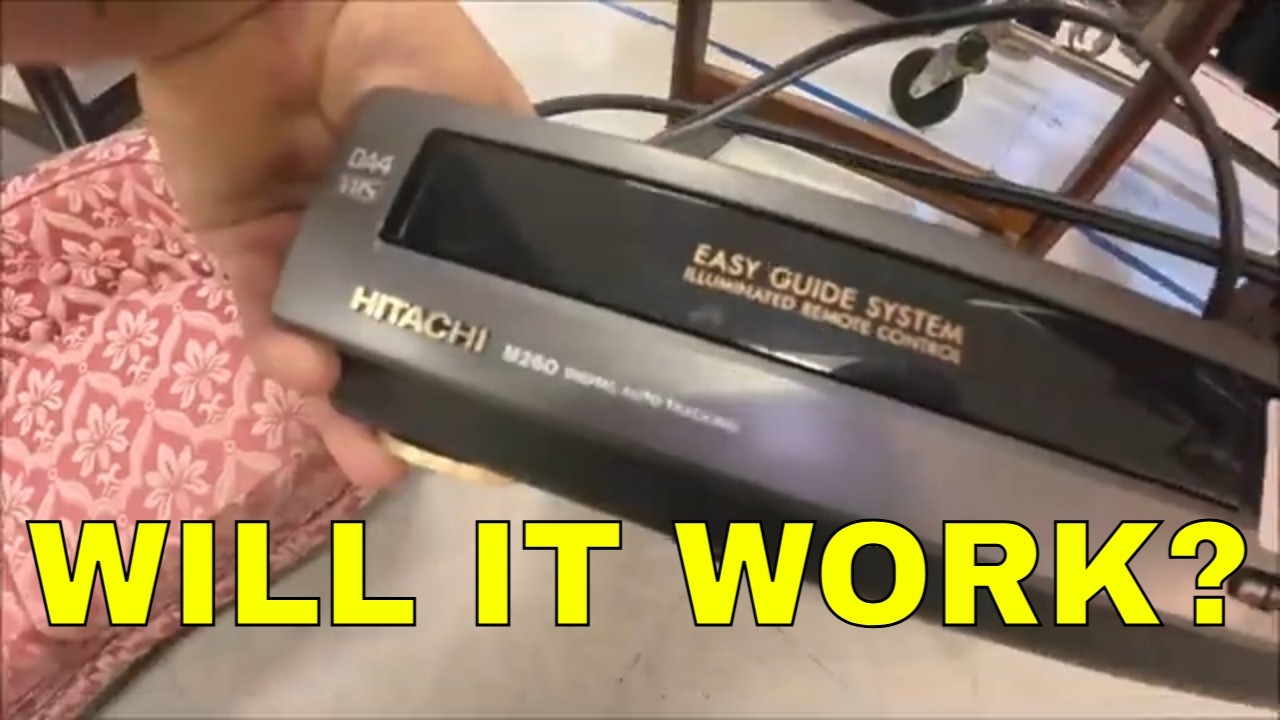
The video documents a visit to an antique mall where the host discovers and purchases a vintage 1992 Hitachi M260 VCR for just four dollars, despite initially being warned by the seller that it might not work. The buyer decides against testing the device immediately upon arrival at home, preferring to keep the mystery alive until they can properly inspect its internal components. Upon bringing the unit inside, he notes some cosmetic scuffs on the top but emphasizes his willingness to accept any condition given the low price and lack of original accessories like a remote control or box. He explains that while he plans to order a replacement remote later, for now, their goal is simply to determine if this specific model functions correctly without spending more money trying to fix it immediately.
To test the device, the host connects the VCR to his television and plugs in an audio cable, noting that unlike stereo systems of the era, this unit only has a mono output rather than separate left and right channels. After powering on both the TV and the VCR, he initially struggles with channel selection and signal detection but eventually manages to get a blue screen indicating a connection is established. When attempting to play a tape, nothing happens at first, leading him to suspect another failure until he decides to open the top casing of the machine for inspection. Inside, he discovers that a fake leaf was lodged in one of the internal mechanisms, which appears to have been blocking the operation and causing the initial malfunction.
Once the foreign object is removed from inside the chassis, the VCR suddenly springs back to life, successfully playing the tape with fast forward and rewind functions working as expected. The host expresses relief that the four-dollar purchase turned out to be a success, though he notes minor limitations such as the absence of a pause button on the control panel itself, which is likely located only on the missing remote. He also observes that while the machine works well enough for basic playback and rewinding tapes completely, it lacks some features found in newer models like automatic tape ejection or quiet operation. Despite these shortcomings compared to other units he has reviewed, such as a Sony model mentioned earlier, this Hitachi is deemed functional and potentially worth reselling on eBay after running a head cleaner through the mechanism.
In conclusion, the video serves as an entertaining demonstration of how simple mechanical obstructions can prevent vintage electronics from working properly, turning what looked like a broken item into a functioning piece of history with minimal effort. The host plans to perform further tests later that night, including his signature "racetrack" test on tapes he has collected over time, but is already satisfied enough to consider keeping or selling the unit for around twenty dollars given its current market value without packaging. He ends by joking about how a leaf managed to get inside such an enclosed device and thanks viewers before signing off with his channel name, leaving them with a lighthearted reminder that sometimes old technology just needs a little cleaning to work again.
Read the full video transcript
[music]
>> Okay guys, we're at the antique mall.
We're going to go in here and we're
going to go get that other VCR. So let's
get
in here
and go see if it's still here.
>> [music]
[music]
>> There it is.
Hitachi.
All right.
Let's go pay for this.
>> [music]
>> Okay.
So the guy said, "You want to plug it in
see if it works?" I'm like, "No, that's
the fun part of it." All right?
>> Yeah.
>> Don't work.
>> [cough]
>> I'm out four bucks, who cares, right?
>> Right.
>> All right.
Okay, guys. So, here it is. It's got
some scuffs on the top. It's not bad.
>> [clears throat]
>> Again, $4. Right, Mom?
>> Yeah.
>> This is the Hitachi
M260
digital auto tracking easy glide system
illuminated remote control. And I don't
have the remote, but I didn't have the
remote with the uh Sony either, but I
found one and ordered it.
So, when it comes in, I'll show it to
you. But,
so, again, we don't know anything about
this.
Like I said, the guy said, "You want to
plug it in and see if it works?" Nope.
That'll take the fun out of it. So, uh
so, we're going to try it. We're going
to plug this in. This is not stereo.
This is mono.
Right there.
This is the out.
So,
it's not left and right speaker.
It's just
one speaker. Um
you can get a
a splitter for those where you can run
your coax into it. But, um so, we uh
go ahead. I'm going to plug this in.
Make sure I got
that right.
Yeah.
All right. We'll plug this
TV into this.
Uh this is 1992.
They came out in '92 to '93. They also
the newer one was the M260A.
So,
let's um
All right. We'll plug the TV in.
And we'll plug the remote control or the
remote control
the uh
VCR in.
And we're going to plug in in right now.
Hopefully things don't go boom and bang.
All right.
Thought I heard something.
Let's see here.
Let's peel this off.
Like I said, if it don't work, I ain't
going to bother taking it back.
It's $4. Right, Monk?
>> Yeah.
>> Uh
All right. It's good enough for now.
Is that on?
Let me see here.
Shut this light off real quick.
Yeah, it looks like that's lit up.
Um
let's turn the power on.
Power came on.
And you guys can't see anything.
There's the power.
It says channel two.
Okay, let's turn the
TV on.
I am in What am I in?
There we go.
AV
I think
Okay.
Turn it on.
Oops.
So, this is on.
Um
Well,
let me see. Let me put a coax to that
and
see if we get the blue screen
up here. Okay, so I got the uh
coax hooked up to it.
And I need to put it on What do I need
to put it on?
Live TV?
Kind of
Okay, let me uh
Let's see cuz I know I got to change the
channel on this
cuz this I got this set to three
and I don't think the channel matters on
here because
uh
See, that says line.
Maybe I got to change this to
Let's um
>> Make sure I had it on all right.
And
out.
See, this is line.
Still looking for signal.
I'm getting a blue screen.
Okay, well, let's um
let's go for it.
Let's see what happens here.
Nothing happened.
Okay, so we might have bought one that
didn't work.
>> Oh, no.
Oh, that's a
>> Man, four whole dollars, too.
>> Oh, man.
I
need that $4 for gas.
That's a shame, but I'm glad we got one
out of two.
>> Yeah.
>> Yeah, that's cool.
>> Okay, well, let me Let me see if I'm
doing something wrong here. Okay, so I
took the top off to see if I could see
anything. Hey, Mom, come here.
I need your eyes. Can you see anything
wrong with this?
>> Belt missing? There's a leaf in there.
How did a leaf get in there?
>> That hole right there.
>> A real leaf?
>> No, it's not real.
>> Oh, it's fake?
>> Here, that's for you.
>> What do you think? I think it's
>> Wow.
>> Hm.
You think that's what it was?
>> I don't know. I'll have to check.
Um there are some fuses back here, but
>> Um
Okay. Well,
let me
Well, let's um
It's on.
Push this in and see what happens now.
Oops.
Wow.
>> It works?
>> Holy crap.
Let's um
Let's push play here.
>> Interesting.
>> Well, I don't know if it works, but
I mean, it's doing stuff now.
>> A leaf.
>> Okay, it's still not pulling the tape
out.
Let's try.
Okay, so anyway, at least we got this
much of it going.
Um
Some of these I think had a light sensor
in them.
Let me put the lid back on.
Hm.
Work?
>> Cool.
You think it's worth it?
>> Four bucks, it works.
Sisters, volume.
Which it'll only be one side, but
>> [laughter]
>> All right, well.
Now let's um
stop
and eject.
Uh-oh.
Something happened.
>> Oh, no.
>> I got caught.
>> [clears throat]
>> All right.
I'm going to get you in the stand here
for a minute. All right, guys. So, this
one works.
Yeah, I think it's playing.
The only thing I don't see working is
the tape counter.
But, it does work.
>> [snorts]
>> There it is.
Cool.
Probably run a uh
tape cleaner, a head cleaner through it.
And I think it'll be all right. But, it
does work. So,
1992.
Pretty cool.
All right, I'm going to put some screws
in here. Well, so we did get it working.
Works fine.
Uh
it's just a mono, so it's a cheap one.
There is one on eBay just like this,
identical to it. No remote, no box, or
anything like that. 55 bucks.
>> Yeah.
>> So, I should be able to get 20 bucks out
of it, you know.
>> Yeah.
Pretty cool.
>> Oh, it works?
>> All right, guys. So, that works. We
still got to do the racetrack. I didn't
get to do it last night, so.
Um
So, might do it tonight. You want to do
the racetrack tonight?
>> Yeah.
>> Huh?
>> Yeah, we could.
>> I know we could.
Do you want to?
>> Yeah.
>> All right, guys. Oh, there it is. Good
to go.
Hit the power button.
I wonder Okay, if it's off, if you put a
tape in, some of these would
automatically kick on. Let's see.
And it does.
Cool.
Fast forward works.
And let's do
I don't have my glasses on.
A leaf was stuck in there.
Let's do rewind.
Yeah.
Play.
Um where's the pause button?
I don't see a pause button on it.
All right.
We'll stop it.
We'll rewind it and then we'll eject it.
Yeah, that don't It might be on a
remote, though.
This don't I don't see a pause button on
here. But, it might be on the remote.
>> Yeah, that's probably where it is.
>> It's good. Rewind it.
And it rewound. So, let's eject it.
There it is. Oh, yeah. It's rewound all
the way.
Cool. All right, guys. There it is.
1992
Hitachi
M260
digital auto tracking.
Yeah, I can't I
I can't There's no pause button on the
control panel. It must be on the remote,
so but I don't have the remote, so.
So, that's all right. It does work.
I think the other one works a lot
better. It's a lot quieter. You can't
hardly hear it running or anything.
So,
power off. All right, guys. There you
go.
Four bucks. Had a leaf stuck in it.
>> [laughter]
>> Yeah, that's funny.
>> I don't know where that came from, but
it was in there somehow.
>> Yeah.
>> I mean, with this on, everything is
closed off. I don't know how it would
have gotten in there.
That's strange.
Maybe a kid stuffed it in there or
something or
All right, guys. Shay Berries McMan
Legend McGoof for now. We'll see you in
the next one. Bye-bye, everyone. Take
care. Enjoy the rest of your weekend.
>> [music]
[music]
>> Mhm.