Video summary
Autumn Talik Sheh, a lighting programmer in the theater industry who lives with ADHD, presents a philosophy designed to help individuals manage their condition through practical technological and behavioral adjustments. Although she is not a software developer, her approach relies on building resilient systems that accommodate life's inevitable changes, such as moving houses or changing jobs. She emphasizes that while medication can be transformative if accessible, the core of her talk focuses on creating an environment where desired actions are effortless and unwanted distractions are managed without adding excessive stress. Her central message is that coping mechanisms should never become a source of anxiety; if a system fails or causes frustration, it is better to strip it away and start over rather than beating oneself up for not maintaining a perfect setup.
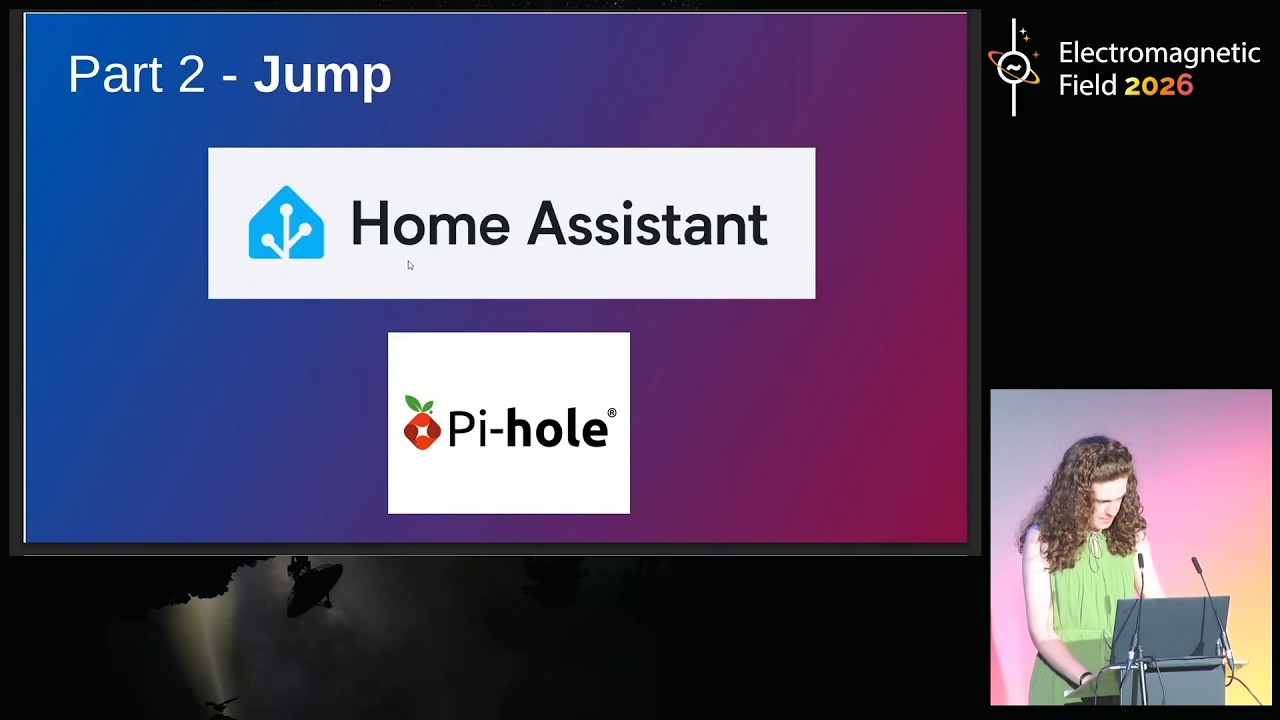
The core of her methodology revolves around three key concepts: Duck, Jump, and Hurdle. The "Duck" philosophy dictates making tasks one wants to accomplish as easy as possible by reducing cognitive load, such as automating alarms using tools like CityMapper and Node-RED to ensure waking up without mental effort. Conversely, the "Jump" philosophy involves adding slight friction to unwanted behaviors, like scrolling on social media, perhaps by requiring a physical walk to a bathroom switch to access the internet or using body doubling techniques. The third concept, "Hurdle," serves as a warning against making barriers too high; if an obstacle is insurmountable, people with ADHD will simply disable it and ignore it entirely, leading to lost time and increased stress. Therefore, the goal is to create hurdles that are challenging enough to prompt reflection but not so difficult that they are bypassed or cause annoyance.
To implement these philosophies, Autumn shares specific tools and habits that have proven effective for her, ranging from simple analog solutions to complex automation scripts. She advocates for using physical post-it notes over digital apps initially to ensure information is captured without the distraction of notifications, eventually transitioning to simple digital wikis like Obsidian or open-source task managers like Super Productivity. For managing distractions, she suggests advanced techniques such as running a local Pi-hole DNS server to block specific domains on a home network or using automation scripts that automatically re-enable blocks after a set period if they are manually disabled. She also highlights the importance of consolidating apps, utilizing RSS readers to avoid algorithmic feeds, and configuring notification batching to prevent constant interruptions from group chats, all while maintaining a mindset that prioritizes self-kindness over rigid perfectionism.
In conclusion, Autumn argues that managing ADHD is not about building impenetrable walls but rather about carefully calibrating the environment so that good habits are easier than bad ones. She acknowledges that technology and algorithms can be harmful if they exploit attention deficits, urging users to actively moderate their digital consumption by following curated feeds instead of recommended content. Her final advice reinforces the idea that one should not feel guilty for falling into internet rabbit holes or failing a system, as these experiences are part of the learning process. Ultimately, the strategy is to make the path forward clear and inviting while ensuring that any barriers to distraction are manageable reminders rather than frustrating obstacles that lead to giving up entirely.
Read the full video transcript
Thank you. [applause]
Uh, hello. All the microphones are
working. Great. Um, I'm I'm Autumn Talik
Sheh. This is a talk on ADHD. I have
ADHD. It may become apparent at some
point during the talk. We'll see. Um,
I'm going to start this with a preface
of I am not a software dev. I uh I work
in theater as a lighting programmer.
It's not that kind of programmer. It's
on window. It's it's a window software.
It's complicated. Um, so this is talk is
designed to be an approach to like ways
to approach dealing with ADHD. Yes,
there's some complicated tech in it, but
I have not got the part got past the
point of cobbling together bits of code
from stack exchange. So, this is this I
hope this is approachable to people who
uh are not the normal people who attend
EMF. Um, but I do have ADHD. Um, I have
suspected I had had it for, uh, a few
years since I started uni and then, uh,
the last two of which I suspected, I
thought I was on the waiting list with
the NHS. Turns out I was not. Um, but,
uh, I have now spent too much money to
be diagnosed and it is actually going
great. medic. All of this is a preface
to say if you can get medication and you
think it might work for you and it's
within your means, I'd really suggest
you try it because it can make a world
of difference even if it's not perfect.
Um,
so I've been tinkering since I was very
young. Um, I'm not going to reveal my
age for health and safety reasons
because I think some of you might have a
heart attack. Um, but I've been building
machines and taking them apart for
basically as long as I've been alive. I
could use the computer mouse before I
could walk. Um the
so I never grew up with the newest tech.
Like my family were not were not a
particularly techy household. So when I
was growing up in the early 2000s, my
computer was from the early '9s. So I
grew up with tech that was a bit rough
around the edges. And so nothing I grew
up before the age where everything was
kind of moved over and worked. So I'm
actually really happy that I grew up in
an age where I had to tinker with things
to make them work how I wanted them to.
Um the and then kind of the influence of
that for my child has kind of seeped
into every aspect of my life. Um being a
teen school teenager, I had fairly
normal teenage problems. I hated doing
homework and I didn't want to get out of
bed in the morning. And unlike some
teenagers, I thought I could fix it and
a very in a very 2010 style, I thought I
could fix it with an app. Um these are
the two apps I tried. The one of them
has a really stupid name. It's called AM
Droid, which is your search engine
optimization is horrible. Um the and
it's basically an alarm app where you
can configure it and go kind of block
your block turning off the alarm in
certain ways. So for I started where I
printed out as QR code on a family
printer and I stuck it in the bathroom
and uh I figured, oh, if I get I have to
turn have to get up and go into the
bathroom as candy QR code to turn the
alarm off. Uh, problem one, that got wet
quite quickly, so it became an RFOD tag.
And problem two, uh, my family got quite
annoyed when my alarm wouldn't go off
and I couldn't turn it off. Um, so I
came up with a great solution of this.
Um, I could just force close the app. I
didn't have to get out of bed. And then
I and then I solved the two problems of
I turn my alarm off and I get more time
in bed. And then, uh, that started
causing problems. Um the the other app
there I used it for a bit. The most
horrifying bit is that it has a feature
that if you enable it, it uh if you
force close the app or automatically
deduct £5 from your bank account and
send it to charity. Um
I was broke and I figured I'd better not
make myself bankrupt. So I thought I'd
better come up with some better
solutions. Um, in uh I was I was in my
early teens at my granny's flat and I
was watching a video by a guy that loves
to wear a red shirt all the time and his
friend with curly hair and they made a
5second bit. Now if you're on the
internet a lot you may have the curse of
uh having some impressionable young
teenagers watch you. Uh in the best case
you can have a really positive influence
on our life. In the worst case, it can
be a really horrible inference on their
life. And in the middle case, you can do
a stupid 5-second bit which gets in
their head and becomes the philosophy
how they're going to live life for the
next 10 years. Um, and that became the
David Hasshoff hassle hurdle. When I
heard of this, I did not know who David
Hasselhoff was. I just thought it was a
funny name and I stuck with it and it's
just kind of stuck with it for 10 years,
which is scary. Um there are I've kind
of developed this into three three
philosophies. The first is duck. So if
you're measuring a hurdle, you want to
make your hurdle as tall as possible on
the things that you think you need to
do. For example, get out of like uh set
an alarm clock for your next morning
shift or uh make sure that you're like
checking your calendar and things like
that. So you want to make the things
that you need to do as easy as possible
to do. Um the second philosophy is jump
where if there's anything that you don't
you realize you don't want to do for
example like scrolling relentlessly in
social media you want it to make it hard
enough that you you want to make it
possible but you want to make sure that
you think before you do it. Um it
becomes
the and then but you really don't want
to make it too hard to do because
otherwise you go to the third
philosophy. Who put this hurdle here?
Let me swiftly move out of the way and
continue with my day. This is if you
make your hurdle too high, you will just
disable it, get annoyed with it, and
never think about it again. And again,
as with force closing the alarm app,
that causes problems. Um, I shortened it
to that.
I'm not I'm not going to attempt that,
but if someone who's a linguist wants to
try it, they're welcome to. Um, but kind
of rules here at all of this is be kind
to yourself. You're not going to
you're not going to get anywhere if you
build all of these fancy systems and
then they don't work and then you beat
yourself up because they don't work.
It's like you're adding extra stress
into your life. It's not worth it. So if
you find yourself that anything you're
doing is like anything do any of your
coping mechanisms are causing more
stress. It's honestly easier to
completely strip all them away and try
again. There's there's no like we
already have if people with ADHD in
already have enough stress. you don't
need to add more on your account. Um, so
part one, duck. I'm going to bring my
notes up because
got So again, it's to make the things
you want to do as easy as possible to
do. So I'm a big believer in like
cognitive load. Cognitive load is just
if you have ADHD, you have so many
things you're worrying about and if
there's anything you can do to like
reduce the things you need to worry
about, that becomes a massive benefit to
you. Um
uh my as I said my main job is in
theater lighting programming like there
are so many processes that we have to
follow in every day at work and I'm not
going to cover anything I do at work
here but I do do a lot of things to help
you at work and those can be rolled out
to help your co-workers if you forget
something frequently there it's almost
guaranteed that one of your co-workers
is going to forget to do something
infrequently and things you build for
you might be helpful for the rest of
your team um if you so as well as saying
making things easy the best thing is to
not worry about it at all. I'm going to
talk about some ways to automate things.
Obviously, if things are automated and
you're uh prone to forgetting things and
then they fail, that's going to cause
problems. So, they need to fail really
loudly. They need to be like blaring in
your face, I have broken, you need to
fix me, otherwise you'll be late for
work in the morning. Um and then or
obviously come up with a simpler
solution, which is almost always
preferable. Um, these things can take a
lot of time to build. Some people might
say there take a silly amount of time to
build, but it's up to you to make your
own value judgment. So, I say the people
who take these things take a silly
amount of time. Wrong. But you need to
make sure that you're not spending
stupid amounts of time on this at the
expense of just like living your life
and just having a nice time. Um, and the
other thing is try anything any systems
you make, you really want them to be
resilient to large changes in your life.
The last thing you need is to have to
move house or change jobs and have all
of these coping mechanisms fall apart at
the same time as you're trying to deal
with a huge amount of other new things
in your life as well. Um, so I'm going
to move on to some tips. Tip one is the
first screen of your the the second
screen of your phone's home screen
doesn't exist. There is no point putting
things on the second screen of your
phone home screen if uh if you're never
going to swipe over to it. And so I
recommend that if you if you're on
Android, there are multiple other
launches. I'm not really sure how it
works on iOS. I'm not an Apple person,
but um if you can fit as much
information on the first thing you see
when you turn on your phone or when you
turn on your laptop, then that is a
godsend. And that's real estate is so
valuable because it's you are guaranteed
to see it. You don't have to go looking
for it. Um the same thing applies to
things around your house. If you have a
notice board, don't put it on the side
of the fridge that you never see. Make
sure it's really obvious within your
house. Otherwise, there's basically no
point. Um
part uh the tip two is pen is mightier
than the phone. Like there's so many
times I've been told things I'm sure
other people have where you're told
something and then you get on your phone
and there's a notification and you look
at it and it's gone. Like you have I had
to earn my handwriting license in school
to be able to use a pen after using a
pencil. I think you should probably have
to earn a license to be able to put
notes on your phone rather than writing
them down on paper. like there has to
be. So I it took me years to realize
this and I lost so much important
information but I figured out that
there's one but and I also repeatedly
kept losing really nice notebooks. I
thought if I buy a nice notebook I'll
write things down and I'll remember and
obviously that doesn't happen. Um but
there is the minimum viable notebook and
it's wonderful. It's called a stack of
post-its. Um you put them in your
pocket. Um you don't put too many in
your pocket. If something tells you
something you write it down. When you
get home at the end of the day, you peel
it off the top and you put it somewhere
obvious. And if you need to remember it
for the next day, you copy onto a new
postit. If you lose a stack of post-its,
you've lost almost no information. It's
all at home. Um, I'd never be able to
take notes and I forgot to take a photo
of it, but uh at home I have a drawer
and that drawer is absolutely full of
post-its. Like this is this is something
I'd never been able to do before I
started using Post-its. And once I got
that habit in me, I was able to upgrade
to a fancy like a slightly fancy
notebook. And then I started moving on
to digital tools like Tidly Wiki. It's a
really cool piece of kit. It's a single
file like HTML wiki that you can use for
notes and stuff. It's a little bit
clunky. So I moved on to Obsidian I
think many people know about. But in
both cases, you want to keep them as
simple as possible. Don't have infinite
folders. Don't like overcatategorize.
You need to make sure everything's on
the top level, otherwise you're going to
forget that note exists.
Um,
super productivity. It's a great to-do
list tool. It's built by people uh built
by people with ADHD for people with ADG.
It's open source. It's on GitHub. Um,
you run the syncing yourself on like a
webd server or on um a few other things.
Um, it's still, I'd say, in a in a
growing phase and a learning phase with
like all the extra add-ons and tools,
but in a as a like it it could
theoretically hook into Home Assistant,
it's a bit clunky, but um it's really
good for the for the basics and it's and
it's yours and it's not going to go
running off and be bought out by a
company that will shut it down. Um,
so and the best as going back to the
best uh to-do is a to-do that does
itself. Um, I'm a massive fan of this
app called Task It. It's kind of like a
visual programming scripting thing for
an Android phone. Um, my tasker project
is too big and that's after massive like
me sitting down for an hour deleting
things I don't use anymore. Um, it uh
where's my task bits? So, it's uh
so my task script can do on my phone can
do all of these things. So, it's it's
all about like getting routines to get
things
to avoid you having to tap into things
and just do things automatically
wherever you can. Um, I'm not going to
go through them cuz that's a bit of
things bit too few too many things. But,
um, my partner loved the third one from
the bottom. She was training for the
London Marathon. Uh, no one was
reminding her to go on training runs.
Uh, and I sent her a text at a random
time every day with the exact hours,
seconds, and minutes until the marathon.
She absolutely loved it. She loved me
for it. Uh she did three and a half
training runs and stormed the marathon
in a time that was stupidly quick and
she was great at it. Um
the main kind of my prize and joy of all
of my coins is my alarm system. I
started if you look at citymapper which
is a popular transport app. I live in
London. I don't have to worry about when
transport arrives. I have to I just have
to worry about leaving the house in
time. Touchy Mapper has a great this
amazing thing where it can pull events
from your local calendar on your device.
I think it does this on iOS as well. So
it can you tap that and it tells you I
didn't put that image in. Tap that and
tells you exactly where you want to want
to go and what time you need to leave
the house to get there in time. Um
obviously I was like that's great. Can I
do more with it? Um if an event's in my
calendar I don't want to get there at
the time of the event in the calendar. I
want to get there 10 minutes before cuz
I know I'm going to be rushing if I'm
not. So I built a task script that pulls
my calendar and adds an event before
every single event in my calendar 10
minutes before so the city mapper could
pick it up and I could click and say oh
I actually want to arrive early to this
thing not exactly on time.
Um going back again city mapper I then
also built a script the city mapper
tells you the time you need to leave. I
built a task script to read it off the
screen and then set alarms of when they
need to leave the house when they need
to wake up and when they need to go to
bed. Um multiple alarms. It worked
fantastically for many many years. um
until I moved on to the new system using
node red. Google Google maps has a great
travel time API. You can also uh you can
also have your import your calendar into
home assistant and node red which is
like a visual programming language. It's
like scratch for adults. It's amazing.
You should try it if you hate
programming. Um it uh so at the moment
that this uh looks my calendar for any
events that have an location in them. It
pulls it looks it's it looks at how long
I need to get there from from my home to
10 minutes before the event. Sets my uh
leaving the house alarm. Sets my uh
waking up alarm sets my going to bed
alarm completely automatically and don't
even have to think about it. So when I
work I can work 15 hour days and the
last thing I want to do when I get when
I'm on the bus home is to remember what
time I'm in the next morning. So uh this
sets uh my alarms automatically for me.
And on the left is a jailbroken Amazon
Echo. That is my alarm clock. Um, it's
it's also running Tasker, so the alarms
are running entirely locally on the
device. So, if my home assistant server
dies, uh, it's resilient. All the
internet could die, my alarms will still
go off. But this means my phone doesn't
have to be in my room at night. Um, it
stays in the lounge where I charge it
and that means I'm not scrolling in the
morning. It's it's a wonderful tool.
Like your, if you're my age, your
parents were probably saying, "Don't
keep your phone in your room. It's like
bad for you. You'll get distracted." and
I thought they were wrong and I've
turned into an adult and they were
absolutely right. Um, it's but I get to
deal with technology now and I get
exactly what I want. It can play my
music. It's great. Um,
the this also sets multiple alarms and
so if I dismiss the first one and it
hasn't detected that I've walked through
the hallway outside the bedroom, it will
keep setting alarms until I get up. It's
um really it's yeah it's really useful
so that when you set a million alarms
and you get actually get out of bed in
your time your partner who's still
asleep doesn't have to deal with the six
more alarms going off still. Um
the next uh part was jump. So making
things that you don't want to do
slightly like slightly harder. Um
body doubling is great. It's like
simple. It doesn't require technology.
Just working with someone being in the
space where other people are working.
It's simple. It's great. It can't fail
on you. the server can't die. Um,
tip two is give up early. If uh if
you're doing something and you're
getting distracted and you you just
realize you're not going to do it, it's
taking me so long to realize it. It's
much better to give up, go for a walk
rather than trying to slog at it and
when something's not working. And now
I'm going to move on to the imperfect
technologies. I'm going to rattle
through them cuz uh not sure how much
time we've got left. Leech block gray uh
distraction blocking browser extension.
Only problem is you can really easily
disable the browser extension. Advanced,
it can hack apps, so you can uh remove
reals from Instagram. Uh you block
Origin, it can disable all of the
recommendation from YouTube. It's great.
And Skywalker, it's a blue sky
client. I'm sorry if you built it. The
scrolling is terrible, but if you don't
want to use it, then uh if you if it's
scrolling terrible, then you can't use
it. Am I coming to time? Um
the next step, Home Assistant and Pi
Hole. Pi Hole is an ad blocking uh ad
blocking DNS server. If you don't know
what DNS is, it's basically the address
book for the internet. You can run your
own and it can block any domain you
want. Uh I use it to block all of any
like Blue Sky, Twitter, Instagram,
whatnot on uh on my on my local network
and I can apply it to only my devices,
which is great, which means people who
are guests or my partner don't really
get annoyed when the Instagram stop
working for no reason. Um the
uh
and home assistant is can automate pi
hole and enable and disable those blocks
at any time you want. I have a physical
internet switch in my bathroom above the
mirror that's hooked into home
assistant. So if I need to go on blue
sky or want to go on the internet, I
have to walk up, get up, walk to the
bathroom, hit the switch and I get 15
minutes of internet. It's great. It's um
it walking is a significant is the best
hurdle to doing anything on technology.
Having to move uh reminds you that you
might need to drink or go to the toilet
when you haven't been in too many hours.
Um
the caveats for all of this are these
aren't perfect. Like you actually do
have to have some philosophy. All this
is trying to do is remind you that you
shouldn't be doing these things. If
you're capable enough with technology,
you can disable these because you set
them up. Like that's always going to be
possible. But the point is just to give
yourself a reminder. And that's this uh
that's when we get to there of
uh this bit took me the longest to learn
is that if uh
you got to make sure it stays in place
when you get annoyed with it. If you're
like I want to I really want to go on
the internet now and you say, "Okay,
it. I'm going to disable
everything." you want it to come back on
automatically in a bit because otherwise
you're just going to be left with all of
your blocks off and then you can spend
all day in scrolling Instagram rails and
that stuff is crack and it should be
banned. Um I like YouTube rabbit holes
are good. I genuinely don't think I
would have like ended up in the career
where I am if I had not gone on too many
YouTube rabbit holes late at night.
These things are like like ADHD has its
benefits as well as its drawbacks. the I
learned so many things. I came to EMF
because of a late night internet rabbit
hole. Like this is you shouldn't beat
yourself up too much for them. But yeah,
but all you're trying to do is manage
them. And there's no use building 10ft
walls if you're just going to strip them
back down again. Um to 10 foot walls to
stop you doing things you don't want to
do. Um
the
So yeah, this is this is you've got to
make it e
you all you have to do is make it easier
to do the things you want to do than the
things you don't want to do. So you're
not
it's not trying to make it like an up on
obstacle course for you to like read a
single tweet on Twitter. It's um it's
just it's just like giving yourself the
reminders that you need. Uh
yeah. So yeah, you just it just has to
be easier to jump the hurdle than to
move out of the way because if you move
it out of the way, you'll run into
problems. Um and then I'm going to come
on to everything else that doesn't
really fit anywhere else in the talk,
but I feel like people with ADSG might
really appreciate this. Beeper. It's a
messaging app. It's kind of a
I'm not really sure on their
security-wise, it's probably not great
logging all of your texting apps into
one company servers. But for me, it's
brilliant. It means I don't have to open
six apps. Uh you it also has a frankly
horrifying unanswered filter. You can uh
filter your text to anyone you haven't
responded to. It is frankly scary the
first time I turned it on. Um, and I
find it absolutely brilliant. Um,
Buzzkill is like similar features to
tasker. It's on the right there. It's
um, it can task can do everything
Buzzkill do does, but task is a to do
that on task would be a nightmare.
Buskill can like batch your
notifications. So if you have a group
chat pinging off like madness instead of
like muting that chat entirely, you can
say I want to hear I only want to hear
from this group chat every hour. And
that means that you're not getting
constant notifications. you're not
getting constant distractions, but you
are still keeping in touch with the
communities that you love. Um, and RSS
RSS is I use Newsblur as an RSS reader.
It's um basically an open web protocol
that allows you to read uh allows you to
kind of like fetch news articles and
read them. It also works for YouTube.
So, I've got all of my YouTube
subscriptions loaded into NewsBlur. It
means that I don't have to check the
YouTube subscriptions page every every 5
minutes as I used to. I used to
constantly refresh it as like a a tick
or something. But that means that I can
if I've watched a video, I can mark it
as watched and it goes away and I don't
have to go, "Oh, maybe I'll rewatch that
again." Just just just to fill time. Um
the same with like news sites. You can
mark new once you've read a post. You
don't actually have to check the new
site because you'll know if there's a
new article. It will come up on there
and you don't have to repeatedly check
that site and then get distracted on it.
Um
the as a general rule if if your social
media can of if you can use social media
to avoid algorithms like the ones that
are designed to suck away your time do
it. Use your following feed. Don't use
the recommended feed. You will if you
moderate who you're following you will
run out of tweets to look at. And then
uh you'll be like great I finished the
internet. I can move on to other things.
Um,
and I believe they're actually genuinely
harmful to people with ADHD. And I think
there's class action lawsuit in America.
Whatever. Just just get get rid of them
if you can. Um,
and then so I'm going on to the
conclusion where these are the three
rules. Duck, make everything you want to
do really easy. Jump, make everything
you shouldn't be doing slightly too
hard. And hooper this hurdle here. Let
me swiftly move out of the way and
continue with my day. Make sure that
jump isn't too high. Otherwise, you will
get annoyed with it, move the hurdle out
of the way, and then it is gone until uh
you've lost an entire day. Right. Thank
you so much. [applause]