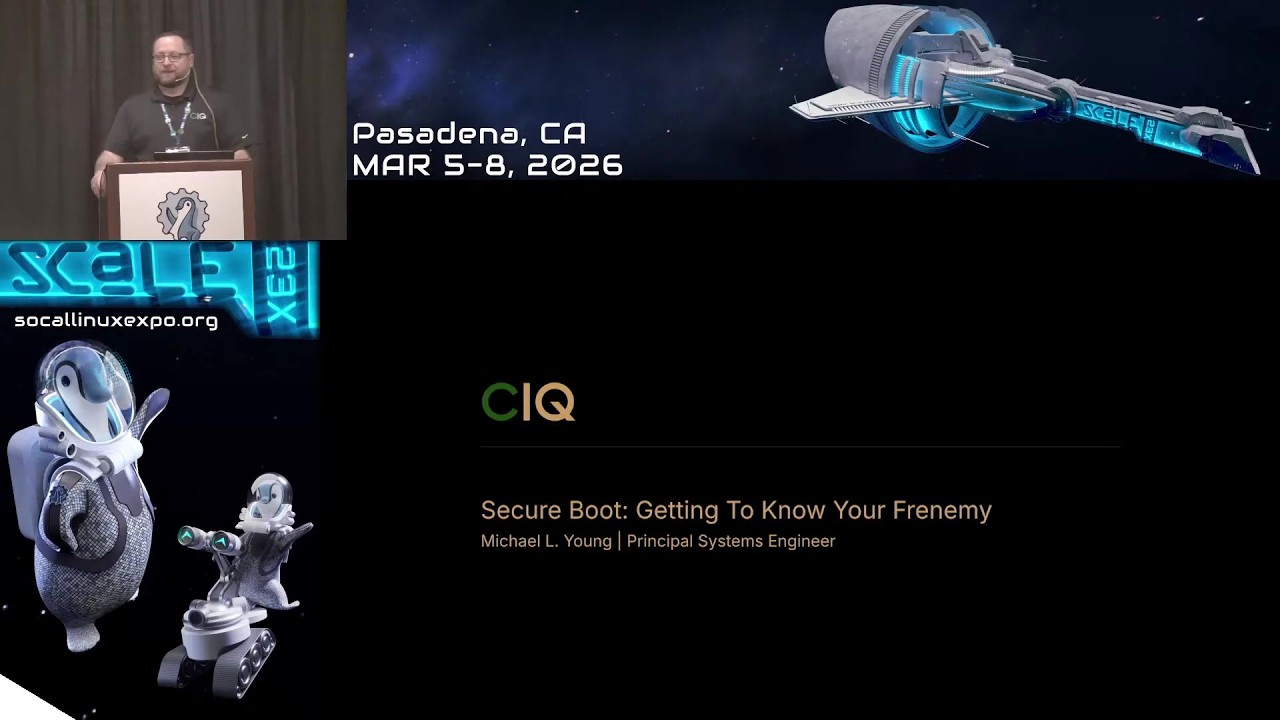
Video summary
Secure Boot is often perceived as a frustrating obstacle by Linux administrators due to its strict validation requirements during the system boot process, earning it the nickname of a "frenemy." The technology was introduced with UEFI specifications around 2006 to prevent malicious code from loading before an operating system starts, using digital signatures stored in firmware databases. While this mechanism works seamlessly for Windows machines signed by Microsoft, Linux distributions face challenges because their bootloaders are not natively trusted by the default keys found on most hardware. Consequently, vendors and users must navigate a complex chain of trust involving special intermediary components known as "shims," which act as minimal bootloader bridges that can be signed by Microsoft to allow unsigned or custom-signed kernels to run securely.
The core mechanism relies on a hierarchy of cryptographic keys stored in the firmware's Non-Volatile Random Access Memory (NVRAM), where a Platform Key provided by the hardware manufacturer signs an allowed database, and revoked signatures are kept separate. For Linux systems, this process typically involves using a vendor-specific shim signed by Microsoft to verify that subsequent components, such as GRUB or custom kernels issued by a Certificate Authority, are legitimate. Vendors like CIQ must undergo a rigorous review process with the Shim Review Committee before their binaries can be officially signed by Microsoft, ensuring they meet security standards without compromising system integrity. This approval is essential for creating install media and distributing operating systems that function correctly on diverse hardware platforms out of the box.
A significant concern highlighted in recent developments involves the expiration of older Microsoft keys issued around 2011, which will cease to be valid by June 27, 2026. Fortunately, Secure Boot does not check signature dates during validation; it only verifies cryptographic integrity and trust chains. Therefore, systems currently running with old keys will continue to function as long as the firmware is not updated to include newer key sets that reject them. However, users must be cautious when updating their system or installing new media containing shims signed with new Microsoft keys on hardware still trusting the legacy keys, which could prevent booting until a transition plan is executed. To manage custom drivers and kernel modules in this environment, tools like DKMS are recommended to automatically resign components after updates, though manual key enrollment remains necessary for personal devices or specific enterprise needs where compliance mandates Secure Boot usage.
As enterprises increasingly adopt cloud computing instances and confidential computing technologies that rely on hardware-based trusted execution environments, the necessity of enabling Secure Boot is becoming a standard requirement rather than an optional feature. These advanced security models often integrate with Trusted Platform Modules (TPM) to encrypt storage and protect memory from unauthorized access between virtual machines, making Secure Boot a foundational element for maintaining system trustworthiness in regulated industries. While some argue that relying on a single entity like Microsoft for signing shims creates potential bottlenecks or trust issues, the current infrastructure demands adaptation until more decentralized solutions emerge. Ultimately, understanding how to configure and manage these settings through virtual machines before deploying them on bare metal allows administrators to overcome initial hurdles and embrace Secure Boot as an essential component of modern high-performance computing infrastructures.
Read the full video transcript
Maybe for those of us that we hear
secure boot, we go bad.
But we're going to maybe learn how we
need to uh kind of get to know it a
little bit better, right? So anyways, to
start uh a little bit about me just real
quick, my name is Michael Young. I'm a
principal systems engineer at a company
called CIQ.
Uh not sure how many people have heard
of CIQ, but maybe raise your hands. How
many have heard of Rocky Linux?
All right, this is awesome. Okay, so um
just a little bit about me, over 25
years in the industry. Uh I'm a member
of the Rocky Enterprise Software
Foundation and the Rocky Linux project.
Also part of the Rocky community over
the years I mean the Fedora community.
over the years been a contributor to
many different projects such as asterisk
uh which they had their astrocon here uh
Rocky Linux werewolf if you haven't
heard of werewolf it's a cluster
management system uh currently
maintained a display link driver uh
various RPM packages thank you
uh and CIQ is one of the leading
corporate sponsors of the Rocky Linux
project and their focus is on providing
the next generation of infrastructure
for modern high performance workloads.
So, enough about me.
Secure Boots.
Just want to try to get a feel for who
we have here, right? So, how many people
have heard of Secure Boots before
hearing the title of this talk?
That's everyone here. Wow, that's great.
I've had some conferences where I get a
really mixed audience. Um, how many here
know how how secure boot works?
Yeah, I see a lot of
iffy. Okay. Uh, how many of us when we
get a new server or a computer, one of
the first things we do if we install
Linux is turn it off?
Okay.
Okay. Pretty good. Um, not a majority,
but there are a few in here. All right.
Um, how many of us
are forced to keep it on?
Yeah, we have a few. Right. I'm in that
category, too. Right. We need to keep
secure boot turned on. Right. So,
uh, as I could kind of see from the
mixed
hands that came up, um, some of us do
not like to work with, uh, with it, but
we are forced to do so. So, that's why I
consider it our friendnemy, right? I in
a lot of environments becoming a
requirement for us
is starting to become a thing in the
cloud with VMs having secure boot tuned
on. Um and we have a lot of differing
opinions around whether it actually
solves the problem that was being set
out to solve. Those are comments I've
heard from different colleagues. So,
[clears throat]
what is secure boot
over a
little bit of a story here before I
actually go into what is secure boot?
Um, actually I should have done this on
the prior slide about why is it our
friend? Uh, quick little story. Um,
Rocky Linux project
started up started learning how to build
the packages, right? We're gonna get
ready to come out with our first release
of Rocky Linux.
But it wasn't so easy to get secure boot
going because we found out there is a
process that you have to go through.
That process is not very quick to get
all the approvals to get your We're
going to go into what a shim is and all
that, but it was not a quick process.
And in fact, um, we found out that it
was a little bit of a painful process.
So that was Rocky Linux, the company
where I work at, CIQ.
At first, we didn't need to worry about
secure boot until we had customers that
told us, "We need to have secure boot
on. We know that you're building custom
kernels for us. You're making some
changes for us, and uh, we need to have
secure boot turned on." So now we were
in that predicament of having to learn
the process as well as a company and go
through that process of waiting while
you have a customer that wants secure
boot now, right? They want everything
now and you're having to say we're
working on it, right? So we'll go into a
little bit what it takes to uh support
secure boot if you are a vendor. Okay?
and whether you need it as an individual
or whether we're going to recommend it
just for a vendor. Okay, so what is
secure boot?
A little bit of a history lesson here.
Uh back in the day when you turn on your
computer,
the firmware
uh the firmware stored on a chip helped
you to get your system up and running.
That firmware is referred to as your
BIOS, right? Came out in 1970s,
right? And that BIOS
knows where it's going to find its
bootloadader, right? The BIOS knew I'm
going to look to my storage. I'm going
to look to the master boot record and
there I'm going to have uh my
bootloadader. What's going to help me
start my operating system? Okay,
but what happened?
As you can imagine, some folks figured
out how to store programs in the master
boot record, a bootloadader
that you didn't want to have running on
your system. And so the way the BIOS was
designed, it would look and say, "Yep,
here's my bootloader." And run it. And
that's how malicious bootloaders
would be running on your system.
Okay. So that was one of the issues that
that came out. So the BIOS was unable to
validate trustworthiness.
Also as modern computers started to
advance there were limitations when it
came to the BIOS. So in the 2000s there
was a new specification that came out
the UEFI specification and
one of its purposes was to remove those
limitations that the BIOS had but at the
same time in 2006
added to the specification was the
secure boot specification
and I'm stressing that it's a
specification okay it was designed this
is how secure boot should
goal was to not allow malicious
bootloadaders
to be loading before your operating
system loads. Okay,
so that was a goal. I just mentioned it.
And what it does is it uses digital
signatures to validate what it's about
to run. Okay, validate that binary.
Um,
this is a bit of a overview, a little
bit of a technical overview. I'm gonna
have the next slide hopefully is a
little simpler, but for those that like
technical things, I threw this in here.
Okay. And so what we have here is uh
within your firmware within the NVRAM,
you have this secure boot database that
is stored there. Okay. And what we see
here is we see a DB and a DBX. The DB
has the um
has in there the signatures that are
allowed the keys that are allowed to
load uh up boot loaders or or the keys
that should have been used to sign your
bootloaders. Right? Then you have a DBX
and that's going to contain any s uh
it's a
going to contain any signatures that
have been revoked. any keys that have
been revoked, nothing that should be
allowed to uh run. Okay,
we notice that we have in here um a key
enrollment key. This key is the only key
allowed to make changes to the DB and
the DBX.
And then all of that is wrapped around a
platform key. Okay? And the platform
key, this is how everything is set up in
your NV RAM. Now
I'm going to go to this next screen
because maybe this will make it a little
clear. Okay, think of the P the platform
key as the OEM. This is the
manufacturer. This is either your
Dell's, your HPs, right? They have their
own key. With that key, they sign the
database, right? the database keys, the
databases can only be touched by
Microsoft's key. Okay, so um this is the
current setup
and the Windows boot loaders
have been signed by Microsoft, right, by
a key that's in that DB in the database.
So when you go to turn on your computer,
it's going and checking the signatures,
right? It first checks the integrity
here and it looks at your bootloader and
says what hasn't been signed with. Oh
yes, it's a key that I trust. I will run
this bootloader here. And of course, if
you have a fir uh if you're updating the
firmware, that is also needs to be
signed uh when you have secure boot
turned on.
Okay. Now, some of you might be saying,
why Microsoft?
Why is there a Microsoft key in here,
right? And so, uh, what happened was
back in 2011,
Microsoft announced that they were going
to release Windows 8. And with the
release of Windows 8, um, if you were
going to have your machine certified to
run Windows 8, you needed to have the
OEMs needed to have secure enabled and
needed to have Microsoft keys installed.
Okay, as you can imagine, that didn't go
over very well, right? So, they
clarified and said, okay,
you don't have to.
They clarified by saying you can allow
in your BIOS to be able to turn off
secure boot and you are also allowed to
change the keys if you have a custom
mode. So you can do that but all so
that's how all computers that are being
manufactured started to include by
default Microsoft's keys. Okay. So
that's what's installed on your NV RAM
when you get in your your system and
when you have secure boot turned on,
it's expecting any bootloadaders to have
been signed by Microsoft, okay, by one
of their keys. Hopefully everyone's
following me so far.
Okay, so
that's great for Windows machines,
right? you just uh have security turned
on. You install your Windows and
everything works and you have your
security boot turned on. But what about
Linux? What about us? Uh our bootloaders
are not going to be signed by Microsoft,
right? So how do we boot our operating
system? Well, that's when
we have
what's in green here. We have what's
called a shim.
Not sure anybody heard of shim.
Okay, pretty good amount of people have
heard about a shim. So what is a shim?
Shim is a minimal bootloadader that has
been signed by Microsoft.
Okay, so that binary there signed by
Microsoft and because it's been signed,
it then allows whatever else is in that
chain. Okay, but what's inside that
shim, right? Um what's inside the shim
is the vendor's
uh key that was used to sign let's say
grub right to sign the the the
bootloader and because Microsoft has
signed that shim the key that's inside
the shim is now considered trusted so
anything that's been signed with that
key afterwards is now considered trusted
okay so that's how the whole chain of
trust uh goes as as part of the boot
process. Um
some cases for instance uh so like Rocky
uh CIQ's um uh stuff
we actually include our certificate
authorities key. Therefore, anything
that's been s So any keys issued by our
certificate of authority,
they're trusted because they were signed
by the certificate authority which is in
the shim which has been signed by
Microsoft. Okay. So, uh some of these so
for instance I could talk about Rocky, I
could talk about uh CIQ's uh variants of
Rocky um different parts. For instance,
the grub has its own key. Kernel has its
own key. The modules, the kernel modules
all have their own key. Uh, and if
you're using FW update, um, it also has
its own key. All these different keys
have been issued by the certificate of
authority. Okay. So, that's how they are
allowed to run and work with secure boot
um, enabled on the system.
All right. So question is when does a
vendor need to worry about having a
shim, right? Um well
usually you only have to worry about it
if you're doing any um
if you're if you're doing uh your own
kernels, right? Kernel needs to be uh
signed properly. Um in a case of a
vendor like like CIQ, right? their base
that they use is Rocky Linux. Well,
Rocky Linux the community is already has
a secure boot signed uh shim, right? But
in the case of CIQ where they're doing
their varants, they have to then build
the kernel and sign it with their own
keys. So that's when okay, I will need
to um have my own shim, right?
Um
what we ran into was many of our
customers uh wanted us to make changes
for them. So we had to build our own
kernels
but
they couldn't install our key. Remember
I mentioned at the beginning you could
do a custom mode and you can install
keys. So then it would trust everything
that we do. um that doesn't work uh at
scale um because now you got to go to
every machine, install these keys from
your vendor in there to be able to get
this all to work. So,
as a vendor, we went through the process
to get a shim signed by Microsoft so
that we knew that any machine out there
that has a Microsoft keys should be able
to load our operating system on there.
Okay, so hopefully that was clear. I'm
getting ahead. Good. Nobody's falling
asleep yet.
All right. So,
how do we get a slang shim? You have to
join the Microsoft hardware program.
That's the current process. You have to
join that program. Doesn't cost anything
to join the program, but you do have to
join that program because within that
program, uh, you're going to add your EV
code signingert. They want to verify you
as an organization. They want to check
you out and make sure you are a legit
person, a legit organization that should
be allowed to have um your files signed
by them. In this case, we're interested
in having our shim signed by them. Okay?
Um and so that's why you need to sign up
because they're going to verify who you
are. They're not going to sign just
anybody's uh binary. Okay? Um, and
underneath that program there is uh
you'll see if you sign up it says uh
driver signing but then there's one
called file signing and that's what we
use when we're signing our shims.
[snorts]
Um before you can submit your shim to be
signed by Microsoft you have to go
through a process which is called a
shimmer review. Okay. Uh that is all the
information is actually on GitHub um
under RH boot under shimmer review.
Okay, all the information is there on
how to go through uh the process. Um
there's a questionnaire you have to fill
out, security contacts you have to put
there. They're going to verify your
security contacts, make sure they are
real people, right? Um they're also
going to be checking your binary that
you want to have signed to make sure
your binary is not doing anything that
it shouldn't be doing, right? So that's
where there's this process. They're not
uh everyone's from different communities
different they're not tied to a specific
they're not tied to Microsoft
organization right they're not but this
committee has been allowed to do these
reviews okay for everyone that would
like to have their shim uh uh signed by
Microsoft
once your shim has been approved by the
committee then you can submit it over to
Microsoft and say please sign my shim
okay and usually that takes about maybe
a
It's you things have improved. I know at
the beginning I said it's the process is
long. I have to say the shim review
committee has been making improvements
and it's been getting better. Okay. Um
to submit your shim, you actually have
to create a CA file that contains your
unsigned binary, your unsigned shim. And
then what you get back at the end, you
get that shim back, but now it's been
signed by Microsoft's key. Okay? And
then you can go and install that. uh so
that when uh your BIOS goes to look for
the first stage bootloadader it finds
your shim that's been signed by them and
starts the whole process of booting okay
there's a date here I have on the screen
June 27th 2026
how many here know what that date means
a few
on that date, Microsoft's
keys are going to expire.
Okay,
the keys that were issued in 2011 are
going to be expiring. So, any shim, what
does that mean? Let me just start there.
What does that mean for us? Don't panic.
Do not panic, please. Okay,
your current shim will still work. Okay,
one thing about the shim is there is no
expiration checking that's done during
the secure boot process. Okay, it's just
doing cryp uh cryptographic checking,
integrity checking, but it's actually
not checking for dates. Okay, so you'll
be fine. Don't panic. Okay. Um
as long as you don't update your
firmware,
which then has the newer keys in it,
okay? you will be fine.
So, what you do have to pay attention to
though is if you have newer install
media that now has a shim that's been
signed with the newer Microsoft key. And
if your system still has the old
Microsoft key in its firmware, it's not
going to boot because it's going to say
you have a key that I don't trust. I
don't recognize. Okay. So, these are
some things that you need to keep that
we all need to keep in mind uh when
we're dealing with firmware updates or
system updates, installing new new
firmware, right?
Uh this QR code that I have here is a
site that Microsoft has more information
about this whole update process. And
this is one of the first times that
we're dealing with a key expiration and
secure boot. Okay. So, um this is
something to pay attention to. I saw on
that site that they do have, I think
Monday even um some things coming up,
some events. They're going to have like
a ask Microsoft anything event as well
having to do a secure boot so we can get
our our questions uh answered about the
whole process.
>> [snorts]
>> Um,
so just wanted to make the community at
large aware of this that this is coming
up. CIQ for instance, we're working on
it. I know the Rocky project is working
on it. Uh, if you submit your shim now
because there is actually a new shim out
um that has fixed some CVE. And so the
uh the shim that is out uh some CVs that
were in Grub and it was I'm not going to
deep dive into how um all those things
different parts work. But uh the the
thing is is that uh when you submit if
you submit your shimm before this date,
you will get back two two signed shims.
One signed with the old key and one
signed with the new key. And what that
will allow you to do is to be able to be
compatible, right? And there's some
we're we're in the process of figuring
out and testing ourselves how this is
going to work. Um I did read an article
uh today that I hadn't seen. um where it
looks like uh for virtual machines um if
you have updated uh I can't think of now
I'm drawing a blank the OVM
file that's used right for virtual
machines if there's a newer one that's
going to be or I don't know if it's
already out but it's going to come out
and that will contain both keys in it so
you'll still have uh uh some
compatibility there uh in those systems
but this your bare metal is the ones you
need to uh really pay attention to and
the recommendation that article was to
to work with your OEM and figuring out
when's the best time to update, how you
going to do the update and handle this
key change.
All right,
so great. We kind of understand how
secure boot's going to work. We
understand the process. Now the question
is what I do with my outofree kernel
modules. I have a driver I want to build
for this and with the cubit turned on
it's not going to allow it to load
right. Um what do I do? So
you have an option you can create your
own signin key and then what do you do?
You enroll it what's called mock
manager. What that will do is it will
add it to the mock uh database. And
since it's your machine, you're telling
it I trust this key. So anything that
I've built and signed with this key,
even though I have secure boot turned
on, I want it to load. And that's great
if it's your personal device, right? Or
your your small maybe a home lab and you
can handle that, right?
Uh, so you would always use this for
signing your kernel drivers, but there
is a gotcha. I went too fast. There is a
gotcha. You need to remember to manually
resign your module if you do a kernel
update or a driver update.
Okay, so you'll have to make sure it's
signed again because if it's not signed,
it won't load when you go and boot.
Okay, or if you reload the module. All
right. But there is uh something out
there to help us. There is something
called DKMS.
Um this is something that I I use. Uh
it's gotten a lot better. Um actually u
I like the way it is now. It actually is
working quite nice. Um I mentioned
earlier that I help um maintain an RP uh
RPMs for display link drivers and that
supports the KMS. So what happens when I
do a kernel update? it actually rebuilds
and resigns my uh display link driver
for me. So I don't have to worry about
the key. But you have to make sure that
you have enrolled your key uh the first
time you installed um that driver um and
and use that key. But anything that's
been signed with that key afterwards is
automatically trusted. And so upgrades
and updates I don't have any issues um
with that. So, but again, that's dealing
with a personal laptop, right? [snorts]
Um,
all right. So, that's just a summary of
what I basically just said verbally,
right?
Um, I'm going to attempt to do a it's
not quite a demo. It's more of a showand
tell, right? So, u I'm going to try to
do that here.
Um,
and so one of the things I like to do,
um, is show
I'm on a Mac and I'm using UTM to create
my virtual machines. Now, you can use,
um, cockpit or, you know, uh, KVM,
Livevert, all that. Uh, but same thing
if you're going to use uh, Livvert, um,
one tip that I like to give everyone is
you can play around with secure boot.
You can play around with turning it on,
turning it off. Um, you can try creating
your own keys if you want to pretend
you're that's how I do it in in testing.
Uh, I pretend I'm Microsoft and I sign
everything and make sure my shim is
working, right? Make sure the shim works
as if it's been signed by Microsoft and
then I know, okay, now I'll go send it
off and get it signed, right? So, if you
want to play around with that, um,
uh,
let me make sure I'm doing this right.
Yep, Linux. So, um,
this looks different. Make sure I did
the right thing. Yeah. Okay. Yeah, I did
the wrong thing. Okay. So, uh, I'm going
to come in here. I'm not going to go
through a whole install because that
just takes too long, right? I already
have another machine set up to show you
guys some other things. Um, but I do
want to show you just this real quick
because this trips a lot of folks up.
Um,
right here I'm checking open VM
settings. Uh, I believe uh I'm kind of
drawing a blank on on if you use like
cockpit for instance to create your
virtual machines. Uh, don't boot up
immediately. Don't start the install
immediately. You can actually say, "Hey,
I want to go and configure my virtual
machine before you start it." Do that
because what you need to do is you need
to tell it don't use BIOS. you need to
tell it to use UEFI.
And when you do that, the installer will
pick up, it will use the UFI installer
and it will set everything up for you
nicely uh to do uh UFI booting and your
secure boot actually be turned on for
you from from the install. Okay? So, if
you try to do it the other way, then you
have a little bit of a process to get
secure boot up and running for yourself.
So, that's why I kind of like to show
this to folks. Um, and in this case, if
you're on, if you're using UTM, I'll
just go um SK, you know, scale 23x uh
demo, right? So, I'm going to go ahead
and save this. It brought me into here.
And then UTM, make sure you turn on TPM.
That's just the way that it turns on UFI
and turns on secure boot for you from
the get-go. Okay? So, if you want to
play with this, experiment with it, you
don't have to do it on your bare metal
machines. You can do it through it virt
uh through VMs as well. Okay, so I
always like to show that. Now you might
go well so I need TPM. TPM and secure
boot are actually two different things
but they can work together and they
actually do work together nicely for I'm
going to talk about that shortly. So
just wanted to point that out to folks.
Okay. Um the other part I wanted to show
is I'm going to go into
uh terminal here. Is that big enough?
No. I tried to make it big, but try to
make that a little bigger.
Is it getting a little better?
>> Okay. So, if you are in a virtual
machine, you have secoot turned on and
you're curious to see the keys, right?
And then actually, this is kind of good
because that's kind of what's um been
suggested in dealing with uh this key
change that's happening, right? If
you're not sure what keys are installed
on my system, you can actually see this
from a Linux uh command prompt. Right?
So, the tool you want to use is mock
util.
Okay.
And uh I'm going to go ahead and so I
don't have to type pseudo all the time.
You can just do mock util. And you can
actually type in this sb-
sb-st state
and that will tell you if you have
secure boot enabled or not. Okay,
so that that's a pretty handy command
sometimes if you're curious am I have
secure boot turned on or not on this
machine without having to go in the
BIOS. Okay, the other thing you can do
is remember we talked about
the PK the platform key. So if you want
to come here, type this in, it will dump
it out for you. So you can come up here
and you can see since I'm using a UTM,
you can see that this is UTM's machine
platform key.
Okay.
The other thing you can do is if we
remember from that chart, we had the
platform key and then we had a what
would be a Microsoft key, right? for the
database. Um, that's the KK.
So, we can look, dump it out, and we can
take a look. And so, you can see
there's a couple keys, okay, in here.
Oops, I just went past it. So, here's my
first key. And you see it's still
the UTM key. If we come down here,
I believe I saw it already.
You see whose keys in here? Microsoft.
Okay.
And then you can keep coming down here
and you will see there's another key in
here. And that's another Microsoft key.
Okay. And you can see
see the date on there. That's the one
that's going to expire here in June in
June. Okay. So hopefully UTM will be
updating this soon. Although it should
still work, right? Um, now let's say
we have the DB, right?
The database. You can actually dump that
out as well.
And so if we dump this, there's five
keys actually in here. Um, we'll kind of
go through these real quick. So we can
see all most of these are all Microsoft
keys. [clears throat]
Excuse me. Stream my water.
All right. So, we can see the first key.
It's a Microsoft key. It's a UFI key.
Actually, that is the newer one right
there.
So, you see that here. So, that is the
newer key in there. Um, and we can see
there's some more Microsoft keys. I'm
kind of going a little fast here, but uh
at some point.
Okay, so these are all my truff keys,
which is what we expect. Now, I'm going
to go here and go um dbx if you're just
curious and you get some sort of hash
there, right? So, that's a key. That's
something that saying do not load this
at boot time. [clears throat]
Then I'm going to go here and go
I did the wrong command.
Listen enrolled. That's what I'm looking
for.
And we're going to see what key is in
here.
And you notice what key is in here?
Because I did just a standard Rocky
image.
Now you have the RSF's key, right? So
this RSF key so it was it extended the
the database and so anything signed by
rock the RSF key is going to be trusted
that that came from the shim that was
loaded on this system. Okay so hopefully
that showed some things that maybe
others didn't know. I don't know how
many knew already about mockutil.
H okay. So out of everybody knows about
secure boot mockutil is something new
for folks. So hopefully you come away uh
happy that you came to the talk. All
right. So very good. All right. So we'll
come back here. Um so I just wanted to
inform folks don't be afraid to play
with it. You can mess around with secure
boot in a virtual machine. learn it, get
more comfortable with it, and understand
how it works. All right, so going to go
over some trends that we're noticing.
We're getting close to the end here.
[snorts]
Um, some other trends that we're
noticing is that it's becoming a
requirement in the enterprise to keep it
turned on. So, those of us that had the
tendency to turn it off uh at work, in
our in our environments, we're having to
keep it turned on. um customers that are
in highly regulated industries, they are
required to have secute turned on. Okay,
so I know I've heard my colleagues say,
uh it doesn't really do anything or
there's ways around it, but you got to
sometimes be able to satisfy certain
compliance it needs to stay on. Okay. Um
cloud compute instances are adding
support for secure boot. See, you can
even play around with secure boot on
cloud instances now. Okay. Uh I don't
know how many here have heard about
confidential computing.
Okay. Yeah, there's a good amount of
hands that came up. So there's this new
thing hardwarebased trusted execution
environment where there's even
instruction sets. it comes from the CPU
where the CPU is actually doing
encryption
of um memory so that you're not
accidentally
leaking or sharing or somebody's in
another VMs being able to access memory
and they shouldn't be. Okay. So now
there's there's being support built in
on the hardware level that a virtual
machine everything is encrypted up to
the storage right and with the storage
the only way to unlock your storage is
by having TPMs. So that's where a
connection you have your TPM it has. So
they use a virtual TPM and with that u
there's measurements done and and it's
able to figure out how to has the key to
be able to unlock your storage right but
to use that you have to have secute
turned on as well right so especially if
you're in a confidential compute you got
to have secute turned on so all these
things are all coming together to
provide an environment that is trusted
and not leaking by mistake anything to
somebody else that happens to be running
uh on that same system. So that is why
secure boots becoming more of a
necessity and we need to get to
understand our friendnemy better. Okay.
Um takeaways
is it our friendnemy? I don't know. Show
of hands. How many think it's our friend
still? Right. Yeah. I'm not going to say
actually I should have said enemy. How
many thinks it's our enemy? Right. It's
really more of our friendmy. We have to
um get to work with it. Um we may not
like the current situation but we have
to work with it. Um and it's become a
requirement many environments including
the cloud. Is there a better way?
I have heard many say yes they think
there's a better way to handle this
especially the fact that um the whole
process of getting a shim it depends on
one entity right now and um sometimes
that process isn't quick and some folks
have a little bit of a trust issue there
too right so um is there a better way I
myself think there is a better way as
well But the question is, what is it?
Um, nobody's been able to answer that.
We don't know yet. What's the better
way? Okay. Hopefully, maybe get some
folks here thinking about it. Um, and
maybe we can all come up with something
better. But for now, this is the current
process. This is the current situation
we're in, and we need to work with it
until we can find that better way. Okay.
Uh, I had a note here. needs to be
simplify the management and not allow
one entity to control it all. All right,
so that's the end of my talk and of my
slides. Thank you. If you want to come
by and talk some more, I'm at booth 412