Video summary
Deliveroo addresses the challenge of optimizing cloud costs while maintaining high availability by leveraging AWS Spot Instances to handle traffic spikes during peak lunch and dinner hours. Unlike homogeneous workloads with steady usage, Deliveroo's business model experiences significant fluctuations, meaning their baseline is covered by Savings Plans but they rely heavily on On-Demand instances for peaks. To reduce expenses without sacrificing reliability, the company adopted a strategy of running resilient, stateless workloads on Spot Instances, which offer up to 90% discounts compared to standard pricing despite carrying risks like unexpected termination and limited availability during high-demand periods such as Black Friday.
To mitigate these inherent risks, Deliveroo established strict eligibility criteria for services eligible to run on Spot instances. A key rule is that any service running on Spot must have at least two replicas; this ensures that if a Spot instance is terminated, another replica remains active on an On-Demand node to handle traffic with only degraded performance rather than complete downtime. Additionally, the company prohibits stateful applications and services using local storage from running on Spot instances because losing data upon termination would be catastrophic. They also explicitly exclude Kafka workers from this strategy to avoid expensive rebalancing costs if a worker is disrupted, ensuring that all eligible workloads can shut down quickly within the two-minute notice period AWS provides before terminating an instance.
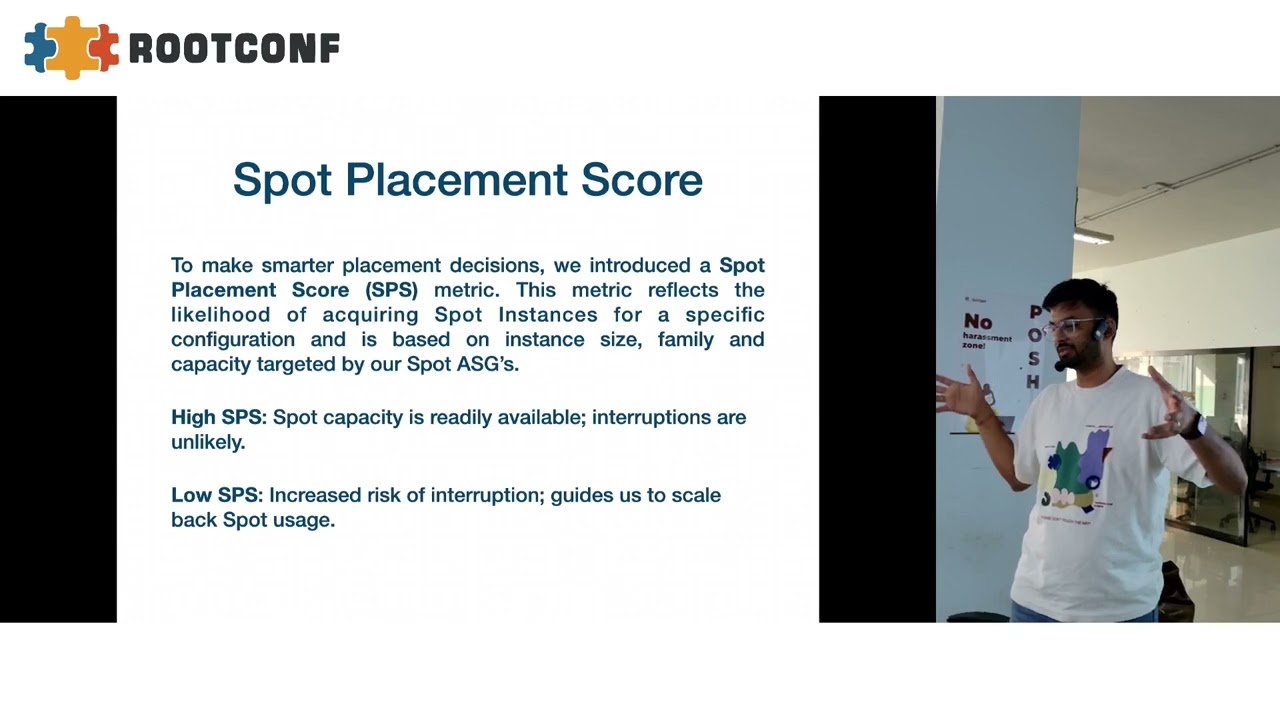
The implementation involves sophisticated automation using the AWS Spot Placement Score API and custom Lambda functions to proactively manage capacity decisions. Because checking availability for every scaling configuration hits API limits, Deliveroo uses a percentile-based approach on their Auto Scaling Group maximum size to estimate likelihood scores efficiently. They developed logic that automatically rolls back Spot usage if the score drops below a specific threshold or during critical events like product launches, and they implemented a mechanism to deregister instances from load balancers before termination occurs. This prevents 502 errors caused by traffic being routed to containers that have already been killed but whose underlying instance hasn't fully terminated yet, prioritizing user experience over strict theoretical availability windows.
Ultimately, this approach allowed Deliveroo to gradually increase their Spot usage percentage without impacting system reliability or underutilizing their Savings Plans. By starting with a small percentage and incrementally scaling up based on performance data, they achieved meaningful cost savings while maintaining robustness against interruptions. The solution is highly adaptable; although built for AWS ECS, the decision-making engine can be extended to other platforms like Kubernetes by adjusting node affinity configurations rather than relying solely on cloud provider-specific tools. This workload-aware automation ensures that fine-tuning happens at the application level, allowing Deliveroo to safely navigate market volatility and infrastructure constraints while keeping their food delivery platform running efficiently for millions of users.
Read the full video transcript
Okay, cool.
Hi guys, I'm Akash. I work for
Deliveroo. I manage the platform space
at Deliveroo.
So, today I'll be speaking about cost
optimization at scale. And how do we do
that without causing a hit on
availability or reliability on the
system. So, that's what
I'll be speaking about today.
So, when we speak about cost
optimization, any uh
Oh, good to
Cool. So, yeah. Whenever we talk about
cost optimization or reducing our cloud
cloud cost, the very first thing any
enterprise does is they buy cost saving
plans, which sort of brings down your uh
AWS spend.
But, in our case, uh we are a food
delivery company. So, we don't have a
homogeneous traffic throughout the day.
And given the nature of our business, we
see a lot of spike during lunch and
dinner time, which also represents in
this graph. This is a AI-generated
image, which demonstrate how our cost
look like. So, our baseline usage is
covered by savings plan, but we do run a
lot of on-demand during lunch and dinner
peaks.
And this is where uh we wanted to save
money.
So, yeah. As I said, our baseline usage
is covered, but we still have a lot of
on-demand spikes uh throughout the day,
which we wanted to manage. So,
to uh
save on the uh spiky usages,
we opted for a spot. Spot
So,
uh there is no demand. AWS just gives it
off at a very cheaper price with a lot
of caveats. So,
theoretically, it offers up to 90%
discounts over on-demand pricing. But,
yeah, given uh
it's cheap, it comes with a lot of
limitations. So, for example, uh
any spot instance, it can be terminated
at any given time. So, for example, a
company demanded 1,000 instances for
on-demand. So, the moment they get a uh
request for 1,000 on-demand instances,
they'll immediately take back all the
spot instances. So,
that being said, any spot instance can
go off at any given time. And
availability of an uh spot instance also
fluctuates based on demand. So, if AWS
has a lot of demand, you'll see less uh
spot instances available. If it's a lot
of hardware is free,
they give spot instances. For example,
during Black Fridays or any critical
sales, you'll see the spot market is not
that great.
And
uh another limitation is it gives you
2-minute notice before it starts
terminating your instance. So, if it
wants to take back the capacity, it
gives you a 2-minute notice. You can
clean up or do whatever you want. And if
you don't do any of that in like 2
minutes, it will forcefully terminate
your uh instance. So, these are the
limitations with spot instance. So, now
to adopt uh spot,
the workloads must be
resilient, stateless, and capable of
shutting down quickly.
Given now we understand what are the
limitations, so what we did was we came
up with a criteria
to select what all workloads can
actually uh run on spot.
So,
uh
to ensure a workload can actually handle
spot instance, the criteria that we came
up with that the instance should be uh
sorry, the service or the workload, it
should be able to shut down within 2
minutes cuz that's the max time uh AWS
will give you. Wait a minute.
Yeah.
Another thing we did was we ensured that
any service which is running at least
two replicas run on spot. This is
another eligibility criteria that we
have uh added. So, our uh thesis behind
this was that
we never run more than 50% spot. So,
that being said, if a service is running
more than two replicas, one of its
replica will always be on on demand and
even if spot goes completely off,
there's something running and managing
your traffic instead of a
complete downtime, you have uh
degraded service, but at least it is
running. So, that's another criteria
that we have defined that any service
should be running more than two replicas
to be eligible to be running on spot.
And another thing that we do is uh
any service
which should not have any stateful thing
running on it or shouldn't be using any
local storage on it. That's another
criteria that we have defined. And
there's one more criteria which isn't on
the slide, but we ensure that none of
the Kafka workers run on uh
spot instances cuz
if Kafka workers get disrupted, the
entire rebalancing thing is pretty
expensive. So, we ensure that
none of the Kafka workers run on spot
instances. So,
at this point we know what are the
limitations and how we can get around
them. So, we have built uh this criteria
and any service that fulfills this
criteria, only those services are
eligible to run uh on spot. This is our
eligibility criteria. So, now by now we
we know that what exactly is spot and
what all workloads we should run on
spot. Next thing that we wanted to
ensure is
uh we wanted a way
to predict
if a spot instance is going to be
available or not.
This is to ensure that we don't
end up getting high interruptions.
So,
Wait a minute. Yeah.
Sorry, I'm just struggling which slide
is there.
Yeah.
Uh So, to get this, we came across AWS's
spot placement score API. So, this is a
API that AWS exposes. What it does is it
takes a configuration and
tells you what are the likelihood of
getting a spot place spot instance of
the configuration. So, when I say
configuration, it essentially means uh
the number of instances I want to run.
So, for example, I say I want to run 250
instances. And then I give what kind of
instances I want to run. So, based on
that configuration, AWS will give me
back
a score between 0 to 10. Where 0 means
there's less likelihood of getting an
instance. And 10 means that you'll get a
spot instance for 250 instances. So,
what we did was we
wrapped this API and made a metric out
of it. So, we
run this API, trigger this, and emit a
metric
based on our requirements and get a spot
placement score. And based on that, we
take all the decision part.
But, uh
this obviously have some limitations.
So, when we started using this
API and emitting metric, the moment we
went live, we saw that the metric isn't
coming in after an hour.
And what happened is uh spot placement
score
has a constraint that you can only check
SPS for limited number of
configurations in a day. What that
essentially means is so in our the
cluster is always scaling up and down.
So, if I want to check SPS for uh 250
instances, that's one configuration. And
if I want to check SPS for 250 260
instances, that's another configuration.
So, as a cluster scales up and down,
uh
for SPS, it's a completely different uh
configuration altogether. So, that being
said, it started throttling us that you
can't uh check SPS for so many
configurations. And initially, we wanted
to check for SPS for whatever number of
instances we are running at that given
point in time. But, given this
constraint, we couldn't do that.
So, to overcome this uh limitation, we
came up with a strategy that broadened
our
SPS visibility without hitting these API
limits. I'll take help of a diagram to
explain this.
So,
what we did was, we
use ASG's max size as our uh
metric. So, basically, let's say my ASG
has
uh max size of 1,000 instances. We break
it down into multiple chunks,
percentile-based
capacity. So, for example, P10 is 100
instance, P20 is 20 200 instance, and so
on till P100. That way, now, instead of
checking uh multiple configurations, we
are only checking for uh
10 configurations at a time, and AWS is
fine with that. So, at any given point,
our Lambda is emitting metric, what's
the SPS score for running 200 instance,
300 instance, and so on. And now, what
we do is uh we check how many instances
we are running. So, for example, we are
running 300 instances. We check what's
the closest SPS score for that. So, in
this scenario, for 300 instances 310
instances, P30 is the closest one. We
check, okay, what's the SPS score for
P30? It's 8.5. And accordingly, we will
take the decision if we want to run spot
or not. So,
uh when I say threshold, this is
something we had to do a lot of
uh hit and try. So, there's no one rule
that this works for everyone. We started
off with a value of eight, but we
realized we are rolling back spot a lot
and paging people for no reason. After
running spot for some 6-7 months, we
learned that SPS of six is good for us.
That's the threshold that we use.
If SPS goes below six, we roll back
spot. If it's above six, it's fine. So,
this is a value that we have
uh come up with after running spot for
6-7 months. So,
at this point, uh
we know what spot is,
what all workloads we should be running
on spot, and how to take the decision if
we should be running spot at this point
or not. So,
now we needed some automation where
we can
take all this logic and without any
hurdle
roll out spot or roll back spot or do
anything like that. So, what we did was
we built an automation around this SPS
score.
And this allows us to
basically uh proactively roll out spot
or let's say SPS is trending downwards,
so we can roll back spot and there are
some critical periods where we don't
want to run spot. For example, there's
any product launch or something of those
sorts. So, it helps us to uh roll it
back instantly.
And whenever the conditions are
favorable or the SPS score is good, we
can roll back uh roll out spot again
without any uh
lot of operational overhead. So,
that's the idea behind
coming up with this automation. So, I'll
uh walk you through the key components
of this automation. So,
the very first thing that we have
is our data miner function. What it does
is, it takes a service and analyzes
where it should be running. Whether it
should be so we defined the eligibility
criteria. It runs that eligibility
criteria against that service and sees
if it is compatible to run on spot or
not.
And once it's done that, it also checks
if it is running on spot or not. So for
example, service A should be running on
spot and it is not running in spot. So
it will emit that service out that
service A, it should be running here.
Next component we have is an updated
lambda. It is also a AWS lambda. What it
does is
>> errors.
And when we started looking into those
errors, most of those errors were
coinciding with spot uh interruptions.
And upon
looking into them, we realized all of
these uh fiber two errors actually are
caused by uh spot interruptions. So, let
me walk you
through a diagram. So, what exactly
happens whenever there's a spot
interruption notice,
ECS will mark that node for drain. Let's
say this is our node running three
tasks. And
when the node is marked as draining,
it will start moving tasks to other
healthy nodes, but it will only kill the
running task when the new tasks are up
and running.
So, assume there are these
uh three tasks running. Task A and B,
the replacement tasks are not up and
running yet and the two-minute window is
over. So, what happens is this instance
gets terminated and as a part of getting
terminated, it first kills all of its
processes running on that instance and
then the instance is killed.
And
between
container getting killed and instance
getting killed, there's a brief period
of 4 to 5 seconds where this instance is
still attached as a target on the load
balancer and load balancer can still
send traffic. So, what happens is
when this instance gets traffic, the
container is dead and it gets back 502.
So, if you're a small small company, it
might not matter to you, but at our
scale, it was a big problem and we had
to fix it.
So, to fix this
we came up with another lambda.
And what we does did is whenever there's
a spot interruption notice, it's a event
on AWS, so you can do whatever you want.
It triggers a
deregister lambda. Deregister lambda is
nothing but what it does is identifies
what's which node is getting interrupted
and goes on that node, figures out what
all tasks are running on that node, and
what is the corresponding service, and
what is the corresponding ALB for that
service. And it waits for 90 seconds for
ECS to do the clean,
uh you know,
removing and deregistering and
everything. But for example, the in this
scenario, task C was dead in 2 minutes,
but after 90 seconds, task A and task B
was still running. So, it will figure
out all those things and make a
deregistration call to the ALBs and
deregister this instance from all the
ALBs. So, what happens here is after 90
seconds, all the tasks
will not get any traffic and as a
result, the users will not get any 502
errors. So, the catch here is we take a
hit on
sort of availability. I mean,
our systems can be loaded, but the fact
that these instances would have been
killed in another 30 seconds and it's
better to take a little bit more load
than serving 502s. So, that's our
rational. That's a risk that we have
took that it's fine to send traffic to
other healthy nodes. And another thing
is while we kill this, the new
replacement tasks are already in the
process of coming up. So,
maybe not in 30 seconds, they might come
up in 50 seconds, but they will be up
and take the traffic.
There's one thing I want to talk about.
I talked about
in the eligibility criteria that we look
for any service that can shut down in 2
minutes,
but we missed the part that if a service
is not starting in 2 minutes,
it will still get killed and impact. And
that's the reason we had to come up with
this whole
business. But the problem was when you
talk about stop time, you can configure
that, but when you talk about startup
time, there are a lot of
variables that come into picture. So,
your app can start potentially in 2
seconds or 10 seconds, but then when you
talk about a container getting started,
you need to ensure that the new
underlying infrastructure is ready. So,
if
the underlying host is not ready, if the
networking for that is taking more time,
It all adds up to task startup time.
So, that being said, there's no easy way
to
add this part in eligibility criteria
that the service to start in 2 minutes
or
30 seconds or whatsoever cuz there too
too many factors in play when it comes
to task startup time. So, this is
the lambda we came up with and handle
the scenario.
There are
some other scenarios as well
which we are working right now on
figuring out how we can manage them or
handle them. So, one being
There are times when we see a lot of
high interruption rate within a short
span of time. So, for example, 30% of
our capacity goes out within 10 minutes.
So, this is one thing that we observe or
monitor. Right now, we don't have
automation around it. We are still
trying to figure out what's the right
thresholds when we should kick in the
automation. So, if this happens that 30%
or 40% of our capacity goes off within
say 30 minutes. Right now, we page
someone and then someone comes online
and looks if this is something where
they should roll back or not. But,
this is our future plan where we will
come up with some sort of automation
once we figure out what should be the
right threshold for this.
Another thing that we have observed is
at times what happens is whenever
there's an interruption AG is unable to
spin up the replacement instances. So,
what happens is let's say 30 instances
are killed. AG will spin up new 30
instances, but there are times when it
fails to do so for 20 minutes or
something like this. So, right now, we
are paging for it, but we are trying to
figure out what's the right threshold
where we can
say, you know,
if AG is unable to get the replacement
instances for 20 minutes, just
roll back from spot. So, we are trying
to figure out what's the right
threshold. Also, sometimes it's just
one-off instance and
where ASG is unable to replace, but then
it's fine. So, these are the two things
which is sort of manual in
not manual, where the decision-making is
manual, but rolling back and everything
is automated.
Uh coming to what we see after running
uh all the spot. Again, this is a
AI-generated image. So, after
running spot, what we've started seeing
is a lot of our peaks are now run by
uh
spot instances.
And on-demand usage is going down. And
this is after a conservative rollout. We
are not yet at a point where we are
running 50% spot. So, we want to ensure
that our rollouts are uh gradual and
there's no hit on the availability of
the system. So, that's why we are doing
gradual rollouts. And uh with this,
this is where we see that we are not
underutilizing our savings plan as well.
And uh we are not spending too much on
on-demand.
So,
with this, we have achieved meaningful
savings without impacting our
availability of the system or
reliability of the systems.
And given we have this automation in
place,
it helps us to do safe and gradual
rollouts. We don't have to, you know,
say run everything on spot. We can do 5%
spot, 10% spot, 30% spot, and so on. And
we know it's safe cuz any service that
runs on spot goes through that
eligibility criteria.
And the biggest advantage we've got is
that
whatever uh
fine-tuning we are doing, it's on the
workload level and not on the infra
level. This is our biggest advantage.
So,
with all this automation in place, even
though this right now seems like very
ECS specific, but these principles can
be very easily applied on any platform,
say Kubernetes. So,
in ECS world, we are updating capacity
provider configuration, but say tomorrow
we want to move to Kubernetes, all we
got to do is
just extend our tool,
do all the decision making, and instead
of updating capacity provider
configuration, we can just update the
node affinity part
of
Kubernetes deployment, and then
Carpenter take care of it. So, in ECS
world, there isn't
a lot of options to use from open space
world or anything. It's very cloud
provider tight, but
Kubernetes world has a lot of tools
available, but when we were looking at
it, there's nothing that can take
decision make do the decision making
part for it. So, for example, when
people use Kubernetes, Carpenter is a
one of the tool that everyone uses. It
can run your workload, it can decide
when to run on on demand and when to run
on spot based on different parameters,
memory, CPU, or architecture, but it
cannot take workload aware decisions
that is this workload eligible to run on
spot or not. So, this is what our engine
does. It takes the decision, and then it
tells the orchestrator that you run it
on spot or not. So, irrespective of the
platform, tomorrow we can do the same
thing on Kubernetes.
Take the do the decision making and let
Carpenter take care of rolling out stuff
and running the underlying hardware.
So, that's my time, guys. Thank you. Uh
Open for questions.
Sure.
>> So yes, the question is how do we ensure
that some of the replicas are running
not on spot? So
in ECS world for any service, you define
the capacity provider configuration.
What it essentially is
Are you Are you comfortable with
Kubernetes?
So okay, in Kubernetes world, think of
it like
node affinity configuration where we say
two node groups and give weights. So for
example, we say uh
40% on spot. So in Carpenter world, you
give node pool.
And there we we give weighted things. So
similarly in ECS, you have cap provider
configuration where you can say which
capacity provider it should use. So for
any service, we say run 40% on spot and
60% on demand.
So that being said, and our criteria is
we never want to go more than 50% for
spot. So at any given point, if a
service is running two workloads, one of
the workload will be on on demand.
Yep, yep, yep. So every workload
runs on two node groups. One is on
demand and one is spot. We just change
the percentages. So
uh it could be 0% spot and 100% on
demand or it could be 50% spot, 50% on
demand.
Any more questions?
Yeah.
Yep.
So that's our percentage. Uh what we
did, we started doing a gradual rollout.
So we first started with 5% spot cuz
there's no one rule that works for
everyone in spot. You have to run, see
what works, and accordingly adapt. We
started off with 5% spot and see that
okay, everything is working fine,
there's no problem, and if there are any
problems, we catch on early. So, for
example, the problem I said about 502s.
So, if we were doing 50% spot, it would
be a massive problem, but given it was
just 5%, we got it early, worked on it,
fixed it, and then gradually rolled it
out to 10%, 20%, 30%. Since we do
gradual rollouts and see how spot does,
how our services are responding to it.
Are there any issues or are there any
errors? Accordingly, we decide, and we
have come up with the criteria that we
will never go above 50. Given if we do
that, there's a risk that if spot goes
off 100%, which is rare, but does
happen, we don't want to be in a problem
like that, that we don't have underlying
compute to run our workloads.
So,
to answer your question, it's us who
decide that percentage. It's a human
thinking that 5, 10.
Exactly. So, for example,
during Black Friday sale,
Black Friday is the time where you don't
have any spot availability. So, we saw
that okay, spot is doing really bad. We
are seeing high interruptions. So, first
we tried reducing the spot percentage,
and then during Black Friday, we
completely rolled back spot. We set it
to zero. And once the Black Friday was
gone, we saw that okay, our SPS score is
looking good. We started rolling it out
again, but instead of going directly to
50 or 45, we realized okay, 30 is a very
good starting point for us. Instead of
5%, now we started at 30, and every week
we just added 5, 10%, and aim to reach
45% or 50%, wherever we see that okay,
everything is healthy, and our systems
are reliable, and there's no hit on
availability of the system.
Yeah.
>> I'm sorry, can you
When you say data service, you mean any
service which has uh
state involved?
No, so
uh
while doing the technical design of
this, this was very clear to us that we
do not want to run anything which is
stateful cuz if the instance is gone,
the state is also gone. So, that's the
reason we
consciously make the decision that we do
do not want to run any stateful
application on spot instances. Same goes
with Kafka cuz if the Kafka worker is
moved to a different node or shut down,
it has to do all the rebalancing and all
that which is expensive. So, during the
design phase, while coming up with the
criteria, we came up with the criteria
that if you these are the limitations
and that's the reason we don't want to
run these services on spot. So, before
working on any of this, uh we spent some
time doing our research and writing a
coming up with a technical design and
how it should be implemented.
So, during that phase, we figured out,
"Okay, this is not the right thing."
Any other questions?
Multi-region?
So, when you say about multi-region, uh
the way we handle multi-region is very
different. So, it might not be relevant
to this. So,
we don't really run service
uh in a way that
>> Mhm.