hackmas2026 - Basics of Personal Information Management: Finding the best tool(s)
Watch on YouTubeVideo summary
The video provides a comprehensive overview of Personal Information Management (PIM), defining it not merely as the management of calendars, contacts, and tasks, but broadly as the organization of oneself and one's data. The speaker emphasizes that PIM is deeply rooted in cognitive models, acknowledging that human brains change over time due to age, career shifts, and evolving mental frameworks. Consequently, any system designed for information storage and retrieval must account for the fact that the user's future self will be different from their current self, making it difficult to predict future needs. The presentation also critiques the "desktop metaphor," a concept from the 1970s that mimics physical file systems with folders and drives. While this approach made computers accessible to non-technical users initially, it inherits unnecessary limitations from the physical world, such as the restriction that an item can only exist in one location at a time. The speaker argues that modern digital environments should not be bound by these physical constraints, comparing the rigid folder hierarchy of operating systems to the inefficient experience of shopping for cameras in a physical store versus the flexible options available online.
A significant portion of the talk addresses the inherent difficulty of naming things, referencing research known as the "vocabulary problem." This research demonstrates that different individuals associate different words with the same concept based on their unique experiences and cognitive models, making universal agreement on names nearly impossible. This challenge is particularly acute when creating short file or folder names, where users are forced to select a single word that may not align with how others perceive the content. The speaker categorizes user behaviors into "filers," who organize neatly; "pilers," who accumulate large stacks of files; and "spring cleaners," who periodically purge their systems. However, he notes that reality is often a complex mixture of these behaviors, and people often struggle to decide whether to keep or delete information because they cannot predict when they will need it again. To overcome the limitations of strict hierarchies, the speaker introduces the concept of "multiclassification," also known as tagging or labeling. He advocates for using a controlled vocabulary with a limited set of tags to avoid overlap and confusion, suggesting that users should ignore obvious tags like "picture" since file extensions already provide that context.
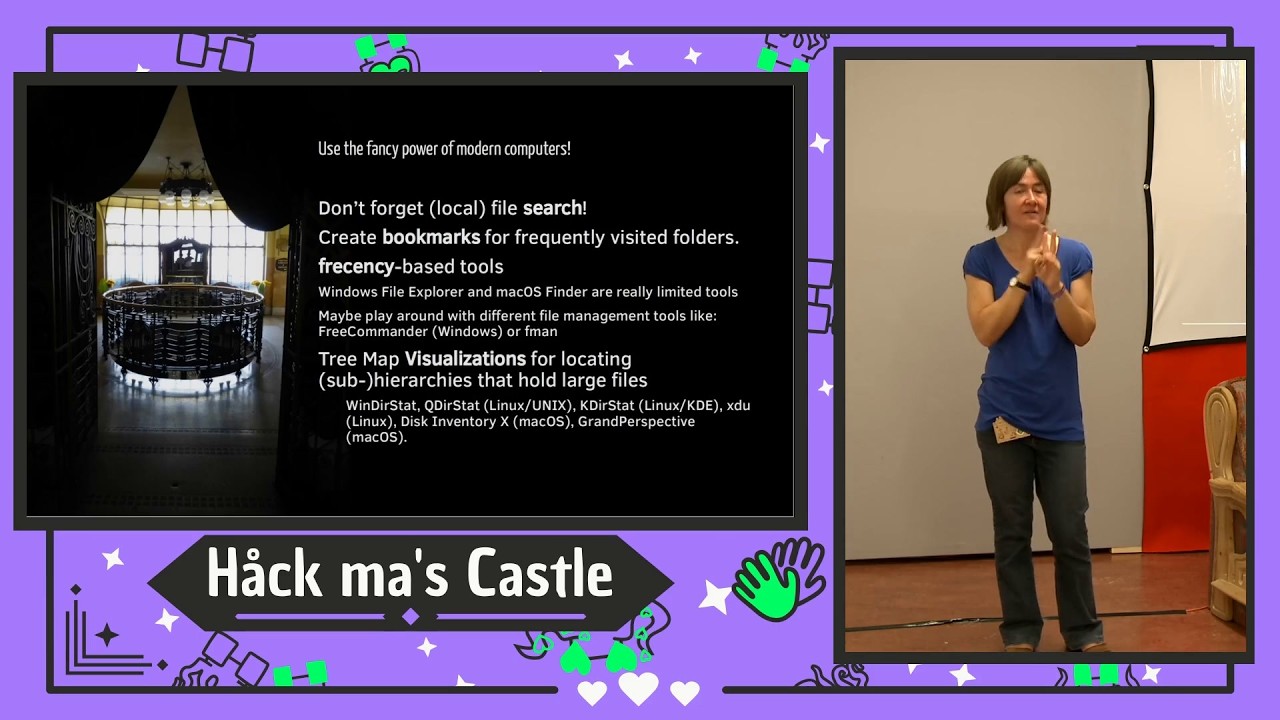
To help users navigate these complexities, the speaker proposes a structured workflow for selecting the right tools: requirement analysis, method selection, tool analysis, tool choice, and optimization. He stresses that one must first define their actual needs rather than what they merely want, distinguishing between "must-haves" and "nice-to-haves," while also considering flexibility and migration costs associated with vendor lock-in. A critical warning is issued against choosing tools based on shiny new features without evaluating long-term data portability and security risks. The speaker recommends using both search and navigation for retrieving information, rather than relying solely on default file browsers which are often limited. He suggests exploring alternative file managers that support advanced features like frequency-based access and tree map visualizations to better manage large datasets. Ultimately, the talk concludes that PIM is not a one-size-fits-all solution; users must periodically re-evaluate their systems as their lives change, ensuring that their workflows remain efficient without becoming burdensome or obsolete.
Read the full video transcript
So this is a a little bit of a a mix.
It's not that um like like my usual
talks with one single topic. So it's
more of a broad uh overview of a certain
aspects of personal information
management.
Okay. So let's start
um first of all which what what is the
scope of this talk? So as I already
tried to explain uh it's personal
information management. It covers a few
basics of this topic and the goal is to
enabling you all uh to make better uh
choices for your particular situation.
Yeah. And that's me uh here down in the
corner. Uh I enjoy very much looking
other people over the shoulder when
they're working with computers. Uh and
uh if they want I sometimes may have
good advice for them in order to get
better to some degree. Not all people
wants that though. So I had to learn the
hard way that there are some people that
are actually quite angry if you want to
provide them help with their work and
their workflows
which is a little bit a little bit
confusing for myself. Um the next thing
we want we need to talk about is what's
the definition of um personal
information management when you hear it
from me. Uh there are usually two
different definitions of personal
information management. The one the
narrow one is uh calendar to-do contact
on uh management uh all the way like
like outlook or Thunderbird to some
degree and so forth. And the other
definition is the definition I came up
with is um how you organize yourself and
your data. So it's a very very broad
spectrum which I think is personal
information management when I do it. uh
and of course uh there is also uh the
non-personal part which is very similar.
Uh so we have uh requirements and
methods on both sides and um the group
tools and the group workflow
implementations of course are a little
bit of a different turf than the things
I usually talk about but we have certain
exchange of ideas and tools. So it
overlaps a little bit but most of the
time I'm concentrating on the left hand
side personal information management
because one brain is complex enough
and this is uh supported by the terms of
different mental or cognitive models.
Some say uh some prefer the term mental
some prefer the term cognitive models.
So which is just a fancy name for uh you
have a brain other people have brains
and they those brains differ from
various for various reasons of course
and another thing which is very
important here is that your own brain
changes over time. So the situation you
have been 10 years ago for example most
probably was a different one different
age different job
working area whatever. Uh and so if you
are working with information storage and
retrieval you need to take into account
that the retrieval process will be with
another version of your brain in the
future
which is tricky. Okay. because you have
to somehow see what's going on in the
future which is mostly difficult task to
do.
Yeah. Another thing I wanted to u talk
about briefly briefly is uh the desktop
metaphor. The desktop metaphor is uh a
very very cool tool. It was developed in
the 1970s
um by some research uh re researchers in
uh at the Xerox Park Institute for
example. Um and this is one of the
earliest screenshot of a graphical user
interface uh with the desktop Metafera
as we know it. You see there are icons,
there are printers, um uh there are
documents with icons and if you would
have moved such a document over to this
printer for example, you could have um
you could print this document um at the
network connected printer which was
extremely sophisticated for the time it
was developed because the alternative
would have been text consoles. Uh and
with the desktop metaphor, it was the
first time that you could sit any person
in front of a computer with no
technological background at all and
assume that this person is able to work
with the computer.
And this was very new back then. And of
course the trick that was used for the
desktop metad was that uh people could
transfer the world knowledge to the
virtual world
and also inherit. Yeah. And the bad
thing is that it also inherits
restrictions from the phys physical
world which is a bad thing because in
the physical world for example each and
every item has exactly one single
physical position.
In the virtual world this is a
restriction which is actually not
necessary at all but we still chose to
keep it that way. Okay.
So therefore I warn people for
uh using too much of these old tricks
like the desktop metaphor uh because
it's some kind of limitation for our
modern world as well and those
limitations hurt more than the uh trick
the positive aspect of the desktop
metadata actually helped us back then.
Okay. I always uh use the the the the um
the phrase it's like uh running a
marathon with uh uh chained hands for
example. Yeah, it's possible but it's no
fun at all. Okay. And we are running uh
with uh jane hands all day long and
everybody seems to be happy with that
situation. And sometimes I think that I
see that there is something you might
have uh potential to improve and people
do not want that or do not see the
problem at hand.
Another aspect you everybody of us
including me perfectly knows well is
naming things. Naming things is hard. Uh
and we we do we do name things all the
time. We do name things when we define
document titles, headings within a
document or folder names. This is a very
uh interesting example because this is
new folder one two three is probably the
most frequently used folder names ever.
Uh file names uh button labels. So this
is uh more or less the domain of
programmers. Uh menu entries you see the
the p the pattern.
And why is this so difficult? And there
is a very interesting research work um
for example 1987 from Mr. Furnus at all
uh which was called the vocabulary
problem. Who knows the the this research
uh or the term vocabulary problem?
Nobody. Okay. No problem. Quickly
explained. Uh there was an experiment.
Uh imagine you're entering as a test
person. You're entering a room and there
is a big table and the test persons sit
around the big table and uh the
researchers put a thing in the middle of
the table. It could be as simple as this
one. Okay, this one just placed on top
of the table and then the participants
are asked to write silently write down
the first word or the first term which
came to their mind what this thing
actually is.
Then they write write the term down.
They write the the word down and then
the researcher said okay now let's
forget your first word. for some reason
this is not valid anymore or not
interesting or not matching whatever.
Write down the second word or term which
comes to your mind what this thing
actually describes or is.
And this goes on until I think five uh
five levels of of terms and words. And
of course the first one is the most
obvious for yourself. The second one is
the second most obvious for yourself and
so forth. And the interesting part is
that there is almost no match among the
participants in the first round. So
there is no agreement on such a simple
thing like a physical thing. And it even
gets harder when there is no physical
thing but some abstract thing. Yeah.
like a program function. Usually this is
very abstract. Okay. And you if you need
to come up with a term for a a feature,
a virtual feature in a software, it's
even more it's even harder like that. So
what the researchers did is they looked
how many levels of words they need to go
down in order to find one word that was
mentioned by everybody or the majority.
And I I can't remember the details but
the basic thing is that you have to go
down uh in that hierarchy very deep in
order to find one single word we all
would agree with. Okay, probably it's
bottle or water or I don't know beverage
whatever. Okay, in this case it's a very
simple example, but you can imagine that
if the the thing I put on the table is
not as simple as this bottle, this gets
trickier and trickier.
So the basic idea or the basic outcome
of this vocabulary problem research is
that different people relate different
words uh to the same concept because
they have uh different concepts in their
brain. They have different experience.
they they see it from a different angle
maybe and therefore it's very difficult
to or it's it's it's it's not good to
assume that everybody thinks the same
way I do or that everybody thinks that
this thing has the same name that I
would use to describe it.
And when we go back to the naming things
slide, you see that document titles,
well, that's not that hard because
document titles usually usually are very
descriptive and longer. It gets harder
for example with folder names and file
names because people usually tend to
keep it short and when you keep it short
you have to probably uh select only one
single word and your knowledge of that
one single word is a different kind of
cognitive model than other people's have
for the same folder and the same
content.
You get the idea. So therefore the
vocabulary problem is one of the basic
uh informations that we got from PIM
research which tells us that naming
things is a very hard thing to do
actually and which leads us to the next
big chapter for information storage and
retrieval and if we talk about storage
and retrieval it's very important to
emphasize right from the start that you
don't need to concentrate on storage
when there is no retrieval at all.
People tend to concentrate on the
storage process although they should
think of the retrieval process in
future. So you should put your mind in
the state where you assume what will I
be thinking of when I want to access
this information in future again it's
even harder when there are multiple
persons involved of course.
So we only store information because we
want to maximal uh maximize retrieval
success when we need that information in
future and when there is no need for
retrieval there is no need for storage.
The hard thing is that we all want to
store things
and we do not know if and when we want
to retrieve that information again.
That's a different problem.
And when it comes to storing
information, there are a couple of uh
things that modern PIM research has come
up with. Uh the classical categories of
uh people filing stuff is filer, piler
and string cleaner. So filer are people
that um store away documents neatly in
their uh in their folders and so forth.
Pilers are people that have huge stacks
of paper on the desktops or on the
virtual desktops on their computer.
uh or few folders and a little bit more
cha chaotic some would say and spring
cleaners are the classical mixture. So
usually the people that are piler uh
become a filer once a year or so when
they move away the things and delete the
other things and so forth. This is this
mixture is called spring cleaner. But
reality is more complicated than that.
While this is basically true, there are
all kinds of different mixtures. Even in
different situations, people tend to
behave differently. So for example, with
paper, people tend to be for example a
piler on the computer. They want to have
a neat desktop and so forth. They they
tend to uh behave like a filer, for
example. Everybody's different.
And of course then there are decisions
like keep everything versus delete as
much as possible. So there are people
that want to get rid of everything right
up from the phone. Now I don't want to
store that. I if I read it again I most
probably will will refind it on the
internet and so forth. Okay, that that's
one uh possibility. Yeah, it's not worse
or more correct or whatever compared to
the other. It's just uh and different
approach. And of course there is this
order versus chaos. Some people are
quite happy with something other people
would say is a chaotic situations.
Usually people maintaining such chaotic
situations do not think of themselves to
have a chaotic situation because they
somehow come around with their workflows
and processes. They they know how to
refine their documents because somehow
they can manage this chaos. Other people
need more guidance. Usually these people
tend to be um uh filer and not piler and
so forth.
Uh when it comes to uh working with
computers, we have uh the need for
storing um computer files locally. And
uh just for the sake of this talk, I
want to make sure that directory and
folder is the same term here. I I use
them uh in the same way and the same
holds true for file and document. Of
course in details there are differences
but let's put that aside.
I already mentioned the desktop metaphor
and that we inherited
downsides from reality
in the in the virtual world and the same
holds true for so-called modern file
systems because even in our modern file
systems it's the case that one file is
stored at exactly one single location in
the file system although the computer
could do it differently for example like
in a database system and so forth But
our modern file systems still do not
have the same features as a database. So
if you want to have a file on multiple
different locations in your file uh
system hierarchy, you need to use
workarounds and all come with different
disadvantages
and most people don't even know about
those workarounds other than copying
files and so forth.
Uh again I think that's a needless
limitation. We took from the real world
into the virtual world and we shouldn't
do that but it's very hard to change.
So uh one thing that relates to the
previous one is that uh I think that
there's a issue if you want to transfer
something from the real world to the
virtual world. So uh you can't map
reality to a strict hierarchy for
example. People try to do it all the
time.
People try to come up with the perfect
folder hierarchy because of that reason
or the perfect mail folder hierarchy and
so forth. Okay, that's not possible.
That's only possible to a certain
degree. If you can deal with the
negative aspects within your brain,
within your cognitive model, then it's
it's perfectly fine. For example, I
don't see an issue with that. But or but
my brain is probably different from the
average brain in that respect because I
very rarely has an issue refinding uh an
information I stored somewhere. But
that's not true for the general public.
There have been uh several approaches to
uh come up with some standard way of
using a hierarchy. For example, the due
decimal classification is very uh
famous. It was I think the origins are
from uh librarian uh and so forth. Uh
but all of them are horrible to use in
my opinion and not a very good idea
especially if you want to make use of
the advantages of a computer.
Um, yeah, and all of those are rooted in
the need to order physical items, which
we should not do in a in a virtual
environment, but we do it anyway because
we learned it that way. And nobody seems
to care that actually we could have
better opportunities, better
possibilities, better workflows than
that.
I'm using an allegory here uh which um
compares buying a digital camera from a
physical store, a brick and mortar store
uh and uh buying a digital camera in an
arbitrary online store. When you go to a
physical store, you um depend on finding
the area within the store where digital
cameras are exposed. You can choose one
of them. you can take it with you, go to
the um point of sale and take it with
you. And that's the way you buy digital
cameras in the physical store. Everybody
knows that in an online store, it's a
completely different process because
when you visit an online store, you may
find the very same thing, the very same
digital camera on 10 different places.
It might be on the front page. It might
be in the office supply area. It might
be in the uh outdoor equipment. It might
be at the children toys area. It might
be
catch of the day. It might be, of
course, in the digital camera section.
and nobody gets offended that the same
camera is linked everywhere which it
might be okay to to look for that
camera.
So this is this is the good case. Okay.
And for some reason uh with our local
computers we are find that we just want
to have the same physical store methods
we using with our so-called modern
operating systems which are actually not
so modern if you think of it.
So if you somehow need to do file
management with hierarchies, I do have
some recommendations, some personal
recommendations. Yeah. Uh my talk is
half uh based on research and half based
on my personal experience. Uh I did a
PhD with file management um 15 years
ago. So I hope I know what I'm talking
about. If you need to maintain file
hierarchies, I would recommend to keep
it as minimals as possible. I once was
world champion in coming up with very
complex file system hierarchies and they
all failed within a couple of years. Um,
keep folder names as generic as possible
except the last level. Okay. So maintain
some or stick to general concepts until
you come to the second or third level in
your file system hierarchy and then go
to the specific uh specifics for example
on file system uh or on file level and
not on folder level. Ignore. Please do
ignore those stupid default browsers. Uh
modern operating systems like Windows
and Mac OS come with for example my
document, my pictures, my videos, they
do not make any sense at all. Yet there
are standard site since decades. Okay?
Because if if I'm joining for example a
party, then the invitation would be a
PDF that goes to my documents. The
photos I take would be my pictures for
the same for the same event. And if I
happen to make a short video, then I uh
would uh be um I would be um guided to
to use that folder for the video. That
doesn't make any sense uh sense at all
in my opinion. And the bad thing is that
when people do not came to my talks or
my lecture or read my books or my blog
or whatever, they think that this is
actually a good thing because Microsoft
is telling me or Apple is telling me,
uh, yeah, these are the default folders.
Please use it. For some reason, they
come with neat icons and so forth. So
people somehow start a horrible
organization because of those stupid
defaults.
So I I would say avoid numbers in file
names. Um like 00 important stuff and so
forth. Uh it's it's it would be be a
talk in itself on the downsides on the
subtle or not so subtle downsides of
adding uh numbers in file names and
folder names. So uh this is my general
recommendation and if you are using
multiple hierarchies in parallel for
example for your local files for your
emails for your bookmarks whatever then
I would urge you to stick to the same
principles
or the same hierarchy at all.
Yeah. uh if you are looking for
different options than hierarchies um I
there is probably one thing I want to
tell you here it's from a book called
miscellane everything is miscellaneous
from David Weinberger highly recommended
for everybody it's not a research book
it's very easy to read and it covers all
types of uh cool background information
from the past uh how things developed as
they are and uh he's talking about three
orders of orders. And the first order of
order is ordering the items themselves.
So the books in your shelf,
you can order them by color, by author,
by title, whatever, by age, I don't
know.
The second order of order is some index
card systems like in the libraries where
you have let's say three different cards
for each item and you can order the
cards any way you like. So you have in
parallel the cards in one in one uh
cabinet the cards are ordered like uh
from the author names the other ones
uses the title and the third one uses
the uh date or something like that.
Okay,
fun fact. Most librarians would say that
color would be a very clever thing to
order books because many people come to
the bookstore and say, "I want to buy
that book. I can't remember the title or
the author, but it was green." And it's
that's a very uh very common issue they
they have to face.
And the new thing here is the third
order of order. So, ignore the other
orders. use the content, split it up in
digital chunks and use a method that
enables you to use that chunks to refind
the information on demand. So you
decouple the situation from storing to
the situation from refinding or
retrieval
uh in that way that for example you're
using search or in another situation you
want to su you want to look for the
author and so forth. So it doesn't
matter which situation you're in when
retrieval is is your thing. You can come
up come up with different workflows and
processes and tools in order to refind
the information any way you like.
And of course for that you need a
computer. That's not possible in the
physical world anymore.
Yeah. Which leads us to the next uh
topic I want to talk about briefly. Uh
multiclassification.
Uh multiclass classification is just a
term uh which you might know with other
terms like tagging or labeling and so
forth. So you assign keywords or
keyphrases to information as a meta
information on information.
Uh so one thing can have one to many
different associations labels tags uh to
different concepts. So those labels and
tags refer to some kind of concept you
have in your mind. Uh, and although most
people think that this is a very
straightforward task to do, I can tell
you that it's not because if you do not
keep a certain method or workflow,
those labels won't help you very much in
refinding the information.
uh from my personal experience as well
as from the research I've read and as
well from my PhD I wrote about this
topic, I came up with uh 10 rules you
might want to keep in mind if you are
following labeling or tagging or
whatever you call it. So I would suggest
to use as few tags as possible. So if
one person is involved, social tagging
is a different turf. Okay, I'm talking
about one person tagging his or her own
files, for example, or web pages or
bookmarks or whatever. So, use as few
tags as possible. How many depends on
your situation.
Uh, limit yourself to a self-defined set
of tags. That's of course in combination
with the first one. So, you should
refrain from coming up with new tags
with every storage process. So if you
have used for example education
uh for labeling some education stuff,
you should not use school or university
at the next storage process
uh because then you have two different
and very similar concepts for the same
type of information.
This is often referred to as a uh
controlled vocabulary.
I've developed some file management
tools which are providing uh features
for controlled vocabularies. Of course,
um tags within your tax set must not
overlap. So you should not for example
use sports and swimming because swimming
is a subconcept of sports
with some exceptions. Yeah. If you like
sports in general and you are very much
particular interested in swimming
because you're there uh for your job or
you're in a in a far was
um in some swimming association whatever
then you might use both tags. Okay. But
in the general case you should refrain
from using tags that overlap whose
concepts overlap.
By convention, it doesn't matter if it's
plural or singular, but you have to
stick to either one. Yeah, in my case, I
use plural. You can you can choose
different. Uh, and for the same reason,
lower case, for the same reason, single
words because multiple tools have
different approaches when it comes to um
differenting or finding out the end of
tags and so forth. So, I would stick to
single words. Um, keep tags on a general
level. omit tags that are very obvious.
Yeah. So, you probably won't or should
not use the label picture
because you might get that information
from the context, the file name or the
file extension.
Uh, use one tag language so you do not
have to remember was it school or schul
in German. Uh, and explain your tags.
keep a text file where when you add a
new tag to your controlled vocabulary,
you explain it to yourself
because I found out that I introduced
tax in a couple of years uh after I was
not sure how I meant the tag in which
context what is the specific context and
so forth. So explain your text to
yourself or your future self
and uh yeah here I is a brief example of
useful text you might get the uh ideas
from for example selection is something
I'm using for my photographs when I have
let's say from that uh Hawkmas event uh
I return with 200 photographs and I
don't want to show my wife 200
photographs then I might have selected
17 of them with the tag selection and
then I have a shortcut which only shows
the uh files that contain that tag and
this is very easily presented then
um taxes if you do taxes like me once a
year uh over the year you collect bills
and some of them
some of them are uh um some of them are
related to uh taxes then you might uh
tag your uh files that relates to that
over the year with the tag taxes and
then it's very easy to relo to refind
them. Bill oops bills for the same
reason. Manuals uh I I love the tag
because manuals come in as uh word files
as PDF files as screenshots and so
forth. Yeah, you get the idea.
screenshots. Uh then you can use text
for example for uh driving workflows uh
like on the uh bottom here draft
submitted and published
or public confidential secret if you
want to assign confidential information
uh the the tag of confidential
information to a file and so forth.
When doing general file management, I
would also um u give you the advice to
keep a to delete folder somehow which is
your default download folder and
just because of that name to delete you
know that you can remove all content
anytime. So either you file away the
content if it's important to you or it's
something that you can throw away any
time.
Yeah, dedicated inboxes.
Uh
yeah, here are some examples for folder
names. I I do not go into the detail
because we have an time issue I think.
Uh but you can get the information
afterward uh on the slides and I have a
blog article with more details on that.
Uh the basic idea is that uh there are
some bad examples of of file names uh
and there are some more helpful file
names and the the bottom one for example
is using the draft tag uh instead of
version two because those version two
information for example doesn't come
with any information at all because yeah
version two of how many I don't know was
it a draft is it the final version but
if you make it explicit like for example
example with a draft tag you [snorts]
know okay this file is in the status
draft and not finalized or submitted or
whatever.
[snorts]
Um here is an example of my personal
file management method which consists of
a file name convention. You see, I
usually start files with a date or time
stamp, then with
um an an a normal file name, you would
say, and then optionally zero, one or
more tags, which are called file tags.
And there is this space minus minus
space uh divider between the normal file
name and the text. And I developed a set
of tools which are able to deal with
them. So for example, moving away files
in their u in their folder I do most of
the time with my tool called move to
archive. Uh adding date and timestamps I
do not do it by hand. I use date to
name. Um for that management I use the
tool append file name. And managing
many many different u features for those
file ts I'm using my tool called file
tags. uh you may want to check out the
information on the last slide then where
there are links to um further articles
on my file management method.
So now that we have covered some topics
on the file storage uh area I want to
briefly mention some things uh related
to information retrieval because
basically there are two different uh
methods to retrieve information. one is
uh search and the other is navigation.
We all know this research shows that
search is the dominant uh um retrieval
process in the internet on the internet
in the file in the in the in the uh web
browser and navigation is preferred by
users for local file retrieval somehow.
Uh I would urge you to use both on any
situation. So uh when it comes to uh
local file retrieval, you should also be
able to use local file search because
sometimes it's hard to refind the folder
location of a specific information and
it's easier to just to use local file
search.
And there are other mixtures and other
retrieval methods for example like
faceted search or tags which is my uh my
domain or teleporting which helps
refinding information on your computer.
My recommendation not focusing on one.
You should have a basic idea of all of
them and you should come up with a
feeling which retrieval method is the
best in my current situation and this is
a different one today than for example
in two weeks from now.
The next thing I want to emphasize is
that um uh modern computers do have way
more possibilities and and file
retrieval u uh methods than we uh used
with the default file browsers that come
with our operating systems.
Uh so don't forget file search. I
already briefly mentioned create books
marks for frequently visited folders or
use a freency. And this is not a typo.
Frey is a mix of recency and frequent
frequent yeah frequent. Uh so uh for
example when I want to visit a folder I
use a tool called set like the letter
set and then a search term and then I
then it jumps me to the right next um
suitable uh folder name which refers to
that search phrase and this is very
handy. So I rarely use CD blah blah blah
in my case although I'm working in the
in the Linux uh terminal all the time.
Uh Windows file explorer Mac OS finder
are really limited tools. I would not
suggest to use them at all. Maybe play
around with alternatives. Uh for example
free commander for Windows or this is a
very interesting one Fman uh which is
from a guy in Vienna. uh just even if
you do not want to use it, take a look
at it because it comes with certain um
uh features that are very handy. for
example, that frequency uh method uh I
found the first time here in in FM.
And if you want to for example uh look
for uh large files that um make uh that
that um you want to get rid of because
uh your free space uh is is is uh very
limited then I would say you should look
for a tree map visualizations tool uh
and this looks like that for example. So
the the larger the area here the larger
the content of the folder or the file
whatever
other topics of course which I cannot
cover here today millions of other
topics but you should um use proper
backup uh you may be interested in file
synchronization that is not using the
public cloud uh but your own computers
for example like syncing.net net or
nextcloud and so forth.
Um, and don't be um intimidated by me.
Whatever floats your boat is okay with
you. Okay? So, you must not change
anything at all if your concepts are
working.
However,
many people's are lying to themselves
when it comes to is it really working?
So, don't lie to yourself. Reflect your
situation from time to time. things
change and when things change your
process might need a change.
And uh with the last uh couple of
minutes I want to go briefly to my um
proposed workflow flow of choosing the
right tool for the job. So with the
basic information from some parts of the
research of uh personal information
management, you should now have um much
better ability to choose tools that
suits your personal situation. And this
is different from every one of you. So
whatever you you're choosing might not
be the a good idea whatever you tools
you are choosing because your situations
differ. And this is my proposed
workflow. Requirement analysis, choosing
a method, analyze the tools, choose a
tool, and then optimization.
[cough] So what [clears throat] do I
mean with requirement analysis? So in
the in the simplest form, you do a short
brainstorming. You sit down with a white
sheet of paper and write down whatever
comes to your mind. What do you actually
need? not what do you want, what do you
need, which is different sometimes from
what I want.
Uh create a list afterwards after the
brainstorming. What of those things you
collected in the brainstorming has
priority to you? What is a a must-have?
What is a nice to have? And what are
explicit non-goals?
Very important non- goals. Uh and you
should not uh forget to include topics
like flexibility to adapt to changing
environments because the more flexible
your tools are the more likely is that
changing situations do not force you to
change the tool.
Uh you should define your lockin
appetite. If you need a tool for certain
weeks or months then you probably do not
need that. But if you want to keep that
tool for years or decades, the lockin
situation here becomes more and more
important for your future self. Uh and
lock in means that uh uh I there are
some migration cost associated after end
of life of your solution which I'm going
to use now. Data protection, security,
privacy, dependencies and so forth. You
know the drill.
So then you should choose a tool uh you
should choose a method and uh methods
are not always there for certain
aspects. For some aspects it's very
easy. For example, when it comes to mail
email management, you might stick with a
method like zero inbox or chaotic inbox
or whatever. For file manage management,
you could stick to one folder with
everything and I want to have nice
search or you would you want a tool
which supports a deeply nested hierarchy
of folders and so forth. So whenever it
comes to um method versus tools on the
left hand side there is an example of
some um general method and on the right
hand side you see an example for add
tool. And here is where most people fail
because they start with a tool
and then look for methods
or they ignore methods at all. So
identifying methods it's not that easy
sometimes. So therefore I would urge you
to search the web, ask peers,
uh read books. Ask peers is a quite cool
example here on this hakmos. uh you
might uh meet many people here with
similar requirements and you can
exchange ideas. Read books. Uh match the
known methods to your prioritized
requirements. And this is very important
that you have a prior prioritized list
of requirements from the first step. You
remember by doing so you learn from the
pros. You do not have to make any every
mistake by yourself.
Please spare yourself some lifetime and
profit from the experience from others.
And notice that still at that at that
stage we are still independent of any
specific technological solution or tool.
Okay. Still no tool up till now.
Now analyze the tools on the market. So
again, search the web, ask peers, read
books, and don't forget to include
small, new, and unusual solutions.
So look around and maybe there is a
newcomer on the market which might be a
very cool uh solution for your ideas uh
but it's not that popular and you would
overlook it if you don't look
specifically for small or new ideas.
That would be a pity. Don't focus on
tools that are already known to you
only.
Uh never underestimated migration cost
locking effect. Migration C that results
from overlooked lock in effects. This is
very important because most of the time
people totally
ignore lock in effects and then they're
using tools where they can't export
their family pictures anymore like Apple
did many years or they're using a
personal information management like one
note where there's almost no way of
exporting your data or Obsidian and so
forth. It's very hard for people
um it seems because many people uh
underestimate that negative aspects and
you need to face it when you move away
to the next tool in future
and then choose a tool. Okay, with all
the work we did so far now we are in the
position of choosing a tool. So match
the available tools to your prioritized
requirements. You may assign numbers to
come up with some sum and indexes and so
forth. Um, now is the time to profit
from your preparations in this process
so far. Make sure that all musthaves are
fulfilled. Don't overlook what you asked
for in the first step. Don't be
intimidated by the new shiny tool and
forget all your requirements.
You need to match your requirement
because that is the list of things you
want to accomplish, not to use a shiny
new tool which might not be so cool
anymore in a couple of months. For
example,
and retrospectively modify your
requirements only with very good
reasons. So for example, if you're
looking around on the tool market, you
might come to more stumble on more ideas
that may be a good fit for your
processes, but you have not thought
about that in the first brainstorming
session. Then it might be okay to add
requirements retrospectively.
But do not do it for no reason. Okay? It
has to be very very good. um thought of
yeah and then the last point is
optimization.
So uh periodically improvements and
re-evaluation of your requirements and
choices as I already mentioned your
world changes, your situation changes,
your business changes, um your hobbies
change, maybe you found a family or
whatever. Yeah, your situation is a
different one in a couple of years than
now. And therefore, re-evaluating your
past choices from time to time is a good
thing instead of sticking to a tool
which adds more and more burden to your
daily business.
Yeah. And this is the basic how to
choose a tool process I would propose to
you. You see that's not rocket science.
Nothing from that is based on my own
experience only. It's a no-brainer.
Basically, the important thing is not to
forget anything is in this process. It's
like a checklist and you should tick all
the boxes before you make the decision
because shiny new tools tend to attract
people and tend to let them forget their
own requirements
or overlook the lockin effect.
the tools come with.
Okay, so I hope this was not too fast,
too much or um did not meet your
expectations. If you want to find out
more background information on the
topics, you might scan this QR code or
visit the URL of the QR code. Uh it's a
blog article on my web page with couple
of links to other resources.
Uh and uh with that I would ask for some
questions uh if there are we have a
couple of minutes left not much but I'm
staying here of course and you can ask
me anything you like all day long I'm
here until Sunday. [laughter]
So any quick questions now?
Okay then we'll do it in the break
afterwards. Uh thank you for uh coming
here. Thank you for your interest in my
work and you find much more content on
my blog and uh I have tons of videos
online from other talks. I'm I'm sure
you can uh find yourself uh additional
information to certain aspects of that
and if you somehow related to university
I do have a lecture which I held at uh
Fasank Burton and Gats University of
Technology and I would be happy to
continue that at another institution as
well. Thank you.
[applause]