Do You Speak Tech? The Pandemic Edition: YouTube Generation
Watch on YouTubeVideo summary
The "YouTube Generation" session, part of the 2021 pandemic-era tech series, explores strategies for integrating YouTube into language classrooms through authentic engagement. Hosted by Stephanie Jackson, the presentation emphasizes the importance of maintaining professional boundaries by using school accounts for work-related tasks while keeping personal accounts separate. It outlines essential search techniques such as filtering by playlists or channels, verifying official sources, and checking like/dislike ratios to ensure content appropriateness. Educators are encouraged to preview every aspect of a video, including ads and auto-generated captions, to guarantee age-appropriateness and cultural diversity, while also utilizing features like playback speed adjustments and transcripts to support learners with faster languages or specific vocabulary needs.
To foster deeper learning, the session advocates for moving beyond passive consumption by encouraging students to create their own content, such as lip-sync videos or reviews of current trends. This active approach provides authentic listening input through songs and promotes engagement with slang and pronunciation using familiar devices and editing software like iMovie or Screencastify. Teachers can facilitate this creativity by setting up collaborative playlists where students contribute links, exploring suggested videos to avoid getting lost in irrelevant content, and utilizing tools like Padlet to gather ideas before diving into specific YouTube features. The presentation also highlights diverse educational applications ranging from cooking tutorials and dance breaks to 360-degree videos and gaming walkthroughs, all designed to make lessons more dynamic and engaging.
Sharing student work requires careful consideration of privacy and copyright, with options including Google Slides for class-wide viewing with editable notes, private Google Drive assignments for teacher feedback, or YouTube uploads only when specific permissions are secured. To enhance the classroom experience further, the session recommends browser extensions such as ad blockers, smart pause tools, and Edpuzzle, which transforms videos into interactive quizzes by allowing instructors to cut clips, add voiceovers, and insert questions with automatic feedback. Additional resources include recommended educational technology channels for remote teaching strategies and apps like YouTube Kids for safer browsing, ensuring that the integration of technology remains safe, effective, and tailored to the needs of both teachers and students.
Read the full video transcript
everyone to our series do you
speak tech the pandemic edition for 2021
presented by the second language
intercultural council from the alberta
teachers
association and the edmonton regional
learning consortium
this is our fourth session called
youtube generation so we're going to be
talking about
youtube tonight and you'll see at the
bottom there bitly or a short link
to get into the uh into all of our
um you know uh the presentation and all
of the rest and i'm just going to
we've had a couple people come in since
we last put the link
in there and so i'm just going to put
that link in there again
and we've got someone else coming in
and here we go
there you go there's our link to the
document with the presentation
and everything else that you'll need so
today
uh oh and the rest of our series so
after tonight march 11th youtube
generation
next week on wednesday we'll be doing a
little look at social media and how we
can implement that in the language
classroom
and then the week after that our last
session will be the new normal we'll be
talking about
online distance learning and you know
video chat lessons and
you know strategies for for making those
engaging
so again we're exploring and reflecting
on strategies for authentic engagement
in the target language through the
implementation of videos today
and technology and we've just got
a few things that we're going to be
looking at
of course some introductions we're going
to start with some basics on youtube so
quickly go through some of those you
know the very first things that you're
going to want to learn to do when you
when you log into youtube
then we're going to look at a search
strategy search strategy that i like to
call going down the rabbit hole
and so we'll look at some ideas of how
to find some some content if you're not
really sure where
where to begin and we're going to look
at video creation so how can you
create videos so not necessarily only
with youtube but
you know related because we're talking
about the whole video kind of atmosphere
and then our last is tricked out youtube
so that's where we'll be talking about
some tricks and
some extensions that you can add to
youtube to just kind of get the most out
of
out of your experience so let's get
started and again i've got the
short link down there so that you can
get access to our presentation with the
speaker notes
and all of the links and and everything
else there
my name is stephanie i work at the
institute for innovation in second
language
education at edmonton public schools
where i coordinate the french programs
and i also volunteer for the second
language and intercultural council for
the alberta teachers association
who were partnering with the edmonton
regional learning consortium the erlc in
order to
present this series for you i do love
educational technology and you got my
email there if you'd like to
contact me with any questions or hey
even if you find a really neat website
and you've
been to the series or watch these videos
and you think hey stephanie
should know about this website i love
getting those kinds of emails from
teachers so please don't hesitate to to
send me an email
i've been on maternity let maternity
leave last year so
talking to another adult would be great
we're going to start with a little
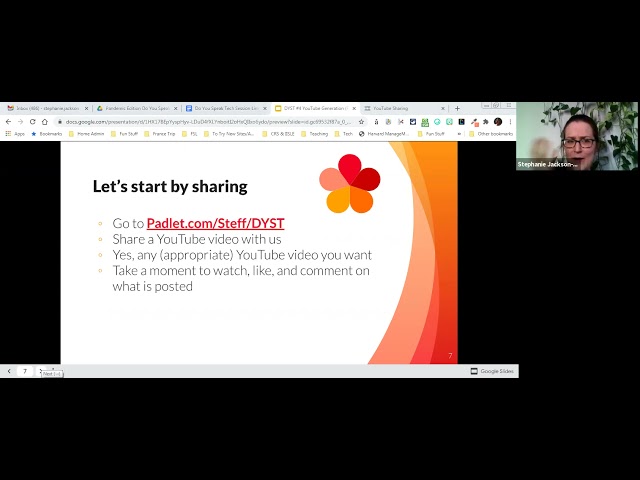
sharing and so i've got a link there and
i will uh
just copy that into the chat as well so
that if you're
not a very fast diaper then you can
just uh copy that right here give me a
second
[Music]
and so literally share any youtube video
that you'd like
i could be something educational it can
be inspiring or something that's just
kind of funny
uh this is mine it's called uh a french
cat looks for love in america
and it's just sort of a cute little
video that
if uh my students were you know maybe
really good and we got finished
five minutes early everything and we
would watch this
and so to add to padlet all you're going
to do is double click anywhere
double tap if you're on a tablet or
phone or press the
the plus button there and that will
allow you to
do that
visitors can write so we're good
so palette is a neat way of you know
gathering ideas from your students
if you're looking for kind of a neat way
to engage with your students at the
beginning of class
you can ask them to share a link to
something
or you could give them a writing prompt
you can you know as you can see
customize the background and the icons
and things like that that are
that are shared there and here i just
added a little note and then
added the link and what i like with
padlet is it gives this little preview
of the video so it's a little more
visual kind of like having an
online vision board
i'm going to show you while we're doing
this some of the settings here
so that you can see so when we go on the
three dots here we have all of our
information
um but i can also remake so if i have
you know maybe some writing prompts or
maybe i have an activity that
a check-in activity that i like to do
with students quite often
i don't have to always re-type those
same instructions and
changing the background and everything
else i could just remake which is really
nice
share it in bed so that gives you a
really nice code and i'm sure you
noticed from
the link that i gave you that this is a
personalized
link so that's really neat i put in
youtube sharing i even chose the little
icon here
just kind of a neat little you know
visual representation
and i was able to put in dyst like do
you speak tech
for uh my custom link and to get to all
my padlets it starts with my name which
is really neat
and this is all on the free version
oh i see someone here that's sharing
something really neat this is manny
musica
which is sort of a um
this is a an activity with students that
uh from what i understand it spans sort
of the whole month and they get to
watch different music videos in french
and vote on which ones they really like
keen v is one of my favorites i like him
so thank you so much for sharing
so i'll leave this open and what's also
really neat is i made
again in the settings you can choose
whether or not students can
like they can upvote so kind of like on
reddit where you get to upvote things
and be like yeah the king v1 is way
cooler than that french cat looking for
love and so that's kind of neat
they can also add comments and so you
can control all of that right here from
the settings
and it's a really super easy way uh
so new post position so the new posts go
first
you can choose different layouts so this
one i chose kind of a wall we're just
going to kind of brick everything
together
and then here i just chose like i didn't
add any other
any other reactions but yeah it's kind
of neat and you can even grade it so if
you wanted to grade students then
you can do that i think i'm on my son's
login but it's me rachelle hi rochelle
it's nice oh i love manny musical as
well it's very nice to see you
so uh authentic and if uh
you're looking for a rabbit hole to go
down there's one for you to look at many
music
so we're gonna get moving on here and
we'll maybe come back and take a look at
the padlet and
if you're looking for a funny video
where a nice music
video to listen to then go ahead and
take a look at that uh
at that pad later on and i hope that if
you're watching this
video in the future that you add to the
padlet and maybe we can
get some cool videos on here
so the basics we're just going to look
at logging in searching those kinds of
things the
the things that um you would normally
want to do when you're going into
youtube so when we're talking about
logging in
youtube is a google product so it was
bought by by google
a few years ago and you do want to
log in using your school account when
you're doing uh you know work related
things
i do suggest watching kind of personal
videos on your personal account
and you're doing things for school
logging into your school account
um simply because of the videos that are
going to
show up kind of on your home page when
you log in
so a very concrete and sort of
embarrassing
example of that is when i log into my
youtube
you can see quite quickly that i got
a little bit obsessed by american
politics
um when i was on maternity leave um and
i like to watch some comedy and you can
see that i've been looking at some
educational tech
technology things um early on but you
might not
want your students to have that
information about your personal life so
uh just keep in mind that if you do log
in then that's going to
you know help if you log in with
separate accounts and that's going to
you know help keep those live separate
the reason you want to log in is when
you log in you can save playlists you
can add extensions which we'll talk
about
in the last section tonight you get more
personalized search results so youtube
sort of learns what you like and um
learns what kind of channels and what
kind of videos you
are are looking for and so that's going
to really
help what the algorithms bring up to
show you
you also have your history is saved so
maybe you're thinking oh what was that
video that i came across
last night again or two weeks ago you
can go into your history and find that
again
if you're logged in um again there's the
youtube studios that used to be youtube
editor
now called the studio where you can make
your own videos and then the future i
put this here because
you just don't know what other um ways
that youtube and google will connect in
the future and if you're a teacher who's
using
the the google you know sphere the
google world
um and the google apps in your classes
then
a lot of these are maybe going to
connect so i see a future
where youtube is connected with google
classroom in some way shape or form
and so you know that those are the kinds
of things that
um you just want to keep in mind and
when you're logging into anything with
your google account then you're just
kind of keeping everything
together
so when you're searching keep the search
terms
simple but search exactly what you want
for example if you're looking for a
tutorial on how to use
a certain technology that's what you're
going to type in for example socrative
tutorial
or youtube studio tutorial that kind of
thing keeping in mind
with tutorials you might want to stay
you know less than 10 minutes
unless you're really looking for some
you know advanced features or you really
wanted in depth
how to do everything with a complicated
app
um we're going to talk about filters i'm
going to show you those and why you
might want to filter and where to get
those
and then also when you're searching just
kind of looking
at videos when you're deciding um what
you're going to
use in class looking at the likes and
dislikes uh not just the numbers so
not whether or not it has like a million
likes but the ratio could be quite
important so if you come to a video
that's got way more
thumbs down than thumbs up then that's
maybe a tip that there's might be
something inappropriate or something
offensive in the video
um people don't often take the time to
actually go say
i do not like this unless there's
something kind of offensive or something
egregious or you know you at least
wouldn't want to take another
let's just say that so let's go over
here to
youtube and let's say that i want to
search
i'm looking for something that's going
to teach my class about
animals in french i can literally type
french animals another way to do that is
to search in french so i could search
learn about animals but in french so
and i'm just going to put eddie so learn
animals and you'll see that there's a
whole bunch of different videos that are
going to come up with that now
i'm going to go up here into the filter
section because what i'm thinking
is i really want a video i'm or
i really want just a plain video um i'm
not looking for a specific
channel at this time um you might want
to filter by channel if you were looking
for a person so if i was searching for a
person's name up here
and that's going to help you just get to
people or specific channels
so even though i'm looking for video
about animals to teach my students
i'm actually gonna filter for a playlist
there's so many so so so many
um videos in all the languages about
animals or on certain topics and it can
be overwhelming
and if i'm going to filter if i filter
for a playlist
what that's going to do is sort of give
me
like these videos these eight videos
somebody thought that they were good
enough that they should be
taken and saved onto a playlist so it's
sort of a
first line of defense or almost a peer
review
and so if you're finding that when
you're first searching there's just
nothing that's that's catching your eye
or maybe there's too much and you don't
know where to start
um or you keep clicking on a video that
you think is great and then
two minutes in you're thinking this is
not at all what i want
then you might want to try filtering by
a playlist so sometimes that's one
little trick to kind of give you a
different
um you know a bit of a different uh
search results and something that's a
little more reviewed or peer reviewed
the other thing hey you might want to
search for subtitles
so just making sure that the video has
subtitles now with
second languages it's not as common as
with with other ad
with other languages like with english
most videos have the english auto
generated
but sometimes in second languages it's
harder to find videos with captions so
you can
filter that and then be sure the other
thing i'm going to look when i'm going
down and searching for results is i'm
going to be looking for
channels that i know and things that
have
for example this little check here means
that it's like a verified
it's kind of an official channel like
mini tfo is
a um like a tv station
and um you know media company and
like they're very official and uh very
good quality and so i
know that not only is this a channel
that i know
but i can kind of guess from this one
with the verified check that this
might be a quality channel as well so
just sort of gives you a bit of a
a bit of a filter when you're looking
for videos
um and i do highly suggest mini tfo if
you're teaching french to elementary
students that's a
that's a great website and there and
their youtube channel is great
so you go just a few little kind of
search tips to to get you started
once you find a video that you like
and that you want to use in class you
may want to save it to a playlist
and so i'm going to show you how to do
that we'll talk about the different
sharing settings for playlists um and
then we're going to look at quickly the
playlist home page and what you can do
from that
so let's just imagine that i'm going to
this mini tfo
um it's mini tfo video and i've watched
the entire thing i've previewed it and
i really like this video and i would
like to
save it and of course i forgot mini tfo
doesn't let you save videos
because they're um one of those just
happens to be one of those
uh rare channels that doesn't let you
save
videos so i'm just gonna go down here
and choose a different one
quickly um
and of course so sometimes the official
channels are great for videos and then
they won't let you see
so i'm going to go down here kids tv
won't let me save it's made for children
okay so now it's not letting me
say videos that are made for children
which is
a new which is a new development
so we're going to look at how to save a
different kind of video
um i'm actually going to look up manny
musiccat do me advance
and we're going to find one of these
videos and
of course they're going to have them all
on a playlist but i'm just going to take
one makes a problem he's cool
so i'm going to go down here and i can
see this dave right here
and this is where if i've already got a
playlist i can just click on it
and you know check it off i can also you
know add it to more than one playlist
at once if i'd like to where i can
create the new playlist right away
so testing playlists now here sort of
like with a google doc
so if i make the video public anyone can
search for it and view it so you saw
when we searched many musical we had
all of those playlists come out um that
would be
this playlist would come up as well if
somebody searched for you know the terms
that would bring that up
unlisted is sort of like anyone with the
link can view
so that's um if i give the link to
someone then they can see it but they're
not going to be able to go
find find my playlist on their own and
then private even if i give the link to
somebody
unless they're you know nobody can see
that video unless they're signed into my
account
and so that's what it's going to be
private um
if you're using it in class i would
usually go with unlisted unless if
you're hoping to
you know share it with with um you know
if you want other people to be able to
search and find it then
go with public that's cool too and there
we go
now i can find my playlist when i go up
here to i call this the hamburger
in the top left hand corner so it's kind
of that main menu
three lines here and i can see some of
my playlists
right here
and then i can go and for example let's
say i want to edit this playlist i can
just click right on it
and bring that up so i can change the
name here i can change
um the description so if i wanted to
give a little description like these are
some songs that my students really liked
or whatever
i can shuffle the play so that whenever
i play it it's gonna you know shuffle
that like it would with the cd
if i want to share
i've got these actions out here as well
and i can also just kind of drag and
drop and so we've got this is our
playlist main page where i can kind of
do
everything i can just grab this and
change the
change the actions or change it wherever
i want it to go
uh i can add it to my watch queue so
that it saves it there i can save it to
another playlist or
take it off move it up to the bottom or
the top or maybe i want
for example i want this song to be
the um sorry i clicked on it i want this
song to be the thumbnail
and so that means it's going to change
it
change uh that one song thumbnail to the
kind of the playlist thumbnail
so you can get everything right from
that uh rate from that main page
so a few cautions when you're when
you're looking at um
using youtube just think about cultural
diversity
it's important that the videos show the
cultural
diversity of those native speakers um
and that we see them that they're from
different countries and different
backgrounds
um and things like that we're also
trying to
show like authentic cultural diversity
not these kind of stereotypes
or characters um we want the language
and the visuals to be age appropriate we
want to be linguistically appropriate
you out you actually want to um preview
the ads
or and if there's sponsorship so the ads
are kind of on the side and you can get
rid of those with adblock which we'll
link to
a little bit later tonight um but
sometimes people will have sponsorship
so they'll talk about in their video you
know a certain product and so just keep
an eye out for that
preview every single second even the
captions
if there's english captions you want to
preview those two sometimes when there's
translating
sometimes it's auto translated sometimes
it's
the person who created the video who
translated the captions but sometimes
they're not accurate
and sometimes the inaccuracies can lead
to inappropriate
language in english and so you just
really want to you know preview that
and make sure that you're not you know
uh putting anything that's inappropriate
to in front of your students especially
i think teaching second languages we're
often using
um resources that are from different
countries
and different countries have different
ideas about what
is appropriate in school and so you just
want to make sure that what you're
what you're showing is appropriate it's
going down the robit
rabbit hole how to find interesting new
content this is sort of our
um you know an idea some ideas for how
to look
for for new content if you're not really
sure where to start
so my first idea is to crowdsource from
your students
so i'm not sure about your teaching
context but here
in alberta we often have in our second
language french classrooms kind of that
kindergarten to university level french
in the same class
so in a grade 8 french class you would
have a great eight friend
you know grade a class in there and you
might have students who have just moved
to canada and so they don't speak
english or french
and you may have students who were
former french immersion students and now
they're in fsl
or you may have a student who um speaks
french as a first language but he's in
that french second language class
and so give them something to do um so
they're not bored when they finish early
or so they're not
you know always putting up their hands
ask you know answering the simple
questions that you would like
other students to to think through and
create a collaborative playlist so they
can share
videos with you and then just make sure
you preview everything
and kind of call the list regularly
before you
uh either take the videos that you've
deemed kind of
appropriate and put them onto a playlist
that shared with other people
or you can just you know call them from
that playlist
now to do a collaborative playlist
um i'm gonna go over here to the three
dots when i'm on my playlist page and
i'm just gonna say collaborate
and then very simply um i've made it so
that collaborators
can add videos to this playlist you just
slide that over
and i can allow new collaborators i'm
going to take this link and share it
with students
and then they'll be able to add the
videos
and so you see how this is how this
video says added by stephanie jackson if
i was to have a student
add that on then it might say you know
video added by
danica or whatever the student's name is
and so that's good too you can see who's
kind of added what if you need to have a
you know conversation with the student
about what they're adding if it's not
appropriate or something like that
this is sort of a little search pattern
idea
um sometimes as second language teachers
we may not
know a lot about the target culture so
like maybe you teach spanish but you
might not know what
songs or singers are popular in south
america or
in spain and so you know maybe you don't
know what's you know funny videos or
what uh
films or what's on netflix in that
target language that
you know would be appealing to students
of the age that you're teaching
so you can literally google that ask the
question on social media is another way
so if you're going on to google you can
literally google like
what films are popular in in france or
what films are popular in mexico or
or in spanish put the language instead
and again thinking back to
um you know trying to get a variety of
different countries that that speak that
language so that our students can kind
of get exposed to different accents and
different cultures
and really understand that that language
and and and those cultures are dynamic
and
and you know global um ask a native
speaker
and the asking on social media kind of
go together so
for example you could go to a french
teachers or spanish teachers or language
teachers
facebook group and just ask them like
what songs do your students like in this
language
or if you know someone who speaks that
language um maybe they have kids that
are the age of your students or
you know even five ten years older or
younger sometimes you can get some ideas
and just ask them you know what are you
hearing on the radio or
you know what movies are popular what's
on netflix
and kind of check that out um and then
seek out target language media so
you know start watching uh you target
language
tv shows and uh movies on netflix or on
your amazon or whatever
kind of streaming service you have or on
your tv um start listening to those
radio stations
now with the internet i mean we can
access those
local cultural target language
multimedias
from all over the world for free and so
you know just kind of
start digging in and see where you can
find that
once you've got an idea then you're
going to go and start searching for
videos whether it be on youtube or
netflix or
dailymotion which is kind of another
version a different kind of youtube
and then you're going to go down the
rabbit hole which means you're going to
search the results you're going to look
at the related results um
the suggested videos and things like
that
so uh let's just do one
let's say uh for example i was looking
um
i'm just gonna check here if we have so
we had a french i'm gonna
look for french because that's what we
had posted on the palette so i know that
i have some french teachers in the
in the chat so well you know uh i can
search in english so what
uh singers are popular in france
or in french instead of picking a
specific country
um so we've got here we see these are
the little bit
uh older got some stromae
that's a lot of names and i'm seeing a
lot of different kind of generations
here
and so i'm thinking that i'm gonna look
for something
that is going to be a little newer
right now i don't want to go to a list
of french singers because that's way way
way
too long for 2020
perfect a beginner a beginner's guide to
french music for 2020.
i'm going to go and i'm going to watch
the site and then here i already have
one blackham
okay so i'm going to pretend that i
don't know
the singer and i'm going to go right to
youtube and so i'm
now on my second right we've got
inspired we've got this name
now we're going to search for videos so
i'm going to go over here
and i'm going to go blackm and just kind
of just go like that and see what comes
up
well look i can already see that he's
got a channel of his own
i can see that some of these videos i
mean they've got millions of views so
these are obviously
videos that are very popular so i think
you know i'm obviously found the right
rabbit hole here right
so i'm gonna go and i'm gonna listen to
the video
i can tell you this is a very cool song
my students love this song
i'm going to add it to my playlist
you'll probably see here that it's
already added to a few
so i'm going to add that to my playlist
and now i'm going to go down the rabbit
hole
so what i'm going to do is i'm going to
go down here to the side
hot list pop music and this is a
um this is a
playlist and so on here i'm going to
start going through
a whole bunch of different songs and
then here
i'm just gonna press k to stop that for
a second
and i can scroll down and now i've got
this is a a huge
uh uh like a very deep rabbit hole now i
can start searching this girl's name or
i can search
or i can search kenji i really like
kenji
so there's a few here i know and there's
a few here that i've never heard of um
but i've got you know 50 plus songs here
or 50 plus rabbit holes that i could
start going down
when i find a song that i like
and just keep looking at what's
suggested down the side and anytime you
like
it just add it to your playlist and
there you go
okay so that's going down the rabbit
hole
questions with that i just got someone
in the
waiting room here
so for example when we're talking about
music
you can also look up some top 40 lists
or radio playlists
so if you can go to a radio station in
quebec and just kind of look at what's
playing
um and then that'll give you some artist
names that you can start you know start
searching
um again when you see that millions of
views then you know that that's going to
be someone that's super super popular so
we're talking like pop stars and things
like that
and then again you know ask the students
to give you a help
so for films and tv
you can uh again search like popular
french youtubers popular spanish tv
shows
i did this um the other night i was
looking for something new to watch on
netflix and i just looked up
what's popular in netflix in french and
i found a new tv show that i'm really
liking
and so you know you just never know it's
not for school but
it's still super interesting um and then
again who has the most the most views
and likes and it's going to be the same
with tv shows and
you can just go and search that right on
youtube
so once you get a popular video you're
gonna have video suggestions on the
right hand side
you also have um with videos
at the end of a video often the
creator of that video will have some
links to other videos
so for example uh
let's just do
kind of one of his popular songs here
and if i go to the end of the video
you'll see here that his uh there's his
channel
but then there's also some that are um
some videos that are
uh suggested here so i've got another
stroll my one i actually don't know this
uh video
and then we've got a playlist here of 65
videos of more
french songs and so you know another
kind of rabbit hole that you can go down
if the stuff on the side isn't really
you know
too interesting for you there
uh save anything you find interesting so
you don't have to preview everything
when you first see it i
uh my typical kind of way to do that is
to watch a few
you know a minute or a few seconds of
the video and be like yes like yay or
nay
and i'll add it to sort of a private
playlist and then before i add it to any
playlist that shared out with students
where i'm actually doing a lesson
preview very carefully
so i'm smart i brought uh something to
drink this time
so i don't start choking in the middle
of this session
um when i say preview carefully i'm
saying that often because i've had that
happen to me
where you've thought that you've watched
the whole video and this is a really
cool song
and oh this is a song that's like for
kids
and then you'll get to the very end and
just as the music's trailing off and
there's still
10 seconds left but you think oh that's
okay and you shut it down
and then you find out um you know when
it's playing in front of kids that that
last 10 seconds there was something
super
inappropriate and so just really preview
every every single second very very
carefully
i i'm making that point a lot because
i've
i've had it happen to me
now besides just like the songs and tv
um there's some other things that you
might want to look at just a few ideas
here
besides music videos i love music videos
they're super engaging for kids and
everything
um and you might want to have some music
playing in the background while kids are
working
i wouldn't recommend that you have music
videos
in the background just because i find
that the kids get very distracted by the
video
but a cool thing to have in the
background is a concert so
they kind of get the music they can see
every once in a while and get a bit of
that kind of cultural content
um but it's not as distracting as the
music video that's you know flashing in
lights and colors and things like that
and so there's some really cool concerts
out there that you can that you can find
the whole entire concert um on youtube
now cooking videos are really neat um
but think about
uh sort of those cooking videos like a
la tasty
you know those ones where you kind of
just see the hands i'll bring one up
just so that you kind of know what
this is not only the kind of video that
you could have your
uh students watch but also the kind of
video that you could
um have students make and so a lot of
these are pretty
um simple and there's not a whole whole
lot there's a little bit of writing
which is neat it would be really easy
for kids to make it
um but it's not like a like a cooking
show where you see the people
and everything else and so that might be
a little bit easier for students
anyway some cookie hacks
so movement breaks there's some amazing
things that you can do with movement
breaks
um i've put a couple playlists in there
well i put the
the channel for mini tfo because they've
got some really great movement breaks
and then i put in just a
playlist to give you
a view of what
you could have um this one's in french
but there's all different kinds of
videos this one they're doing uh the
choreography for the
the beyonce song or some cuba dancing
cuba
uh cuban uh salsa dancing uh some jazz
but then they've also got
some yoga down here for beginners
uh and then i just put in some like some
just dance videos
um so black m so again something super
popular
um and then it's got the choreography um
so there's some ideas of some things
that you can do with kids just get them
moving
um and a great way to use to use youtube
okay film trailers so when you're going
to
bring in a movie uh why not stretch that
so we're not just taking three classes
to watch a movie
we're actually going to take an entire
class or maybe even two classes
beforehand to
read some articles about the director
and the writer and maybe some of the
main actors and do a little reading
comprehension
we're gonna watch some trailers um and
just kind of get an idea about what the
movie is about
and so that's not only going to take
that movie and turn it from
you know just kind of oh we're just
watching a movie but really get some
learning out of it
um but we're also going to get that
really kind of authentic content right
and so
a lot of a lot of us like watching film
trailers or before you
go to a movie you boss often see in the
trailer um
and then it's also going to give the
kids an idea about what that movie is
about and just kind of help them
you know when they're watching the movie
later
interviews with celebrities there's some
amazing interviews with celebrities and
celebrities on tv shows
so for example when i was teaching
french i would look for um
uh if we were doing a song with uh matt
picora
he does a lot of tv shows and so i would
go look on youtube and simply search
like
matt picora interview or in french matt
pakura at
you and and see what we would find and i
found some amazing
funny funny things where he would go on
some variety shows in france
and so not only can we do the song in
class and we can
read about the singer in his bio and do
some reading comp beforehand
we can also do some listening comp
that's you know really kind of listening
to a real conversation that's really
authentic
after we watch the movie um i put here a
link to human the movie i don't know if
you've known this
uh if you've seen this or not now this
is one that you must preview
very very carefully because some of the
um
some of the excerpts could
uh might have uh you know stories of
trauma
or things like that and some of them are
super light-hearted so it's really that
how that experience of being human can
kind of be anything
um i used to show one i'll just see if i
can see her here quick and if i don't
then that's no big deal
but it was a french lady who um talked
about
uh being in a concentration camp and so
it was a really powerful and a short
little film
um so all together these all make up a
movie but
um each kind of person can um just be a
little like five minute excerpt
and so when we're talking about the kind
of diverse cultural
um you know they're three five minutes
that kind of thing we're talking about
diverse cultural
content and content from all over the
world um
then take a look there's a lot of
different languages here they've talked
to people from
many many many many different countries
and i just remembered her name is
and this is hers and this is a beautiful
beautiful story
she was deported to a concentration camp
and then
tells this uh yeah just a very powerful
story and and how it
comes to be and it's all in french and
it's got the subtitles but you know it's
got some
some interesting content there funny or
practical jokes um
are a fun thing to show uh when you've
got a few minutes at the end of class
so you've got kind of those uh
almost every country i'm sure has gotten
some you know
youtuber that's uh really famous for
doing practical jokes
um and you can find some of those like
you know remy guyaran french i'm
thinking of
or for example i put here this uh
this guy does some hilarious videos um
and you can tell from his accent that
he's a learner of
french which is a great thing as well i
think there's a lot of merit to showing
students
um videos from not just native speakers
but from someone who's learning the
language as well
and that who's willing to put their
second language like
recorded for the whole world to see and
so not super cultural but
really cute and
uh just sort of that um carrot at the
for the end of the class of you know if
we're finished with four minutes left
then we can watch this funny video and
you know um and they're gonna pick up a
few words there
gaming walkthroughs guided tours and
unboxing reviews
those are the kinds of things that um
people
the age of our students are doing online
anyways
my kid uh is three and a half and he
watches on youtube kids
um other kids unboxing toys and talking
about them and i guess that's a thing
and very very popular
um these channels have like millions of
subscribers it's crazy
um and then the gaming walkthroughs
that's a whole thing and so we're
looking for kind of
cultural or like authentic content that
you can bring in that's got native
speakers
this is not only ideas of videos that
you could have the students watch that
you can bring into class but
you know maybe even have students make
themselves
and then now don't forget about 360
degree videos so this is pretty cool i
just
chose one just like
that i just chose barcelona just because
i like barcelona
and so this is a 360 degree so if i had
the google cardboard glasses on i could
actually like
turn and and as if i was looking around
and it would be like virtual reality
or i can look around uh using my
using my mouse and so those are some
neat um
some neat content as well to bring in
for students
okay oops
hey we have one of our famous teachers
here tonight joe dale
so uh just a few if you're looking for
some channels to check out not so much
for the the cultural content
but more for the teacher content so like
if you're looking to
to learn some edtech or learn for some
other teachers these are some great
channels for that
um so jill works in the uk um and
has a whole channel with a lot of
different um
webinars from different teachers um this
one i thought was really neat because it
was
all about uh strategies for teaching
online
and so i just put that video but there's
also the link to joe's
um channel there and then another kind
of edtech one that i've just discovered
recently
is this pocket full of primary um so
she's got some grading tips for google
classroom
but she's also got uh some vlogs so a
little more personal content if you're
into that
um but i really like her her ed tech
videos they're quite
simple and very engaging and she teaches
elementary
which even though i don't teach
elementary
so much i was more of the kind of junior
high high school i really like watching
ed tech videos from
elementary teachers because um that
it seems like it's a lot more difficult
to bring technology into the elementary
classroom
and so it's kind of like well she's able
to do it in grade three then
grade seven that should be no problem
and they've got some great ideas and
visual
and it's just i find that they fit in
really nicely into that language
classroom uh
kind of canadian teacher famous here
we've got silvia duckworth so if you're
looking for elementary french videos
um that could be a great place to go
she's got uh for example this video you
need to soda it's cute little song
and uh you know give some vocabulary and
grammar help with students and and
things like that
and i thought whoops
there we go we even get to hear
so yeah these um i really like this one
uh
uh these edtech ones because we've got
like
free pd right and whenever you can get
free anything as a teacher that's super
awesome
okay i'm just trying to move forward i
should have turned those to
not uh play a couple more
and tech ones so shake up learning um is
a
uh just kind of google famous and she's
got some amazing ideas
and these little quick tips are like two
minutes so you know me
and the tutorials i'm all about the
short videos like teach me something in
a minute
i love that and so she's got all these
quick tips so this one's about how to
use jamboard with google meat
and super practical uh i
would also follow her on twitter um
anywhere you can find her she's got some
amazing ideas
um she'll post ideas for a math
classroom sometimes i'm like oh i can
use that in french no no problem
um and so she's great and this language
lady has got some neat
ideas um for language teachers so she
teaches
esl um so even though it's not the same
language as what i was teaching
super super super great information so
how to teach remotely with padlets i put
that one in there since we were kind of
using padlet earlier on
and then again i don't teach spanish but
singer howard
um his tuesday tips for staying in the
target language
they're kind of an oldie but goodie so
they're a few years old but if you're um
finding it really difficult to teach a
second language and
stay in the second language with your
beginning learners
singer howard has got some amazing tips
and even if you don't teach spanish
um you follow him on twitter check him
out on youtube
he's got some great great ideas i did
not want to overwhelm you with two too
many teachers so i just kind of picked
out
a couple that i've followed for a while
and a couple that i've
um discovered recently and if you do
have one that you'd like to share with
us please please add them to our
add them to our padlet there and uh the
links on the
thing
i get it now when i inserted the videos
and said when i clicked it will play the
video i
obviously didn't look at that setting
very quickly
so talking about videos and yes that is
me
and i put that there not because i'm
vain but because
i think sometimes when we're doing these
um kinds of projects that it's important
that as a teacher you actually go
through the steps
so that you can um not only see where
there might be some issues that you
might have to help students with
but also so that um you kind of know the
process
and and everything else and they're just
it's a lot helpful a lot more helpful if
you've actually done it yourself
so that was just a lip sync video we're
not going to worry by showing you that
we have some ideas of videos um again
all of the videos that we said bring
these in to watch these
um you're also going to be able to take
a lot of those and have kids make those
so doing kind of observations or jokes
kind of take a look on tick tock and
what's popular there and you know bring
those kinds of videos
and have kids make those you know uh
responses to questions reviews guided
tours
we talked about the the cooking videos
ask your students um when you're
watching videos online what do you like
to watch and then have them make those
um and i've got a link here for the lip
sync video if you're wanting to do that
in your class
so this is for example two kids uh grade
nine
um both students were english language
learners so the one with the red sweater
he actually moved to canada about
i wanna say about six weeks before this
project um and so for to have him
participate at all was amazing
and so their goal was basically to do a
lip sync of a song and if you've seen
this
uh video before i'm just gonna turn off
the sound
you'll know that it's uh kind of starts
in a in a desert and so it's kind of
cool that they're
doing this in their little suburb there
in their little
housing area
and like you'd be surprised that
something
where they're not actually speaking any
of the target language
how that's helping them build language
proficiency
so besides the fact that they're
creating something
it's um the hours and hours of
listening to the french song to learn
the song off by heart
ahead of making the video is super super
um important hours of authentic input
right
talking about new vocabulary and phrases
the kids would bring out afterwards and
really
authentic phrases and vocabulary because
it's kind of slang and it's you know
the cool way of talking and so they just
really liked
um they were looking for that vocabulary
and how to reuse it because
they thought it was cool because it must
be what was in the song right
and the fact that with the lip sync
battle you have to really like
exaggerate your mouth that was really
helping with the pronunciation
so you know they were super engaged
collaborating together
and just you know buying the the target
language albums
on itunes and stuff afterwards so you
know a great great project for building
language proficiency
and they're not even really speaking the
language so it's kind of cool
a lot of teachers ask us about recording
and editing videos
um and so when we're recording um i
would simply
have the kids use their own device so
they have a cell phone or a tablet and
use the camera
and if not you can use the chromebook
and use the screencastify extension you
can record from the webcam and so that
makes it pretty
easy as well or in a chromebook you can
just record from the the chromebook and
it'll save to google drive as well
if you're on a laptop screencastify
works great uh there's so many editing
apps out there that i do not suggest
that you learn them all
let the student decide which technology
they're going to use
to edit their video so they might have
an iphone and be familiar with imovie
um maybe they've used video before or
maybe they've used youtube studio before
and so just kind of let them use
whatever
they're already using um and if they
need
support with that then you're there to
help them look for tutorials because
we've learned how to find tutorials
when they're sharing videos there's kind
of four different options
and i put them in like what i personally
would start with
like from kind of best to not worse but
what i would start with um but they're
all just different so
if you're going to do a google slide you
can have a slide a google slideshow that
you're going to share with your entire
class everyone is editors
each kid is going to insert their own
slide
and insert their video from that they've
you know saved in google drive into that
slide they can put their name as the
title you can have them insert a little
text description
and so then each slide has a different
video and it's kind of like having a
little playlist
and you can even imitate kind of youtube
comments if you have kids
um you want them to go watch everyone
else's video and then use the notes
section in the bottom
as kind of a mock or a fake um youtube
comment section
and so they can like type their name
like steph and oh i thought this video
was really funny and
you know or whatever they want to say
and so you can kind of keep track of
that
and since it's in google slides you're
going to have that revision history and
if anyone's being inappropriate then
you're going to be able to see that
right away
and um and you know shut it down
if you don't want students to view each
other's
uh videos you just want it shared with
you then just
create an assignment and they can just
upload it to that assignment
the all those videos are then going to
go into that assignment google drive
um folder and so if you wanted to then
later
make it a playlist that you know uh that
is later shared with other people then
you can
change that google drive folder share
settings right and so that's the other
thing if you're not using google
classroom
if you have a google drive folder that
you can upload and have kids
you know upload their video in there uh
with google classroom so you as a
teacher are going to be able to
send comments like a private comment on
that assignment to that student
um with regards to that assignment but
with google drive
it's not going to be attached to the
video right so that's more of a like i
have to send him an email or whatever
and then finally youtube i put this last
even though this is a session about
youtube
because like for example with the lip
sync battles i couldn't use youtube
because we've got the songs and so
because of copyright and stuff youtube
isn't allowing it to be
you know shown up for public use it's
okay to use
in a class in the context of an
assignment but it's not okay to like put
it up on youtube like that
um and you just need to make sure that
you've got informed consent so make sure
that your voip your freedom of
information and privacy
that you've got informed consent with
your parents and you know check your
local
your whatever your local laws regarding
that that information privacy is
there's a little one pager there so um
if you kind of want a little cheat sheet
then you know go into the presentation
you can get that one pager
okay finally tricked out
so when you're watching a youtube video
here's a few of the things that you can
do
and um i've got the slide here to give
you kind of some visual cues of where
you would click for those but i'm going
to show you quickly
as well so let's imagine that i'm on a
video i'm going to do this
choreography video just because i can
and i'm just gonna pause it so we
already talked about here
about the saving but i can also share
this video so if i wanted to send the
link to somebody then i can
you know hey check out this neat video
the other thing i can do is here
i can click and i can start it at a
certain time so maybe
this uh maybe the video is really long
and i wanted to start it 10 minutes in
or something like that
um that's not a problem i can do that
right here so i just got to check that
there
maybe i'm watching an interview with
some celebrities
um in spanish and let's imagine that
it's like
super fast and it like the students are
not understanding a single word
you can go into the settings here and
change the playback speed
and i find that 0.75 like doesn't sound
too weird
it slows it down but it doesn't sound
like
uh well it sounds a little abnormal but
not so much that you can't understand it
like it sounds still pretty normal
um and because the second language
sounds so much faster
to students because they don't
understand it all 0.75
just seems to be a nice little speed
there so check that out
if we go up here i can actually search
with my voice
so um if i'm not very good at typing or
don't know how to spell something but i
know how to say it
um then i can do that up there and that
can be a great
tool when students are searching as well
uh down here when i go down under the
video to these three little dots
uh this one doesn't have it of course
because it doesn't have
captions but let me find if i have a
video that has
captions so we're just going to look for
one
black m and gel view and then we're
going to go
into our filter and we're gonna look for
one that has captions i'm just gonna
close the queue here
okay i'm just picking the first one i
don't know if it's appropriate or
anything so we're not gonna watch it i'm
just gonna pause it
but if i go down here i should be able
to get open transcript
and so yeah to open a transcript of the
captions
um that's a really easy way for you to
search for like inappropriate words for
one
um instead of you know sometimes you
might not
uh notice if notice an inappropriate
word in the target language when you
hear it but when you see it
um and so that's something good and then
that might also be you know
helpful for students or if you're
looking for a specific um
like vocabulary word or grammar thing
that you're trying to teach in class or
whatever so that transcript thing can be
can be helpful as well and then finally
up here
you may or may not know that youtube has
more apps so not only do we have youtube
but there's youtube tv
youtube music youtube kids so if you're
looking for
kid specific videos then you can go
there the creator academy so when you're
looking at creating your own videos and
using youtube studio then you can go to
the creator academy to get some awesome
support with that
and then youtube for artists which i'm
not familiar with so i'm not going to
talk about that so much
but yeah just to you know give you some
things that you can kind of
kind of take a look
we at in previous uh sessions about some
of these extensions like adblock and
turn off the lights
so ad blocks you don't get any ads
and turn off the lights so that you
don't um see anything but the video like
you can
kind of make everything that's around
this the video black or whatever
you know whatever color you want um if
you
notice that you keep getting the same
video or the same channel that keeps
getting suggested to you and you really
don't want to see that anymore you can
get video blocker you can actually block
that from coming on
um or if you would like for example um i
haven't put it on here and maybe i
should because i could have used that
tonight smart pause on youtube so as
soon as i leave the tab the video will
pause instead of playing in the
background so that could be
helpful magic actions is a pretty neat
little extension it really lets you
customize your youtube
so you can make it so that you can
control the volume with the wheel on
your mouse
um you can get like cinema mode so you
know kind of change how it looks
um you can take screenshots of videos um
you can bypass country restrictions so
as a language teacher that can be super
helpful
um and that kind of thing and then for
smart video for youtube that's if you
have uh
if you live in an area with low wi-fi
this can help you
manage the buffering so that it won't uh
so that the video will play smoothly so
there's some
you know some strategies for if you live
maybe in an area that doesn't have great
wi-fi uh giffit i used this it was
pretty
cool now there is a way to do this in
youtube but it is super clunky and
difficult to do
but with giffit so for example i'm on
this video and i like
really just want a gif of so an animated
image and i'm gonna start at zero and go
to like
let's just say five seconds and it's
gonna create
an animated image of that
clip of the video that i can then save
and add into things or
whatever it might be and so it just
takes it a few seconds
and a little bit longer because i'm also
on zoom um
but yeah it'll save that into into a
little gif and i can add that in later
um i actually did a couple
i'll show you one here because i just
happen to have this open
i got a red one
and so it just made the gift for me it
was super easy
just kind of neat
um and then with edpuzzle um
i'm that's the last thing we're going to
talk about tonight is ed puzzle
and i've actually got a little example
for you so i'm going to um
give you the little link here
just so you can see what edpuzzle is now
ed puzzle is a
app but it's also an extension so with
the extension what it does
is it adds this little edit with ed
puzzle
link or button right under the video
sorry i'm just not
able to oh because i have some apps open
here
and so if i go with edit with ed puzzle
that is then going to take that video
and open it in ed puzzle for me so i can
now
turn this into a quiz super easily
um i can do a little voiceover so the
first
i can cut the video so let's say i don't
want the whole three minutes that's way
too long i'm gonna cut some over
i can then do a voiceover so maybe if i
wanted to
you know do some kind of voice over with
um
oh i can only do uh voiceover now with
your own videos so that's new
um it doesn't work with the youtube
terms of service so let's move so see
things change all the time
but if i have my own video that i'm
uploading then i can do that and then i
can even add so for example i just want
to give them a little comment at some
point in the video
or maybe like let's say i'm gonna watch
this here
and over here i'm gonna ask him
okay and then i'm gonna add a little
multiple choice question right there
so um i'm gonna say like um
i don't know what's his name
[Music]
first in the target language and then i
can type the choices so like a b
c d um in here so his name is
black m and that's the right answer so
i'm going to change
that to correct and i'm going to say his
name is
we know that's not it and then i can add
like a b
c i want to add another one his name is
leifa that's another one of his
and then i can even give feedback so i
can say for example if he chooses lifa
then i want him to say no sorry that is
not correct
um or no that's one of his um
like no that is not him
this is one of his friends though or
something like that right
um and then i can give feedback here and
say yes you're right
and they're gonna get that automatically
and so i just save that question
and then i'm gonna see it right here
so i can just see the little points
where i've added in questions
um i'm gonna go up here at this point in
the video i'm gonna add a little
open-ended question
and so i can ask like um how old is he
or where does he live
um and then i can give feedback but i
can't have this one automatically marked
so that's the
the one difference there but i can't say
for example i can give the right answer
so you love eat
it's just too long to get the accent
safe and then i can see here that i've
got those questions there right
and then i can see them right here the
time stamps and that's it
i can finish it and then i'm going to be
able to you know
assign that to my classes and stuff
so um i put a little link into
the presentation there and i'll
also put it into the
uh into the chat there and so if you'd
like to to try a puzzle and see what it
looks like from the student point of
view
um then that's what i've got here it's
just from the student point of view so
you can kind of see how that works
just with a little cute english video
let's see how that side puzzle once
again thank you slice carnival for your
awesome slides
decided to go to red tonight since we're
doing youtube it's in the blue