Video summary
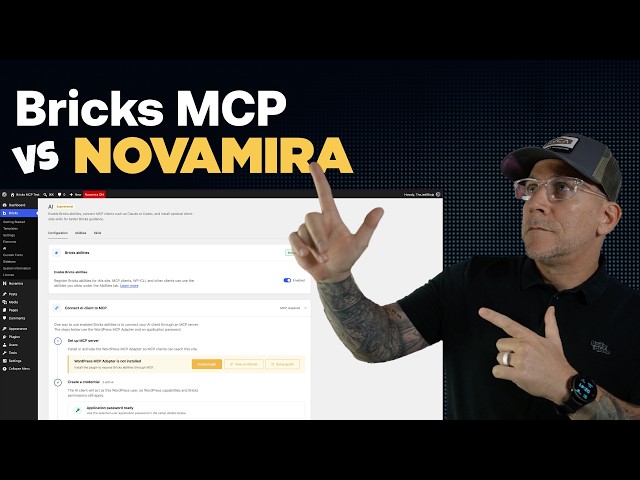
The video explores the emerging capabilities of Bricks Builder version 2.4, specifically focusing on its new AI abilities designed for Model Context Protocol (MCP) clients like Cloud Code and CodeX. The presenter compares these native features against Nova Mira Pro, a popular tool that has long been used to enhance WordPress sites with MCP integration. While Nova Mira currently offers a comprehensive suite of tools including support for various page builders, themes, and plugins through its own adapter, Bricks is introducing 170 native abilities in its beta stage. These new features are built directly into the core product by the developers who know the platform best, aiming to provide straightforward and efficient instructions for AI agents without the need for third-party overlays.
A significant portion of the discussion addresses the technical architecture behind these tools, explaining how the WordPress MCP adapter serves as the foundational layer that allows AI agents to interact with a website's capabilities API. Both Nova Mira and Fluent Hub utilize this adapter but add their own proprietary features on top. The presenter demonstrates that users can run tests to verify which abilities are active and visible to the AI agent, noting that overlapping or redundant abilities can sometimes reduce token usage by providing clearer context. However, there is a trade-off regarding token consumption and efficiency, which the presenter expects will improve as Bricks moves from beta to a stable release with optimized performance.
The video concludes with a practical recommendation on how to leverage both ecosystems effectively. The presenter suggests that users do not necessarily have to choose between the two but can instead disable the native Bricks abilities within Nova Mira Pro to avoid conflicts while still benefiting from Nova Mira's broader ecosystem and additional features. By turning off specific ability sets in Nova Mira, users can ensure their AI agent relies on the high-quality, native Bricks abilities while maintaining access to other tools provided by Nova Mira. This hybrid approach allows for a streamlined workflow where the AI agent receives precise, conflict-free instructions from the core product team, ensuring robust functionality without unnecessary complexity or potential errors from destructive actions like deleting breakpoints or styles.
Read the full video transcript
Bricks 2.4 releases all kinds of new
features and one of those standout
features is going to be the new Bricks
AI abilities for MCP clients like Cloud
Code and CodeX. Now, I've been using
Nova Mira Pro on all my Bricks websites,
but this got me thinking, do I still
need to use Nova Mira? Let's take a look
at both of them and figure this out.
Let's start by checking out the new
Bricks AI abilities and skills. And at
the time of recording this, we have
Bricks 2.4 a beta 3. In the latest a
beta release, they did improve the AI
abilities, making them faster and more
efficient, and adding in more abilities.
And it is still in beta, so keep that in
mind. This is for testing, not for
production websites. After looking at
the beta releases, you can see that they
continuously improve the AI abilities,
so I do expect this to be a lot better
once the stable version is released.
Once you have 2.4 installed, we are
going to see a new option here saying
AI. And this is where we are going to
connect our MCP server and connect
everything to our AI agents like Cloud
Code and CodeX. We could also see our
abilities and we can install our Bricks
skills. I'm going to go through all of
these, show you how to set it up and
connect it all, but first, I want to
help make sense of all of this because
this is not an MCP. Let me explain. In
case if you are new to MCPs inside of
WordPress. This new release is a set of
abilities and skills that connect to an
MCP. And back here you can see the steps
required. The first step is to set up
and connect an MCP server. Let me break
this down really quickly just to help
make sense of all of this and how MCPs
work inside of WordPress. You see,
WordPress has this thing called
WordPress Abilities API and this is
inside of the core of WordPress. The
Abilities API connects to an MCP server
and allows an AI agent to speak to your
website and understand your website
through abilities. But, in order to open
this up, we need an MCP server. And this
is where the WordPress MCP adapter comes
in. This turns the abilities registry
into an MCP server. And back here in the
setup, it's going to show you to install
the WordPress MCP adapter. And if we
look at it on GitHub, this is the
official plugin by WordPress that turns
your website into an MCP server. Once we
have that MCP server activated, then we
could connect the Brix AI abilities.
This also works for other MCPs and other
set of abilities like what we have
inside of Fluent Cart and many other
tools now. Lots of tools are releasing
MCPs or abilities that connect to MCPs.
Here's the back end of my website. And I
am using Nova Mira Pro. You can see I
have a bunch of Brix abilities already
built in here because this is the pro
version. But, then I also have abilities
for Fluent Cart and Fluent CRM. Now, the
way this works inside of Fluent is that
in Fluent, we have the Fluent Hub. And
the Fluent Hub actually is an MCP
server. But, let's hold off on this and
go back here to help make sense of how
Nova Mira works and to see if we even
need something like this anymore if
we're using the Brix abilities. The way
Nova Mira works is it uses a WordPress
MCP adapter. And what this means is it
is using this WordPress adapter by
WordPress but adding its own features
and abilities on top of this. So, when
we install Nova Mira, we are installing
the WordPress MCP adapter just with more
added on top of it. Going back over to
my website and looking at the Fluent
Cart and Fluent CRM abilities we have
here, well, Fluent actually works the
same way with the Fluent Hub. The Fluent
Hub, if we were to install that, it
bundles up the MCP adapter by WordPress
and adds its own abilities and features
on top of it. So, this is how the whole
MCP inside of WordPress works. We have
the abilities API, and then we have the
WordPress MCP adapter, and then we have
other tools like Nova Mira, even Fluent,
and many others as well, just using the
WordPress MCP adapter and then adding
their own features on top of it. Now,
what all of this means is we have
options. The option is we could use the
WordPress MCP adapter and just use it as
a standalone, keeping only our Bricks
abilities set up through the MCP. That's
all we have is what we are getting with
Bricks. Now, with Bricks, we are getting
a lot of abilities. As of this time,
with the beta 3, we have 170 abilities.
I believe it was 142 abilities. I ran
some tests last week while it was inside
of beta 2. We'll come back to these test
results, but those are a lot of
abilities. And if we go back here to my
site right here with Nova Mira Pro,
well, we have 49 abilities. But, with
Nova Mira and Nova Mira Pro, we get a
lot more that comes with it. For
example, on the Nova Mira Pro, we are
going to get more abilities like I use
SEO Press, so it is going to pull up
some SEO Press abilities that are by
Nova Mira Pro. Now, taking a look at
Nova Mira Pro, we can see that it adds
abilities for many different page
builders. So, since I'm using Bricks,
it's automatically going to apply the
Bricks abilities, but it would do the
same with any of the others like
Elements or Divi and any of the rest.
It's going to do the same with a set of
themes, with a set of blocks, with
WooCommerce,
some forms, and then some other plugins.
And what this does is it uses the
abilities to speak to my AI agent. Right
now, I'm using Claude Code and Codex.
It'll speak to it and it'll allow the AI
agent to understand the website a lot
better. Basically, it won't be stumbling
around blind. It is given clear
directions on what it could do and how
to do it. Now, back over to the test cuz
I ran a few of them. Now, this is just a
test with Claude Code and I ran several
and got a lot of different results.
Nothing was exactly the same every time,
especially when I was testing things
like token usage. But, what I found was
pretty interesting. And one of them was
how the overlapping abilities actually
use less characters inside of the native
Bricks' abilities, which is actually a
really good thing. Cuz basically, this
means less context. And the more
straightforward, clear context the AI
agent is given, that means it is giving
it less to think about and less room for
error, basically. So, this is actually
pretty good. But, there is something to
consider as well, and that is a token
usage. But, honestly, after running the
test and after seeing the latest updates
and just the fact that it's in beta and
that Bricks is working on improving and
making it faster and more efficient,
we're going to be seeing Bricks making
things run more efficiently, which means
the token usages are they're going to
change. So, I don't want to go on that
right now. But, what I do want to go on
are going to be the abilities. Because
if we go back here, we have 170
abilities, and these are created from
Bricks, who knows their product better
than anybody else. And the abilities
that are given are very straightforward,
very direct. Hands down, you're not
going to beat something that is built
natively from bricks, especially
something that is as thorough and just
as complete, especially being that this
is only in beta and we're already into
this at 170 abilities. Let's go ahead
and connect all of this and see how to
set it all up. We could go and install
the WordPress MCP adapter. That's
totally fine, but there will be
limitations. We won't have all the
abilities, the extra abilities that Nova
Mira will bring in. So, what I'm going
to do first is just activate the free
version of Nova Mira. Let's go ahead and
activate this and connect it really
quickly. Just going to go over to our
configuration, turn on AI abilities,
save the settings. I am going to select
on application password, select it on
Claude code, and then I'm going to copy
and paste in this prompt. I already have
my Claude code session set up. The
folder is connected to my local website.
I am going to turn this on a low effort.
I found that keeping the effort on low
or even like dropping it from Opus to
Sonnet just makes a connection faster
and easier, prevents Claude from doing
that overthinking thing where it just
wants to do too much work for something
simple. And that took just 1 minute,
super easy to do. Let's go ahead and
close this down and then restart it in
order for Claude to be able to read the
server. And now that I'm restarting it,
I'm going to just tell Claude, "Hey,
let's restart it, check the connection
to the MCP server." And that took 15
seconds. Okay, everything is connected
and we're good. Let's go back over to
our site now and let's refresh it. Go
over to our abilities hub, and now we
can see already the Nova Mira abilities
are here. Now, if I were to activate the
pro version, we're going to see the
bricks abilities come up. But before we
activate the pro version, let's go back
over to our bricks AI abilities and set
those up. First thing we got to do is
enable. And now for the MCP server
connection, we already have an MCP
server. It is working. So, we could
continue moving forward. Let's go over
here and give it a credential name. I'm
going to call this bricks AI. Let's
generate the password. And you
definitely don't want to share that
password. It's going to be deleted right
after you see this or right before you
see this video. Okay, and you can see we
already have our Nova mirror here. It is
picking that up. Let's go ahead and
connect it and we're going to do the
same thing. We're going to go to the
prompt and we're going to copy it. Let's
go back over to our AI agent. I'm going
to keep it on low and let's send that
over, let it do its thing. While it is
doing that, let's take a look to contest
a connection. We're going to have the
test and okay, the MCP server config.
Everything else is there, but we need to
get this MCP configured. So, this should
take care of that and this took about a
minute and a half to load and not that
many tokens, 1.7 thousand tokens. And we
can see here that it is showing 160
bricks abilities that are live at this
endpoint. Now, we need to do the same
thing. We have to close down our session
and restart everything. So, I'm going to
close my app, force close it and restart
it. And to restart it, I'm just going to
ask Claude to restart the session, test
MCP connection and to list all of the
active abilities. And there we go. That
took less than two minutes. And we can
see here, it is showing active 165
bricks abilities. I like to run tests
like this because it tells me what can
my AI agent read. So, let's go back now
and take a look inside of our site. I'm
going to refresh and after refreshing it
still shows the MCP server is not
configured. But, this might be because
it's still in beta because it says here
to start a new AI chat and ask it to
list the available bricks abilities,
which it was able to do. So, we're going
to continue forward. I believe that it
could read it, but now we need to
install the skills and this is pretty
dope and awesome of bricks that it
included this making it super easy.
Let's go ahead and copy this prompt,
take it over to our Claude code, paste
that in, and just send it. While it is
loading those skills and getting it all
ready, I am going to grab this prompt
right here, which is a verify it all
works. So, let's grab that. And that
took about a minute and a half. Let me
go ahead and restart the session, force
close it, and let's give it that test
prompt. In fact, I am going to
move this over to Sonnet low just to go
even a bit faster with less tokens. And
you can see that took like 8 seconds to
to start going off. Okay, so we can see
the skill list is currently loaded
inside of the client. We are good. So,
everything now is connected. We have all
of our abilities and what we could do
with our abilities is we could turn them
on or off. We could use the ones that we
want to use. Now, you will see some that
are labeled destructive. What this means
is we are given the ability to our AI
agent to do things on our website that
require us to be very careful. One of
those things is going to be execute PHP.
Now, this is what allows Claude to go in
and start writing PHP. It is something
that we need in order for it to work on
our website and actually do things on
our website. So, if you do see the
destructive, it doesn't mean like, "Hey,
don't use this." It just means be very
careful while you are using it because
these are the things that if we tell
Claude, "Hey, remove all the breakpoints
and let's just keep everything at
desktop." It'll use this ability and
delete all of your breakpoints. It could
delete all the styles from it, which,
you know, will be a massive headache for
you to fix later on. Delete post, you
know, we got to be careful with those
kind of things. So, take time to
actually go through this and look at
what we are giving Claude and our AI
agents the abilities to do on our
website. Now, let's jump back over to
Nova Mira to our abilities of. And this
is where things get interesting with
Nova Mira and kind of bringing
everything to full circle. Bricks versus
the Nova Mira abilities. I'm going to
say abilities instead of MCP. Which one
to use? Well, inside of Nova Mira free,
we are getting that default WordPress
MCP adapter plus more. And this is in
the free version. And we are also
getting an overview of all of the
abilities, even from other sources that
are being added to our website. So,
we're able to see everything in one
place. We're able to load more skills.
We're able to give more context. There's
still a lot more we could do in the free
version. And then, if we were going to
use the pro version, it is going to give
us more abilities, including 49 Bricks
Builder's abilities. Now, when it comes
to the Nova Mira Bricks abilities versus
the default or native Bricks abilities,
I mean, I think it is safe to assume
that Bricks, the team behind Bricks,
that knows our product better than
anyone else, is going to come with
better results for us because they This
is their product. I mean, we already see
170 very straightforward abilities
versus what we see inside of Nova Mira.
But still, because of everything else
Nova Mira brings
to me, this sounds like the best option
using both and just going in and turning
off the bricks abilities here.
Let's disable them. And now with the
bricks abilities in Nova Mira by Nova
Mira disabled, we are able to get the
best of both worlds. We are able to use
the default native bricks abilities by
the bricks team. It is not going to
conflict with them inside of Nova Mira
and in fact, it all works with Nova
Mira. Nova Mira is going to bring us the
MCP adapter and it's going to give us
some extra features alongside of it. And
I did run tests inside of Nova Mira.
Once you disable some of the abilities
like I have all of them disabled right
here, your Claude or Codex isn't going
to read them. They're going to skip
right by them and we're still going to
be able to use all of these abilities.
And this is how I see myself using this
bricks abilities and MCP workflow inside
of WordPress on my bricks websites once
this gets out of beta. Well, I do hope
you found this very helpful and if you
have any questions, definitely drop them
in the comments and also let us know
what are you using? Are you already
using the new bricks abilities and how
is that going for you? I definitely want
to hear from you and I know everybody
else does as well. So, let us know in
those comments. Thank you for watching
and if you did enjoy this and want to
learn more, then definitely do that good
YouTube stuff. You know the deal. Like
and subscribe. And I'll be back with
more. Thank you for watching.